
Task
A JSON object stores values inside nested objects, for example category.name and price.value. A spreadsheet or importer needs flat CSV columns.
Short answer
Choose a JSON source and CSV output. In the table snapshot, keep the original JSON paths as sources and rename only the final column headers.
What matters for the result
- A flat CSV is built by selecting exact JSON paths for each column, not by copying the whole object.
- The output column name may differ from the source path:
price.valuecan becomeprice. - If the JSON contains a product array, select the correct repeating level first, otherwise the CSV may become one row.
Before / After
Before
source data{
"sku": "CHAIR-NORD-01",
"category": {
"name": "Office chairs",
"code": "chairs"
},
"price": {
"value": 129.9,
"currency": "EUR"
}
}After
result| sku | category_name | category_code | price_value | price_currency |
|---|---|---|---|---|
| CHAIR-NORD-01 | Office chairs | chairs | 129.90 | EUR |
How to Do It in Eofferix
- Create a transformation profile, upload the JSON file, and choose CSV as the output format.
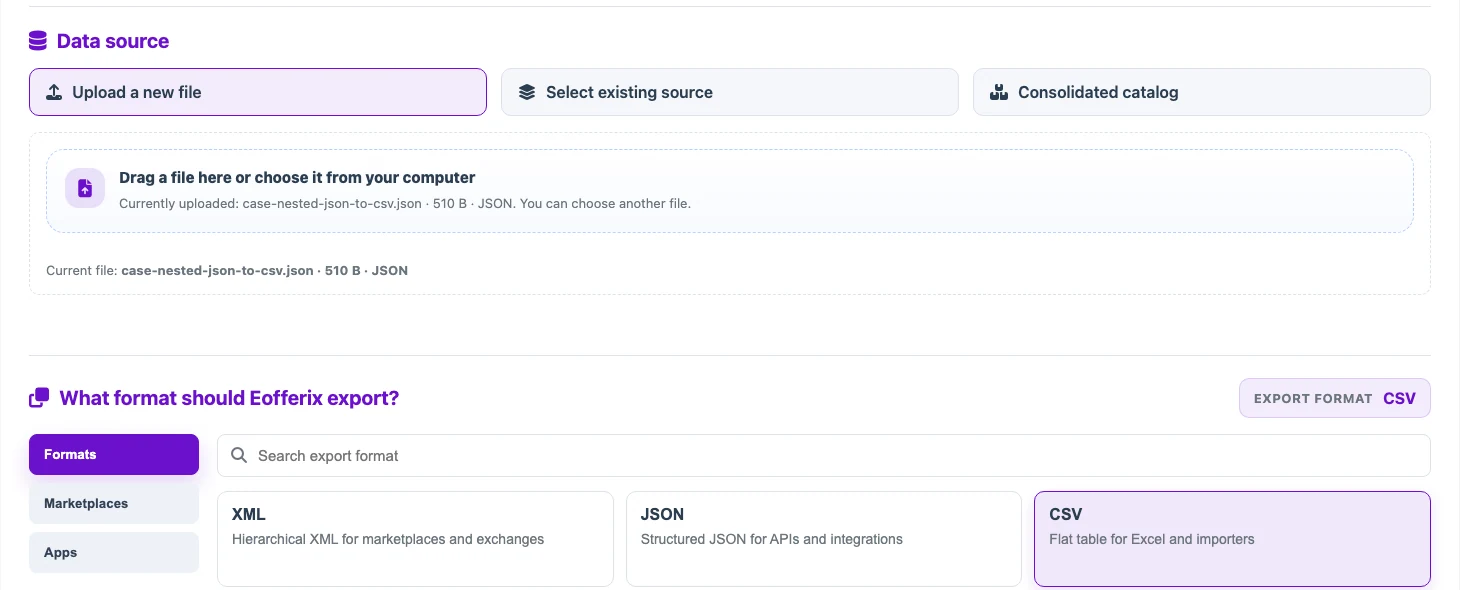
The source is a JSON file, and the output format is CSV. - Save the profile and open the table snapshot. At first, Eofferix shows nested fields as JSON paths:
category.name,category.code,price.value,price.currency.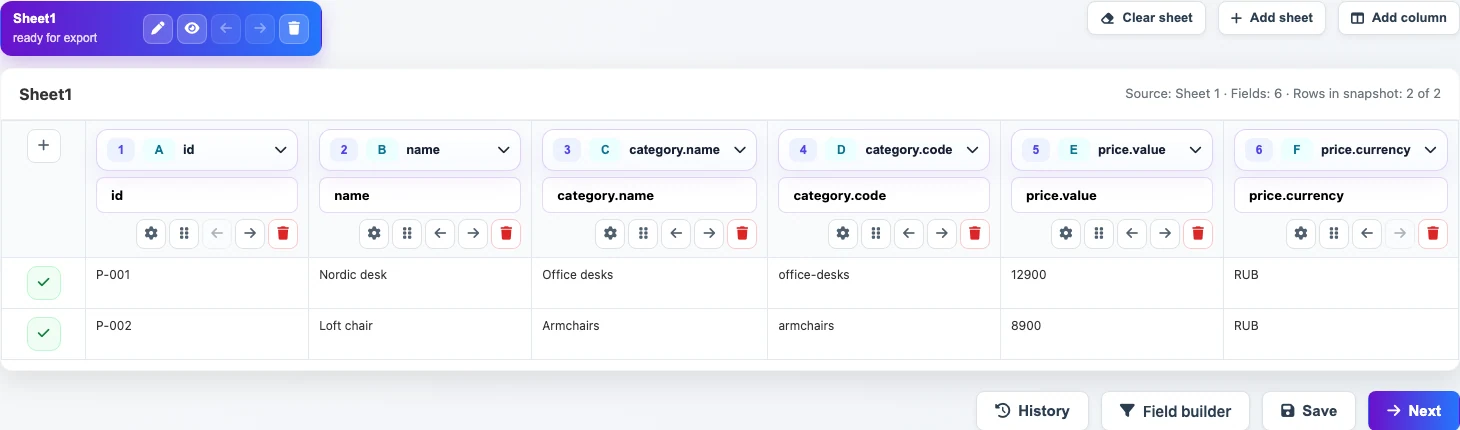
The upper row contains the original JSON paths. - Rename only the final column headers in the lower field:
category.nametocategory_name,category.codetocategory_code,price.valuetoprice_value, andprice.currencytoprice_currency.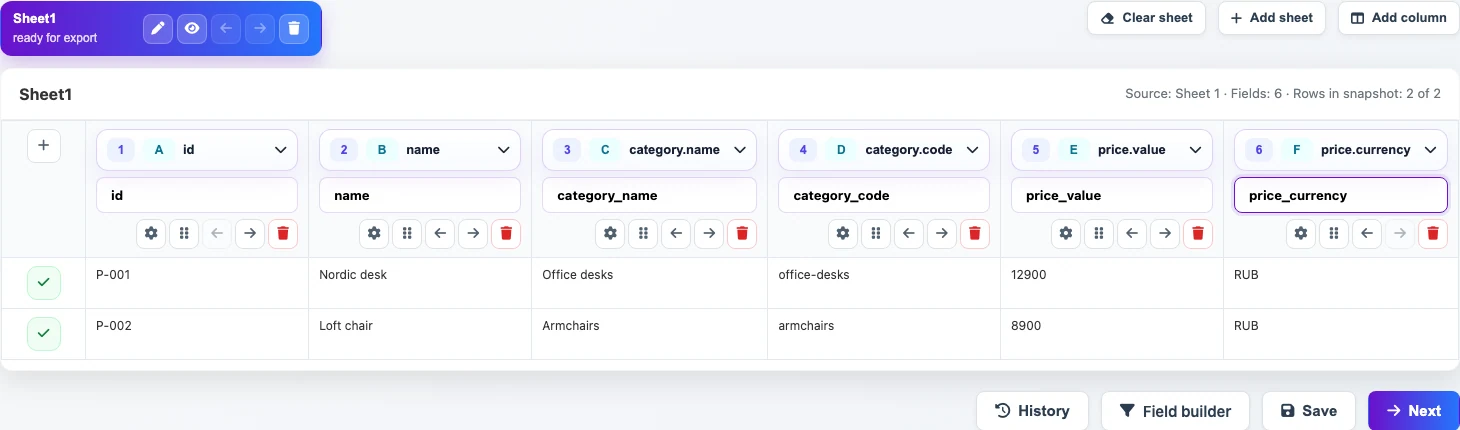
The source paths stay in the top row; the CSV column names are changed in the lower fields. - Check the source of renamed columns. For example,
price_valuemust still read fromprice.value, andprice_currencymust still read fromprice.currency.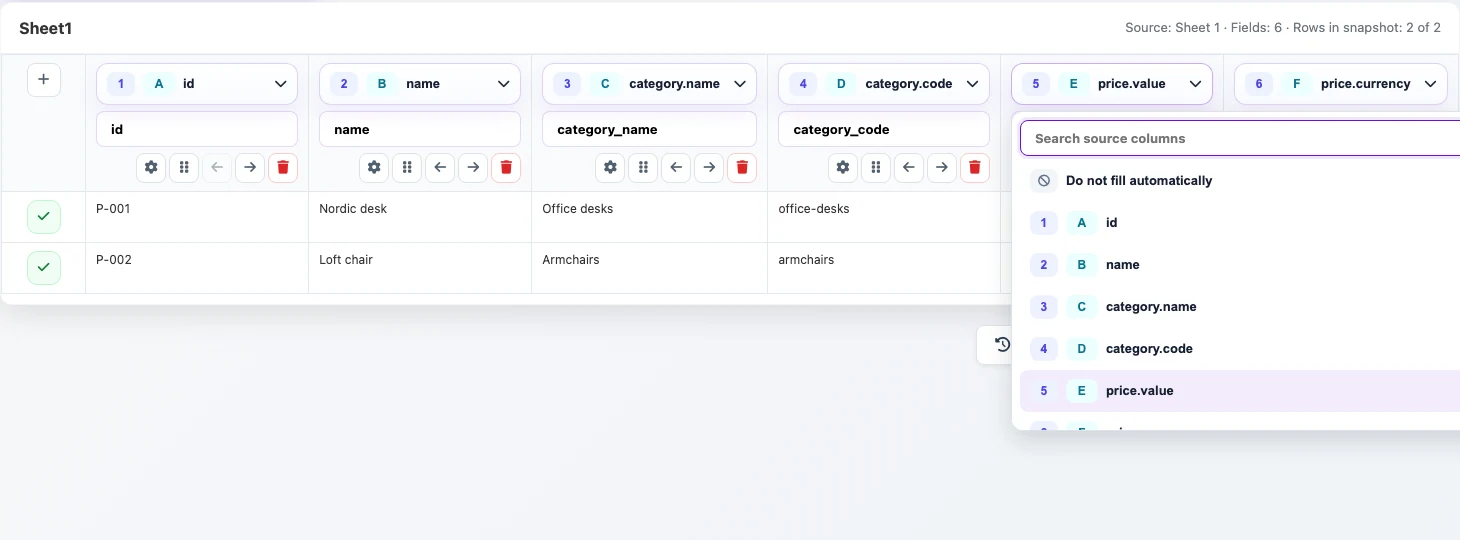
The source dropdown confirms that price_valuestill usesprice.value. - Save the template. On the final step, run the transformation.
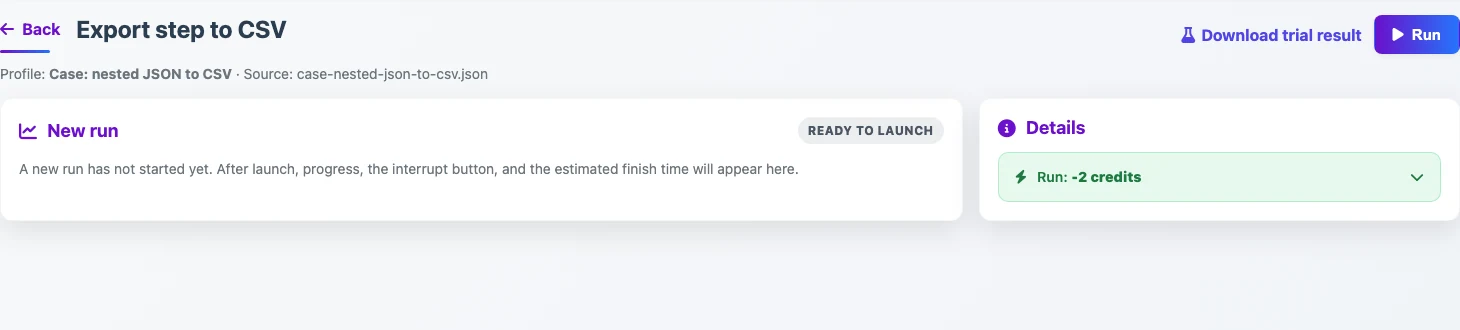
After saving the template, the final step starts the transformation.