
Task
The JSON catalog stores a prices array for each product: one price in USD, another in a foreign currency. The import needs only the local price.
Short answer
Open amount and add a condition on neighboring currency: regular expression ^USD$ (matches a value that is exactly USD).
How to do it in Eofferix
In the JSON snapshot, select
amountinside thepricesarray.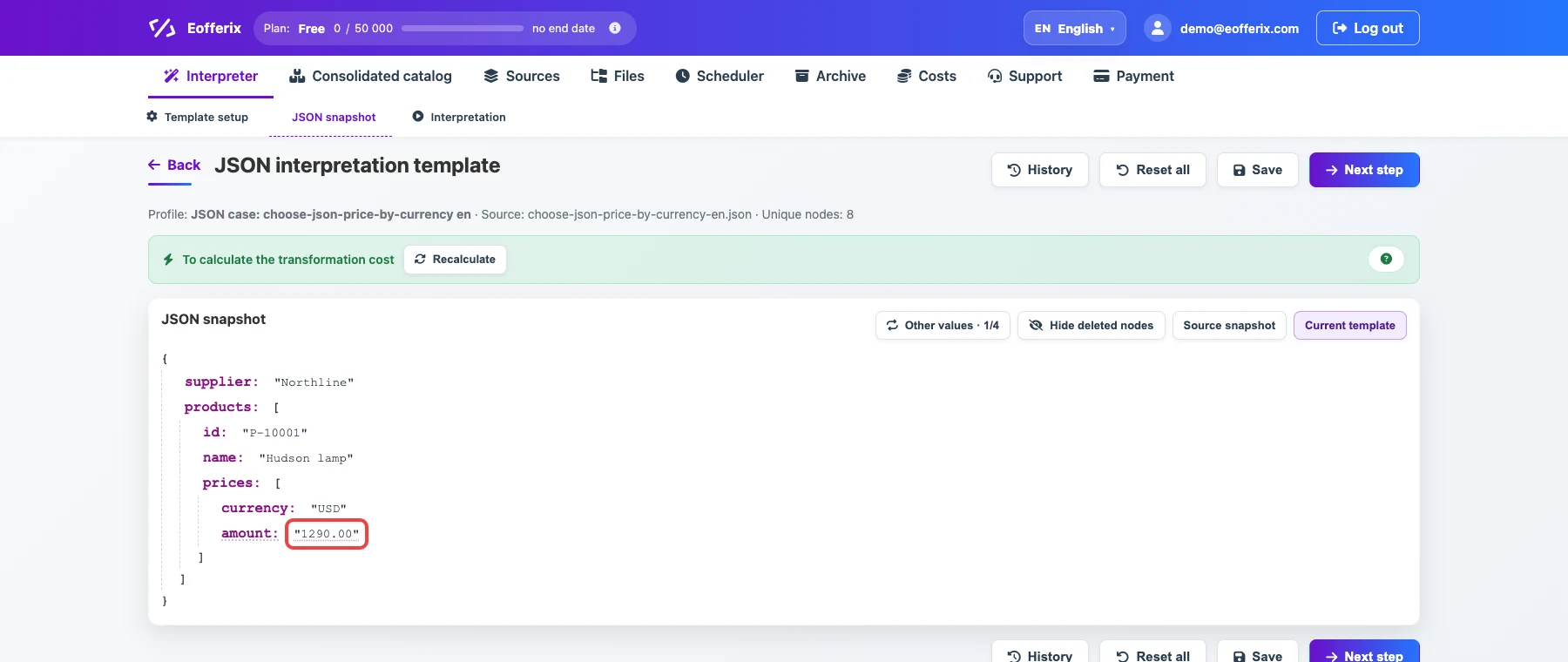
The selected value belongs to one price object. Open the value settings.

The animation shows opening settings for the price field. Add an export condition on neighboring
currency: regular expression^USD$(matches a value that is exactlyUSD).
The condition keeps only the price in the current import currency.
Before / after
Before
source data{
"supplier": "Northline",
"products": [
{
"id": "P-10001",
"name": "Hudson lamp",
"prices": [
{
"currency": "USD",
"amount": "1290.00"
},
{
"currency": "EUR",
"amount": "14.20"
}
]
},
{
"id": "P-10002",
"name": "Parker chair",
"prices": [
{
"currency": "EUR",
"amount": "98.00"
},
{
"currency": "USD",
"amount": "8400.00"
}
]
}
]
}After
result{
"supplier": "Northline",
"products": [
{
"id": "P-10001",
"name": "Hudson lamp",
"price": {
"currency": "USD",
"amount": "1290.00"
}
},
{
"id": "P-10002",
"name": "Parker chair",
"price": {
"currency": "USD",
"amount": "8400.00"
}
}
]
}What to keep in mind
- This is different from cleaning price text: here you choose the right object from the
pricesarray. - If the supplier stores currency at product level, point the export condition to that field.