
Two suppliers send the same product with SKU LMP-2201, but in different files, categories, and stock values. You need one consolidated catalog product, source-level stock values, and one final available stock value.
Load each price list as a separate consolidated catalog source, use SKU as the product identifier, enable Full source synchronization for complete supplier snapshots, normalize categories with transformations, and map stock values to supplier stock groups. Calculate final stock with a sum rule over the selected groups.
How to do it in Eofferix
Create a consolidated catalog import profile for the first supplier and upload its price list. In
What format to export?, openApplicationsand chooseConsolidated catalog. Create a separate profile for the second supplier so each source has its own synchronization and stock contribution.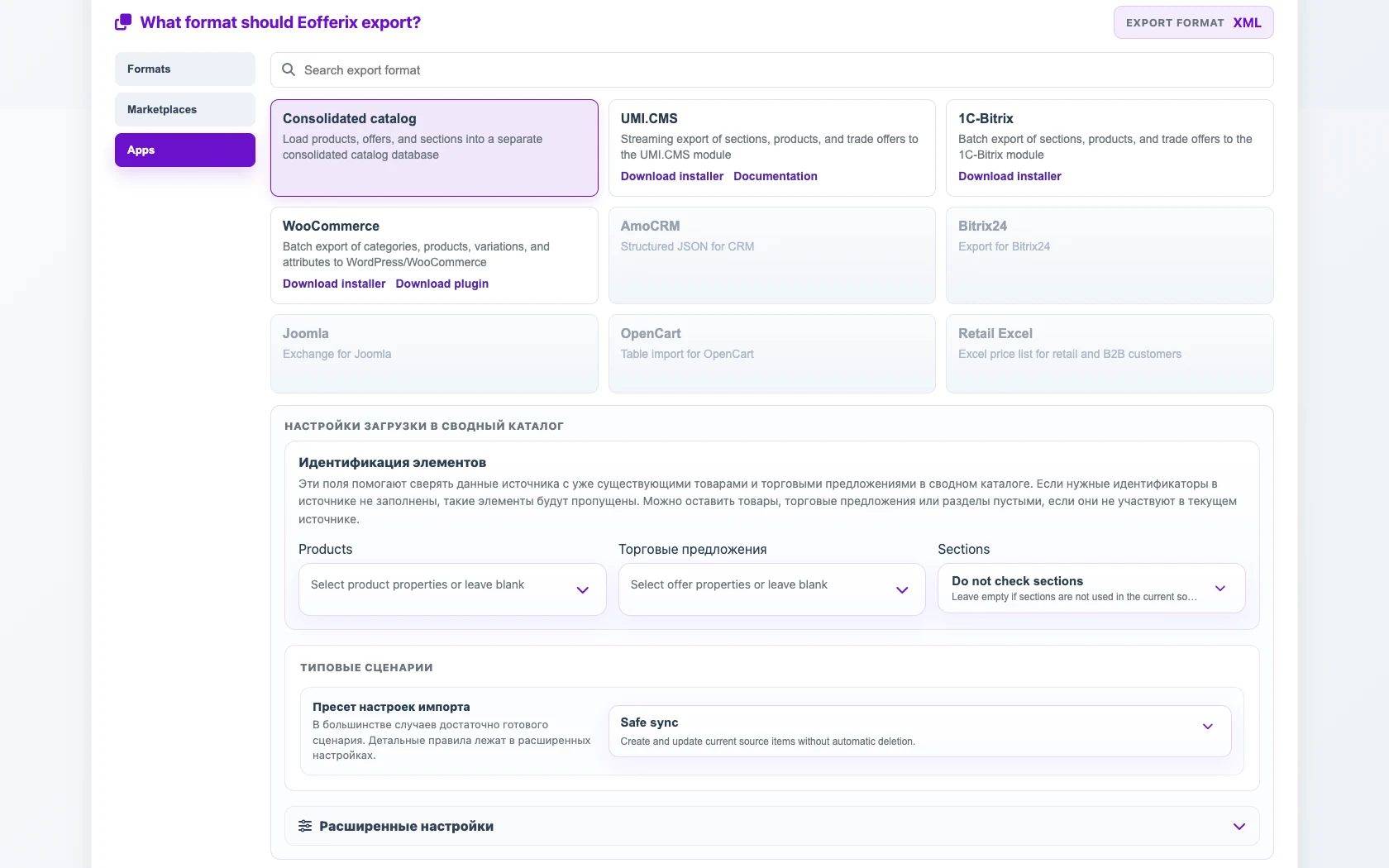
Consolidated catalogis selected in applications, so the source loads products, offers, and categories into the internal consolidated catalog.In
Element identification, selectSKUas the product identifier. If the file has separate offer rows, identify the offer by a stable SKU or the same article code.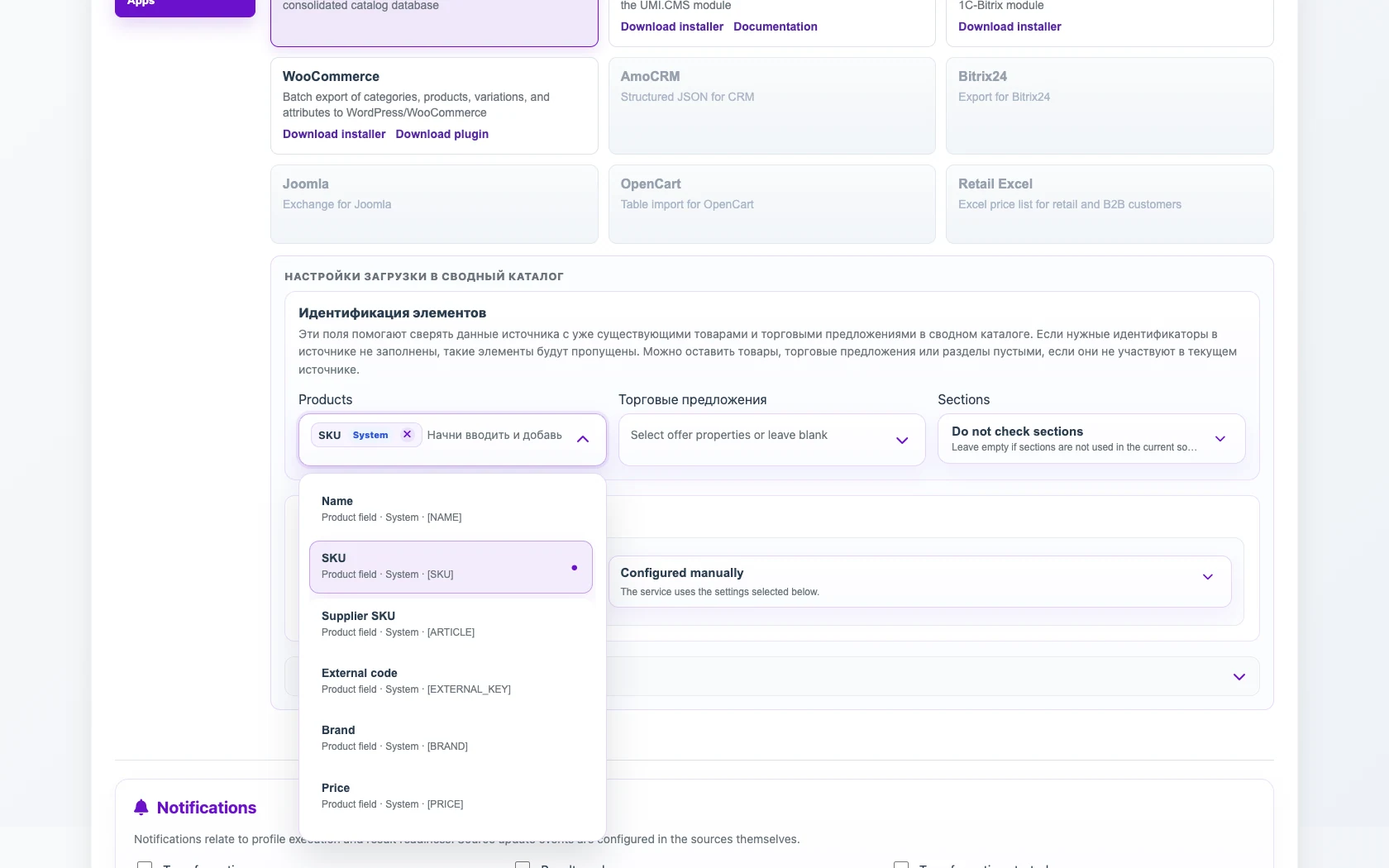
The identifier makes the second supplier update the same product instead of creating a duplicate. In typical scenarios, choose
Full source synchronization. This mode updates or deletes only the current source contribution: if the North supplier no longer sends the product, the North contribution is removed, while South supplier data stays intact.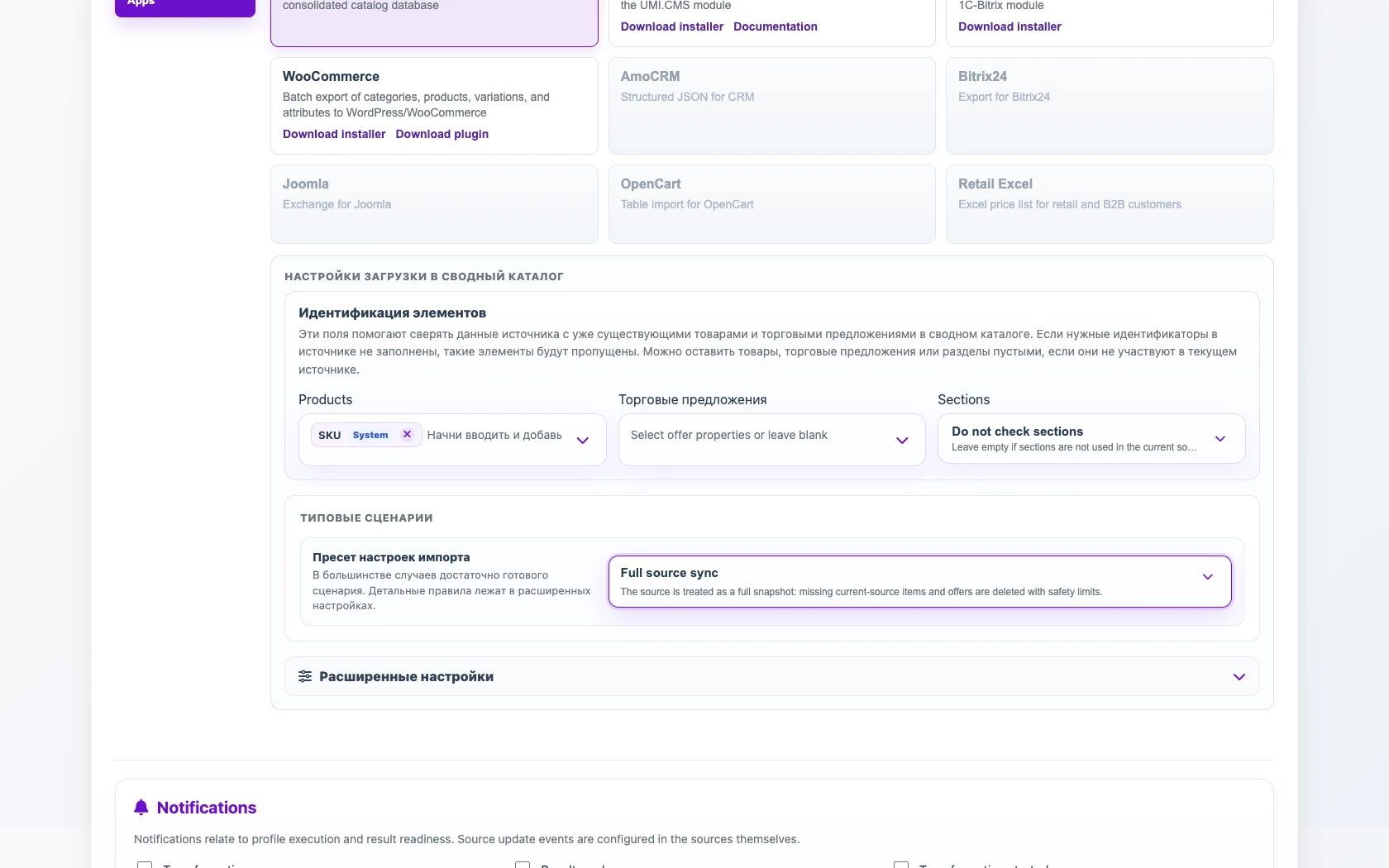
Use this only when the supplier file is a complete current snapshot. Add transformations for categories. For example, normalize
Lighting / DeskandHome / LightsintoLighting / Desk lamps. This prevents category naming differences from splitting the same product into different branches.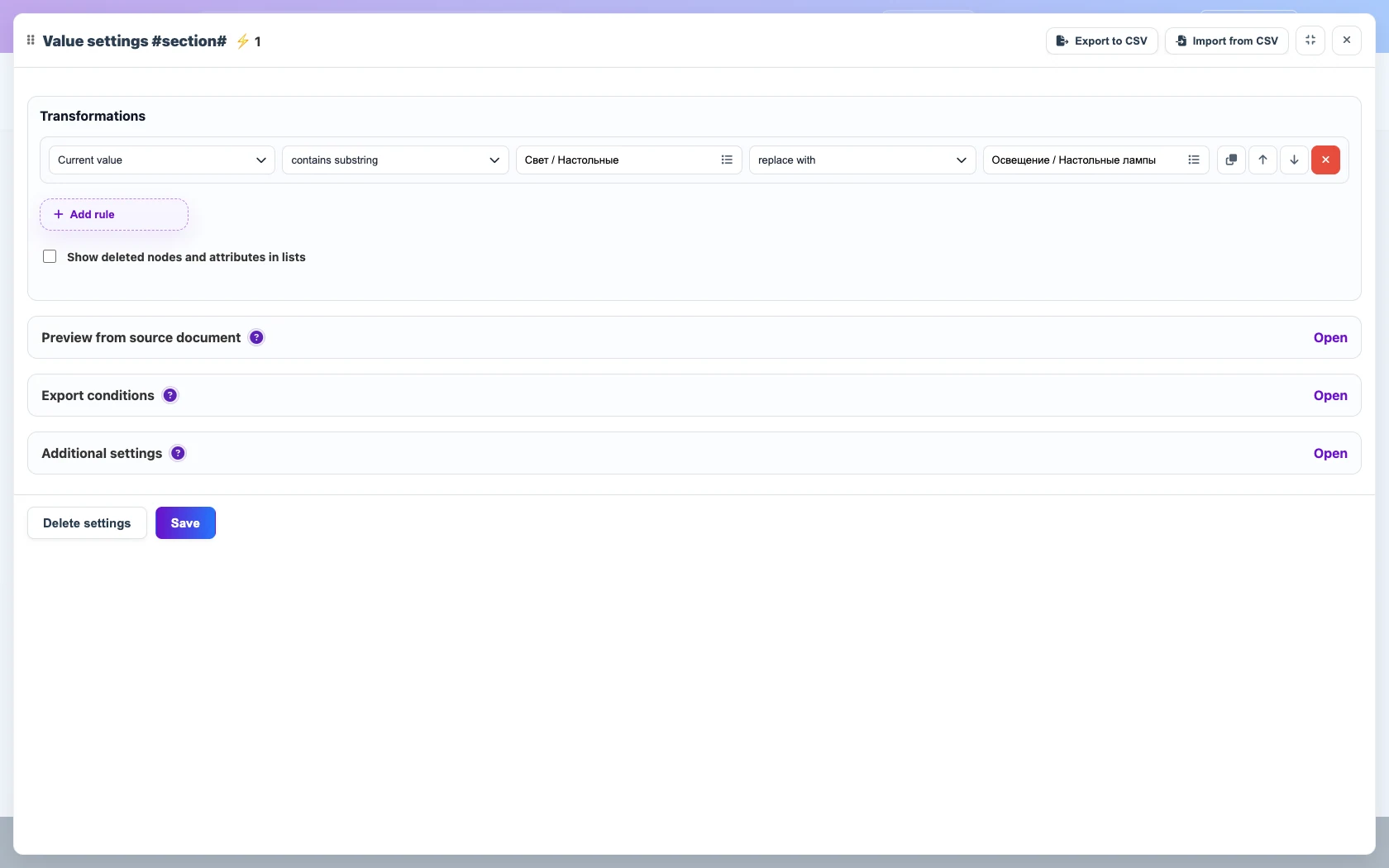
The rule replaces supplier-specific category names with one category path in the consolidated catalog. Map the first supplier
Stockfield to theNorth Supplierstock group and the second supplier field toSouth Supplier. In final stock settings, add aSumrule for these groups.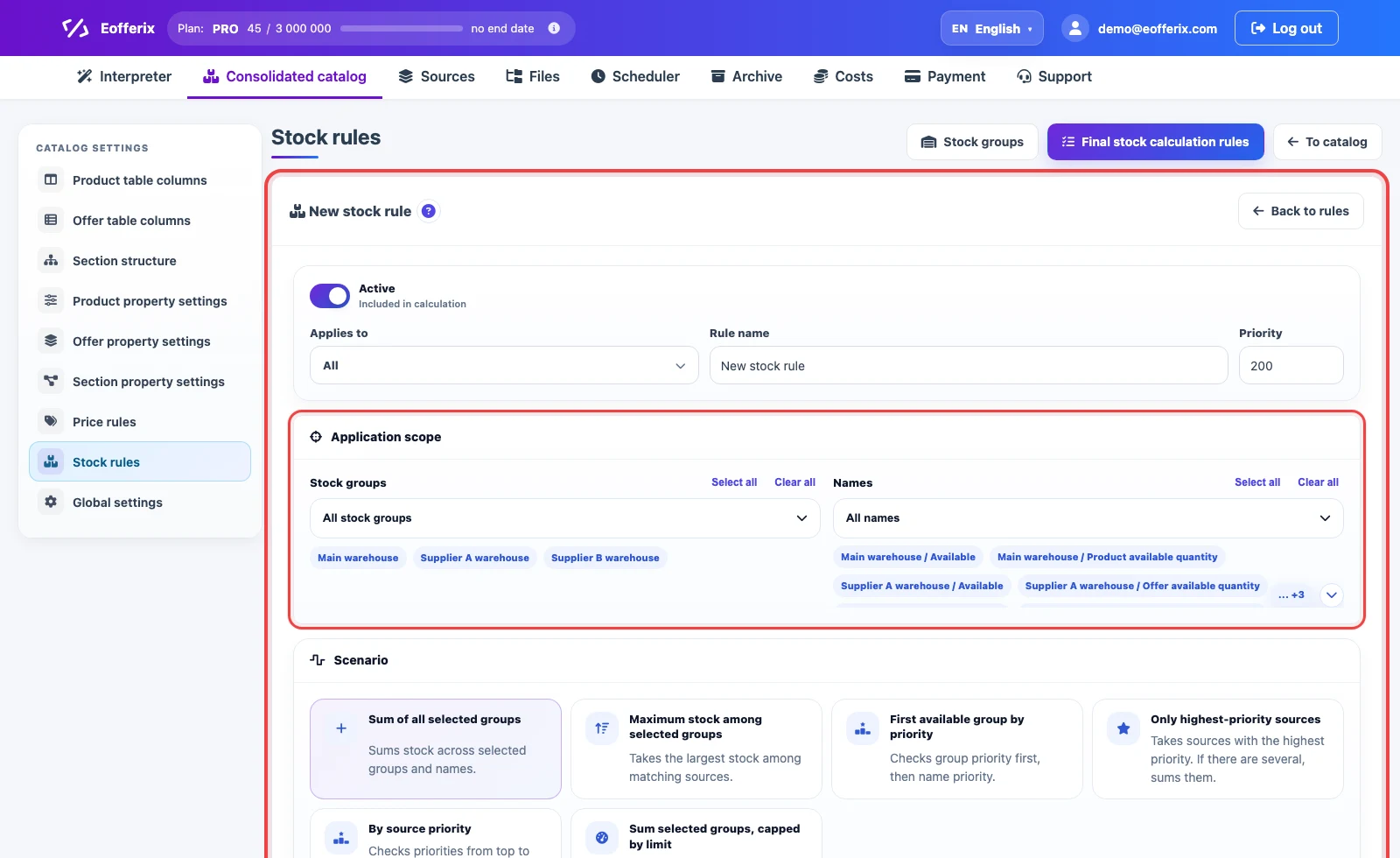
Select the supplier stock groups and the Sum all selected groupsscenario.Run both profiles and open the product card in the consolidated catalog. SKU
LMP-2201should remain one product, with supplier stock stored as separate values.
When a product has several codes. For the product card, create one chip such as SKU or External code or Barcode. For the supplier offer, add Supplier as a separate chip: (SKU OR External code OR Barcode) AND Supplier. To reduce the risk of unrelated code collisions, you can add another group such as Brand or Manufacturer.
Any available fields can be used in each group. Alternatives are tried from left to right, and the first combination that finds existing objects ends the search. If several duplicates are found, the template’s duplicate policy receives the complete set. Extra alternatives do not consume extra credits.
Before / after
Before
source data| Supplier | SKU | Name | Category | Stock |
|---|---|---|---|---|
| North Supplier | LMP-2201 | Onyx desk lamp | Lighting / Desk | 4 |
| South Supplier | LMP-2201 | Onyx table lamp | Home / Lights | 8 |
After
result| SKU | Product | North stock | South stock | Final stock | Category |
|---|---|---|---|---|---|
| LMP-2201 | Onyx desk lamp | 4 | 8 | 12 | Lighting / Desk lamps |
How to check the result
- The consolidated catalog should show one row for SKU
LMP-2201, not two. - Open the product card and check the supplier stock groups and the final stock value.
- Run one source again without the product and confirm that only this source contribution is removed while the other supplier stays in the catalog.