
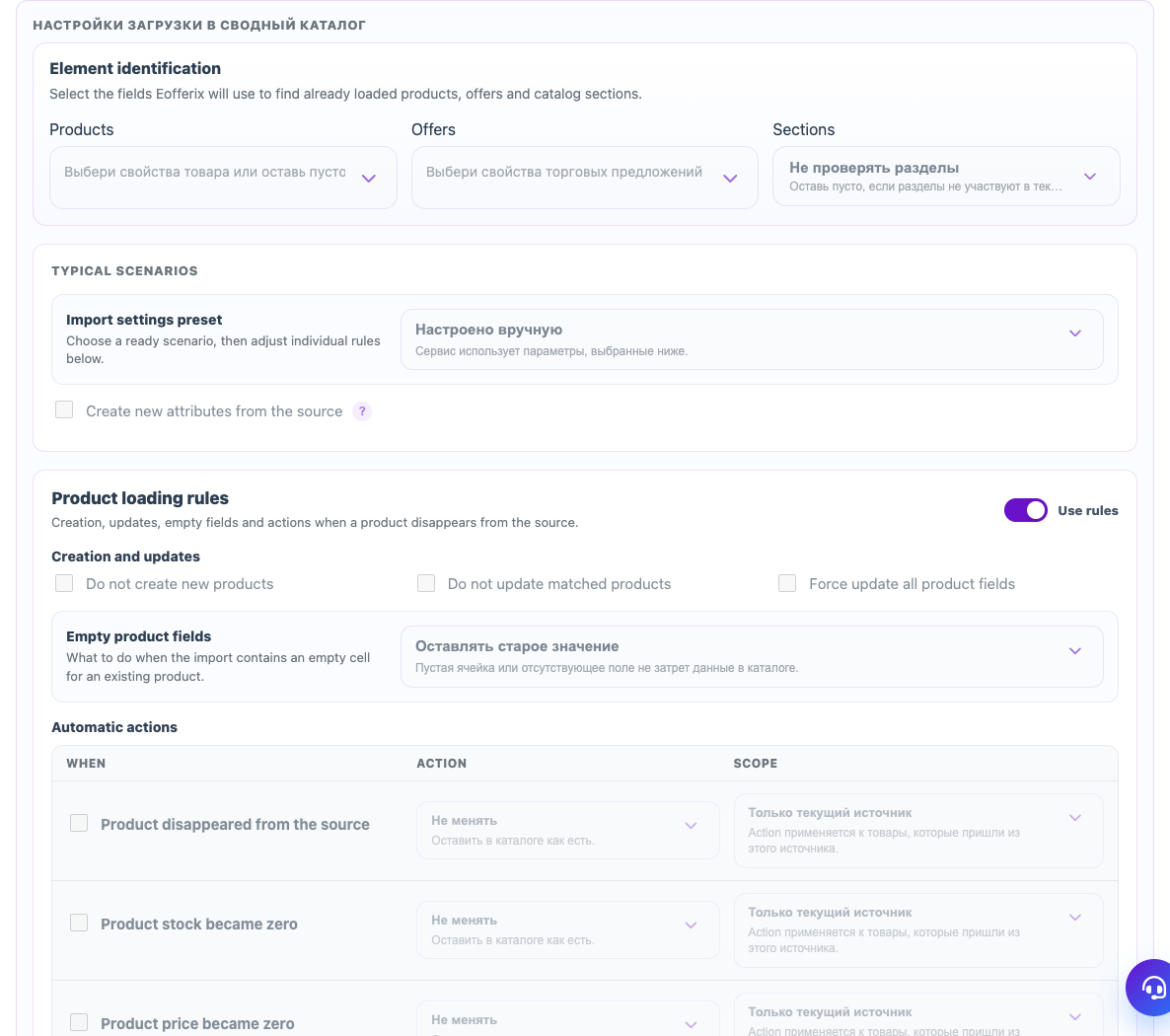
The union catalog import template does more than field mapping. It defines how Eofferix recognizes existing items, what to do with new or missing rows, when to clean data and when to stop an import.
Element identification
Select the fields used to find existing products, offers and sections. Products usually use article number, external ID or brand plus model. Offers usually use SKU, supplier code or warehouse code.
Typical scenarios
A preset quickly applies import behavior: gentle exchange, full snapshot, append-only update or manual settings. After selecting a preset, adjust individual rules below.
Loading rules
- Products: create new products, update matched products, keep or overwrite empty fields, react when a product disappears.
- Offers: control SKU, price, stock and missing offers separately.
- Sections: create sections, connect products to the tree and process empty sections.
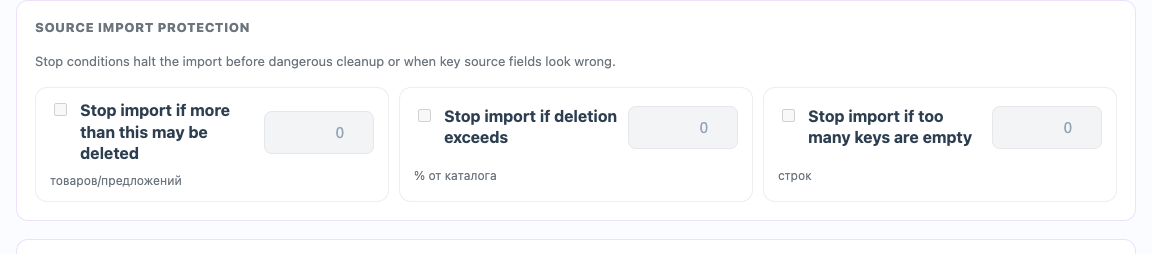
Cleanup and protection
Cleanup after import removes unnecessary offers, zero stock or products without offers. Import protection stops the run if too many items would be deleted or too many keys are empty. For regular supplier feeds, keep these stop conditions enabled.