
The profile can send the result from Eofferix mail or via an SMTP client. If the file is too large, the service may send a link to storage.
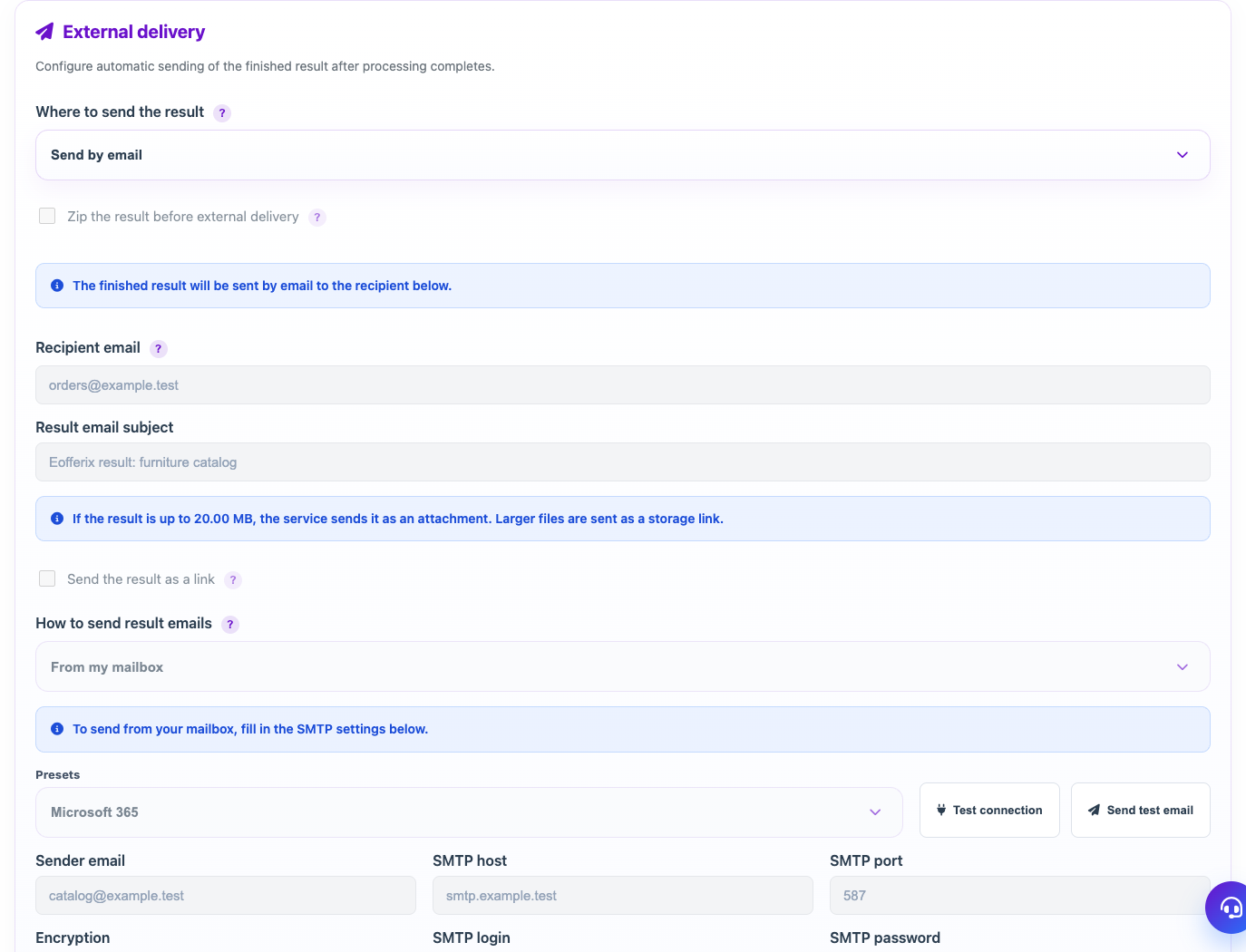
When to use
Use email delivery when the result should be sent to a manager, client, or external system by mail.
Setting procedure
- In your profile, select the Send by email channel.
- Specify the recipient's email and subject of the letter.
- Choose whether to send the file as an attachment or always as a link.
- If you need to send from your email, select SMTP.
- Fill in SMTP host, port, encryption, login and password or use a preset.
- Do a test run of the profile.
What to check
- The recipient is specified without errors.
- SMTP port and encryption correspond to the provider.
- If an application password is used, it is active with the mail service.
Notes
- The attachment size limit is set by the mail service settings.
- To regularly send to clients, it is better to use a clear subject line and a consistent result format.