
Eofferix has two similar ways to keep data out of the result: Export conditions and the do not load field action inside Transformations. They can produce a similar result, but they control different levels of logic.
Short version
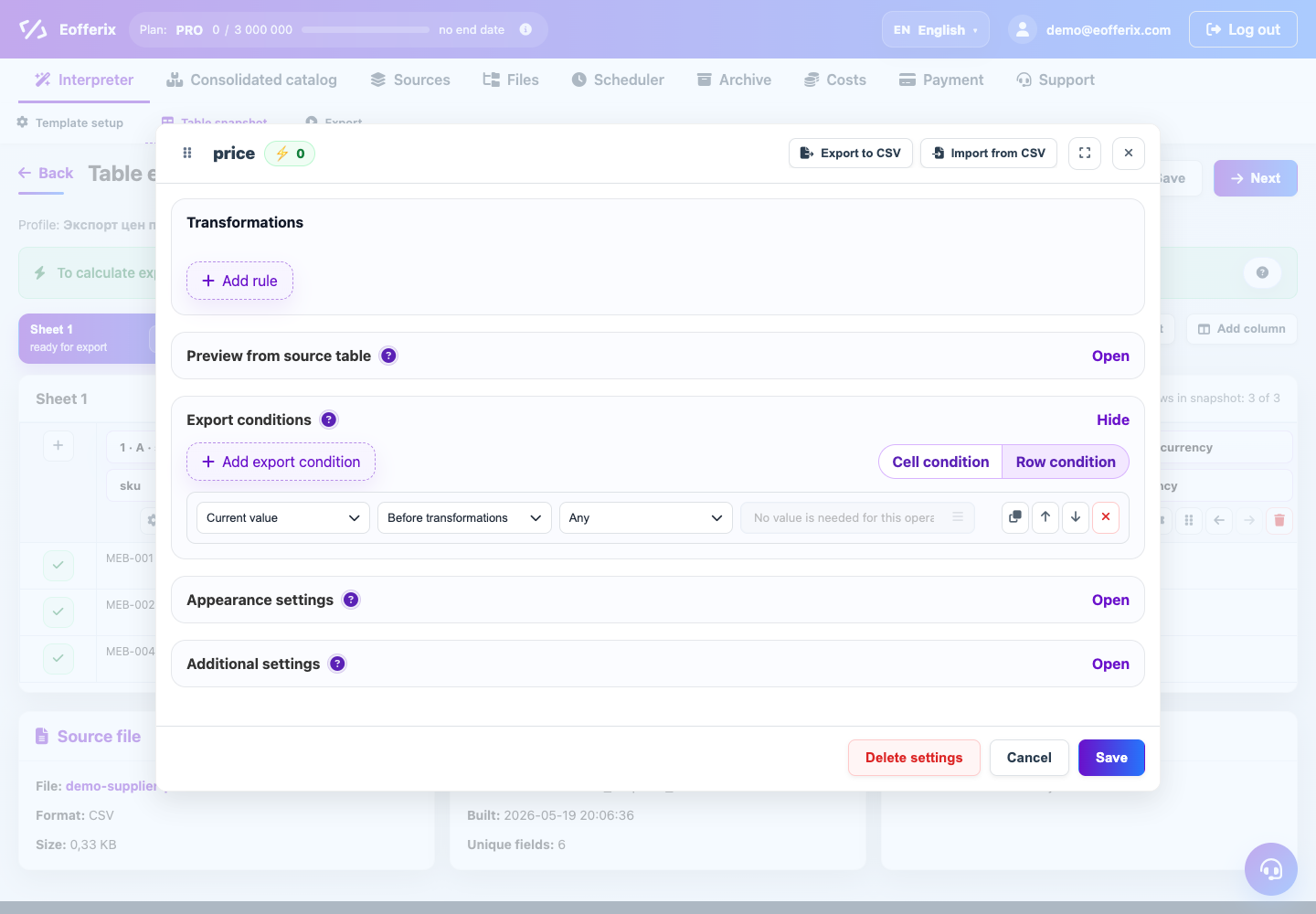
Export conditions are a separate export check. You choose their scope: field or whole item. You also choose when they run: before transformations or after transformations.
Do not load field in transformations is an action inside the sequential rule chain. It runs exactly where the rule is placed: at the beginning, in the middle or at the end of transformations.
Execution order
- Eofferix reads the source value and the context of the row, product, offer or section.
- If an export condition is configured before transformations, it is checked before the rule chain starts. This lets you filter a field or item by source data.
- Then transformations run from top to bottom. Inside this chain, do not load field can run at any step and stop further processing of the current field.
- If an export condition is configured after transformations, it is checked against the final value after the rule chain. This lets you filter a field or item by cleaned, calculated or assembled output.
What to choose
| Task | Use | Why |
|---|---|---|
| Do not export a field when the source price is empty | Field export condition before transformations | The check looks at the source value and avoids running rules for a field that is not needed anyway. |
| Do not export a product with no SKU or with price equal to 0 | Whole-item export condition | You need to remove the whole record, not just one field. Choose the timing based on whether you check the source price or the calculated price. |
| Clean description from HTML first, then skip the field if it becomes empty | Field export condition after transformations | The check stays separate from the rule chain but uses the cleaned result. |
| In the middle of a chain, decide that the field must no longer be processed | "Do not load field" transformation | This action can sit between other transformations, not only before or after the whole chain. |
| After recalculating price, remove the whole product if the final price is too small | Whole-item export condition after transformations | The decision applies to the whole item, but the check needs the calculated value. |
Scope
In Export conditions, choose both scope and timing:
- Field condition hides only the current field. Other fields of the same row or product can still be exported.
- Whole item condition excludes the entire item: row, product, offer or section, depending on the editor and node role.
- Before transformations checks the source value or source context.
- After transformations checks the final value after the rule chain.
The do not load field transformation action belongs to the current value and lives inside the rule chain. Use it when the decision must happen between neighboring operations.
Practical rule
If the task is "export or do not export this field/item", use Export conditions and choose the correct timing: before or after transformations.
If the task is "stop processing this field at this point in the chain", use do not load field in transformations and place the rule at the right position in the sequence.
Example
A supplier sends description as <p> </p>. In the source, the field is not empty, so a check before transformations would pass it. If you first remove HTML tags and collapse spaces, the value becomes empty. In this case, use a field export condition after transformations.
Another case: in the middle of a chain, after normalization, the value becomes the technical marker STOP, and the following rules must not run. Then it is better to use do not load field right at that point in the chain.