
What this page does
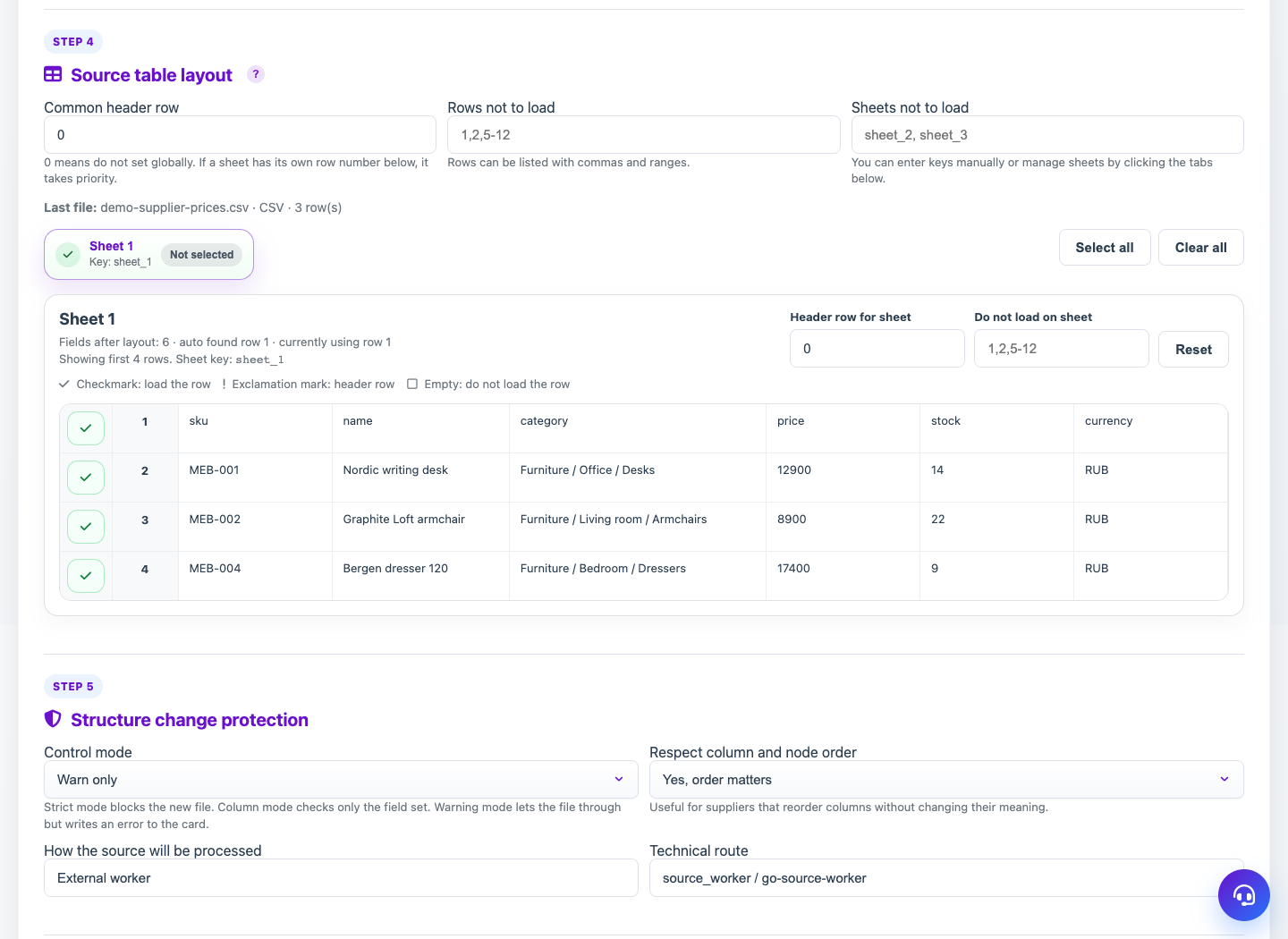
Table layout helps Eofferix read XLSX/CSV correctly before table snapshot. It is stored in the source and affects all profiles using this file.
How to use it
- Open the source card after uploading a table.
- Choose header row mode: automatic or manual.
- Check where the table starts on each sheet.
- Exclude service sheets and rows that should not become data.
- Enable sheet merge if sheets have compatible columns.
Expected result
- Table fields are detected correctly.
- Headers, totals and service blocks are excluded from snapshot.
- Similar sheets can be processed as one row set.
Common issues
- Wrong header row breaks field names.
- Sheets with different columns should not be merged without checks.
- When replacing the file, review the layout again.