
Field Builder turns repeated source properties into regular table columns. Use it when the source does not have separate Color and Material fields, but stores properties as repeated “property name / property value” pairs.
The builder covers two common cases: for JSON, XML, and YML, Eofferix can detect a repeated element group such as features; for CSV, XLS, XLSX, and XLSM, you define a column mask such as Header{i} and Value{i}. After adding the builder output, the editor receives readable columns, while the technical repeated fields can stay out of the final table.
JSON, XML, and YML: repeated elements
If the source contains a repeated property list, Eofferix shows the detected group before the table editor. In this example the group is features: each item contains title for the future column name and value for the cell value.
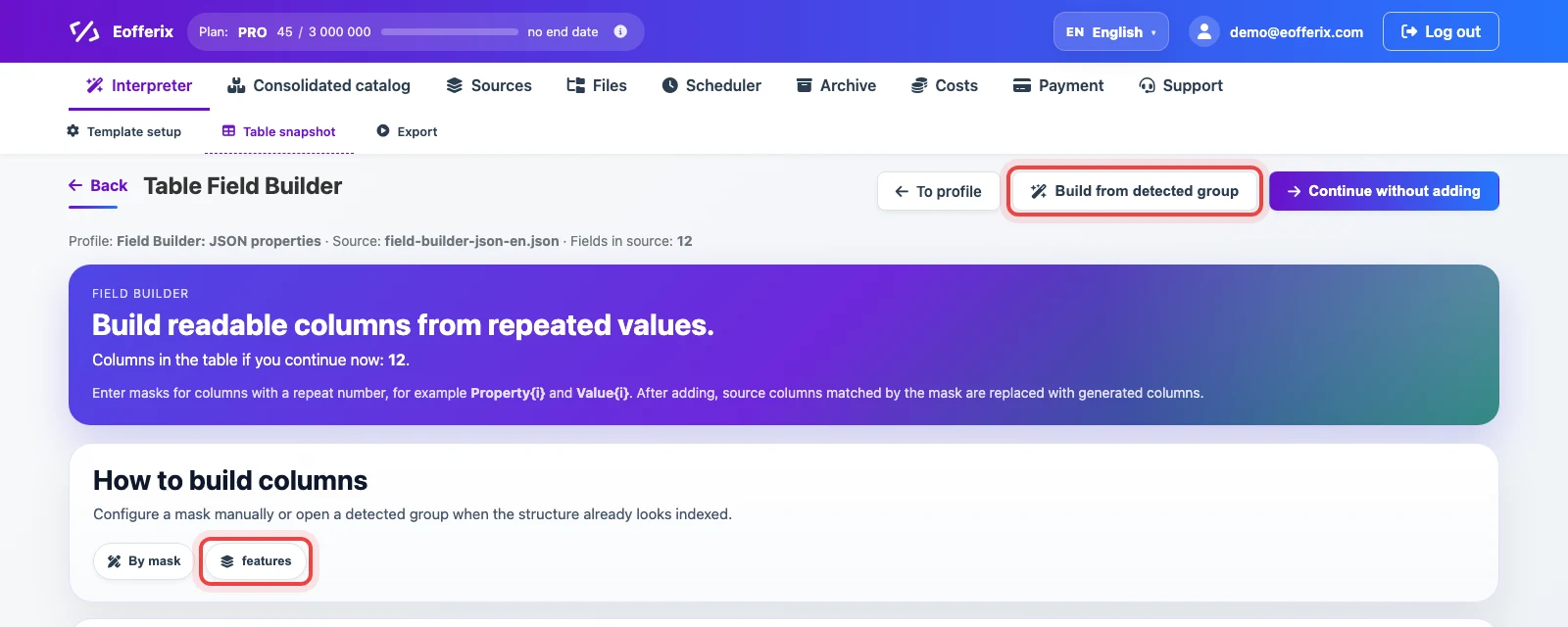
Open the group and check which field should become the column name and which field should become the value. Usually the column name comes from title, name, or label, and the value comes from value, text, or a similar field. The preview shows the generated columns immediately. You can disable unnecessary future columns with the eye icon: a disabled column is not included in the result file.
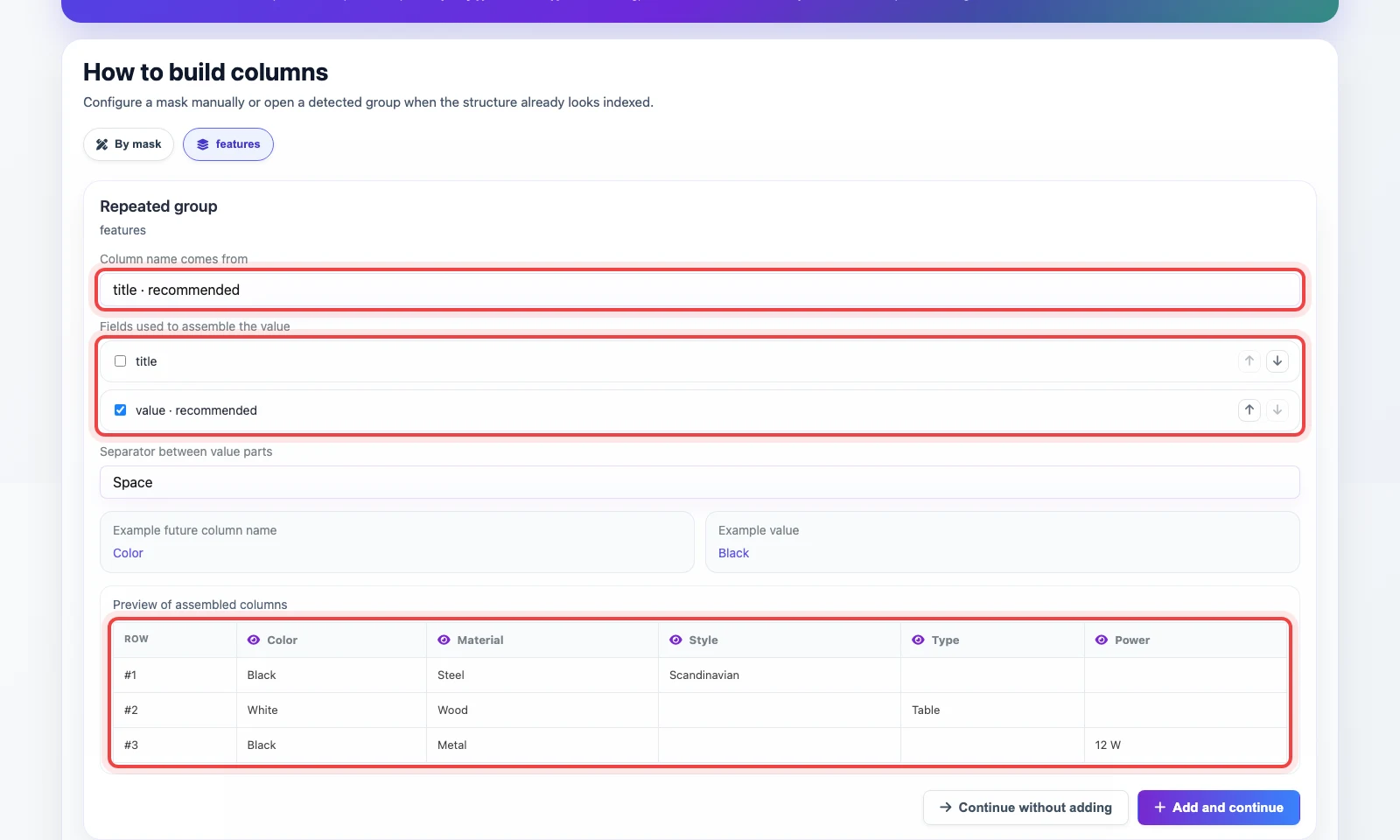
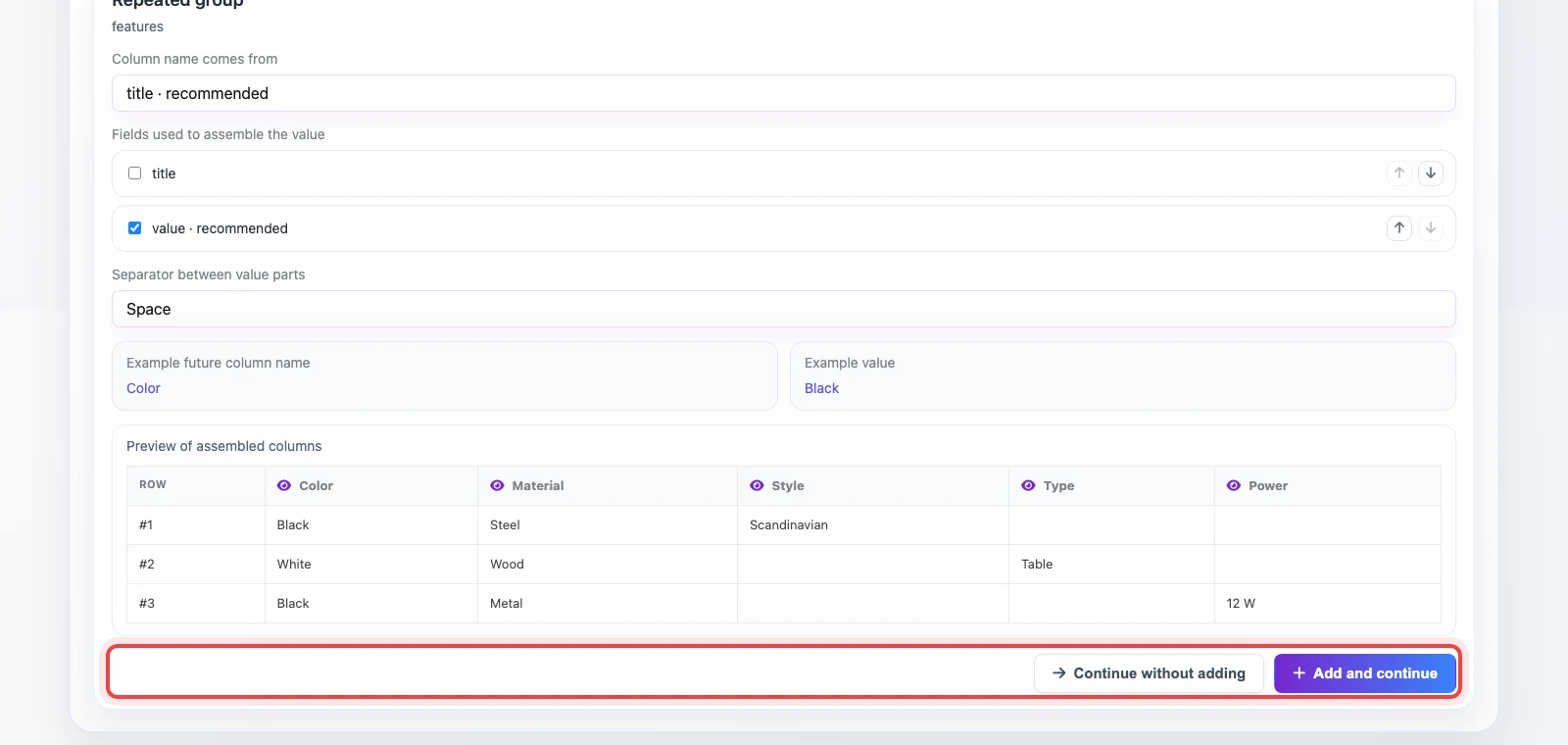
If the generated columns look right, click Add and continue. To open the table without extra columns, click Continue without adding.
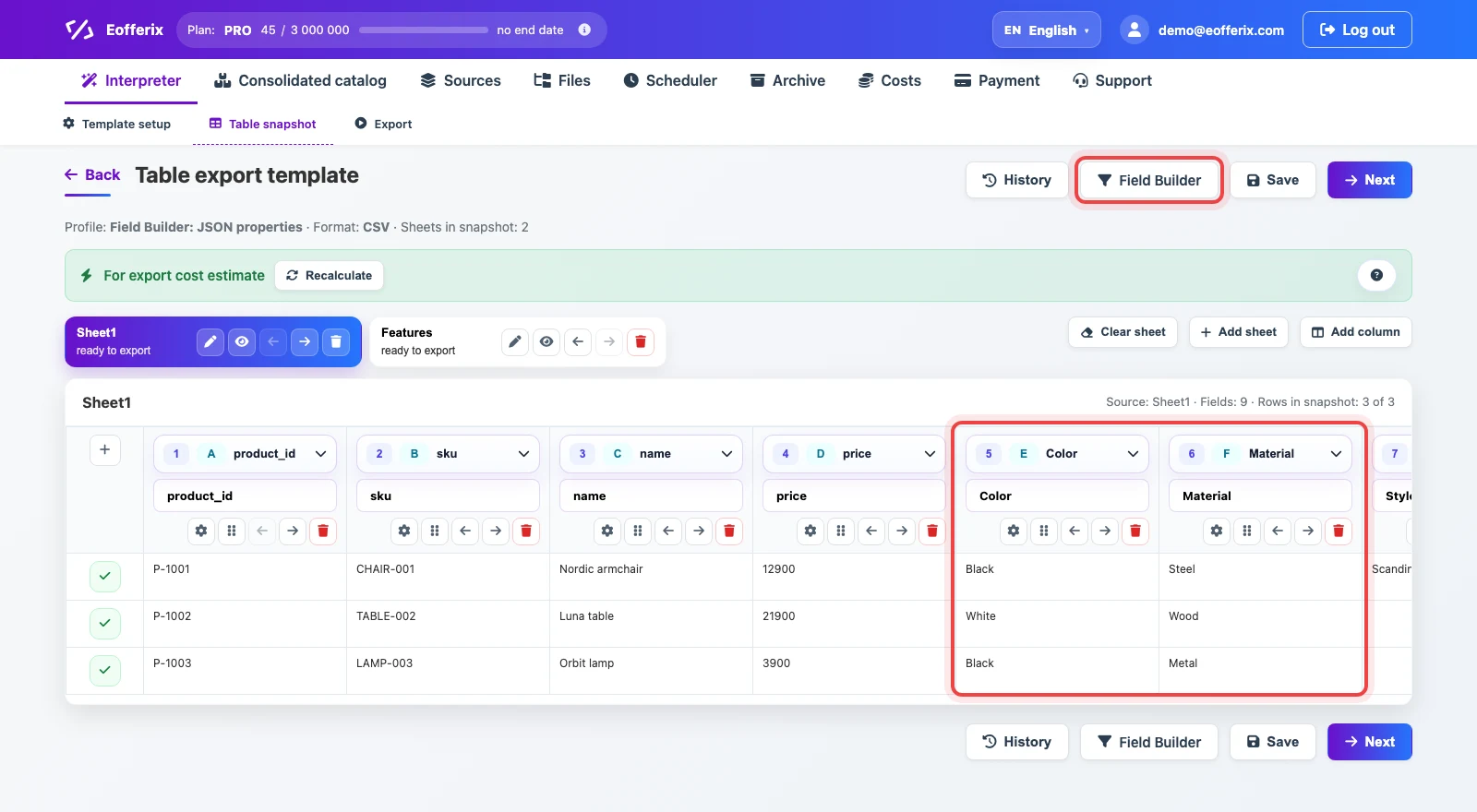
After adding, the editor opens with regular columns. In this example, technical fields such as features.1.title and features.1.value are replaced with readable columns like Color, Material, and other detected properties.
CSV, XLS, and XLSX: repeated column pairs
Table files can use many different layouts, so the builder is opened from the table snapshot manually. Click Field Builder when you see repeated column pairs such as Header1/Value1, Header2/Value2.
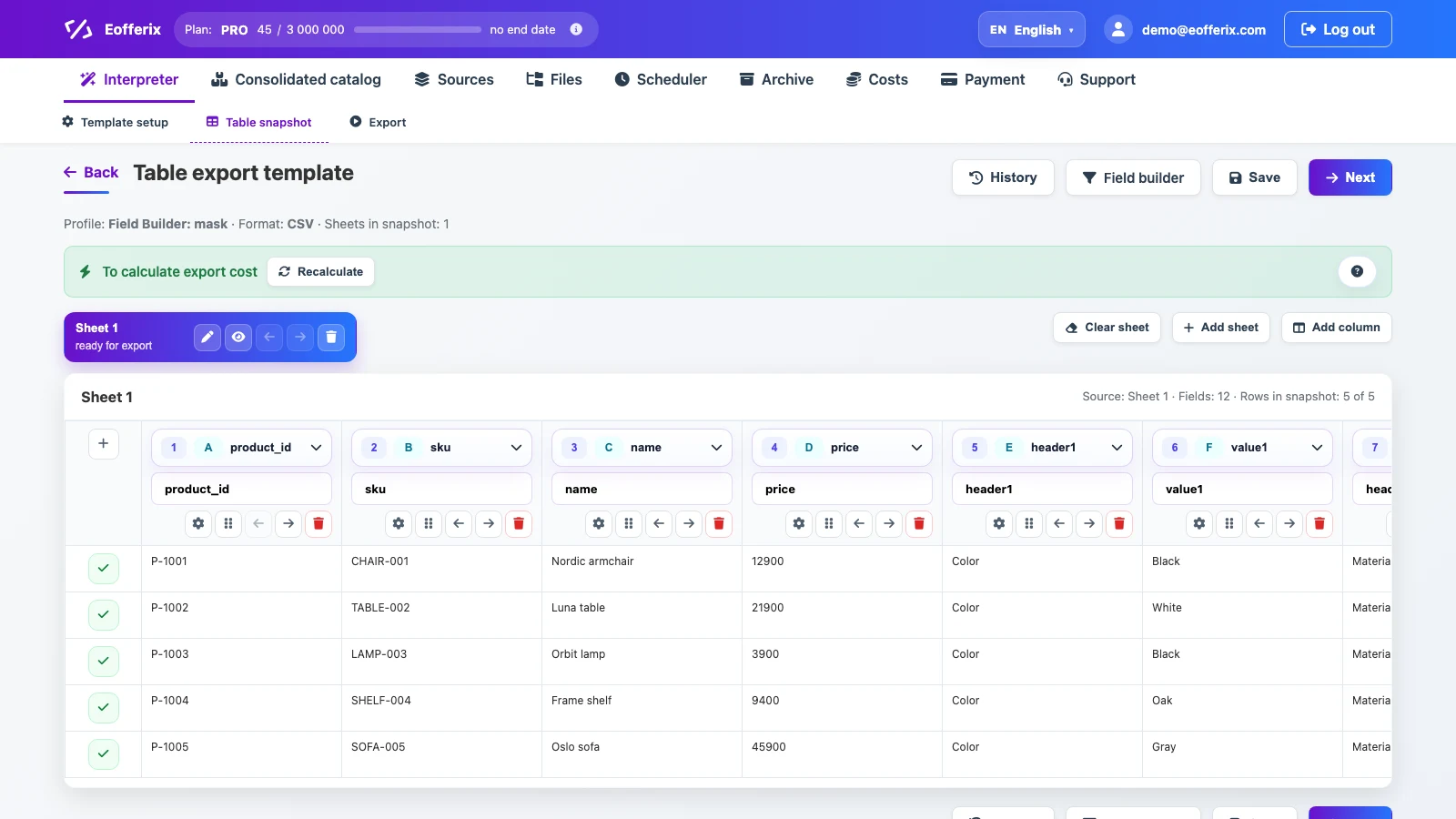
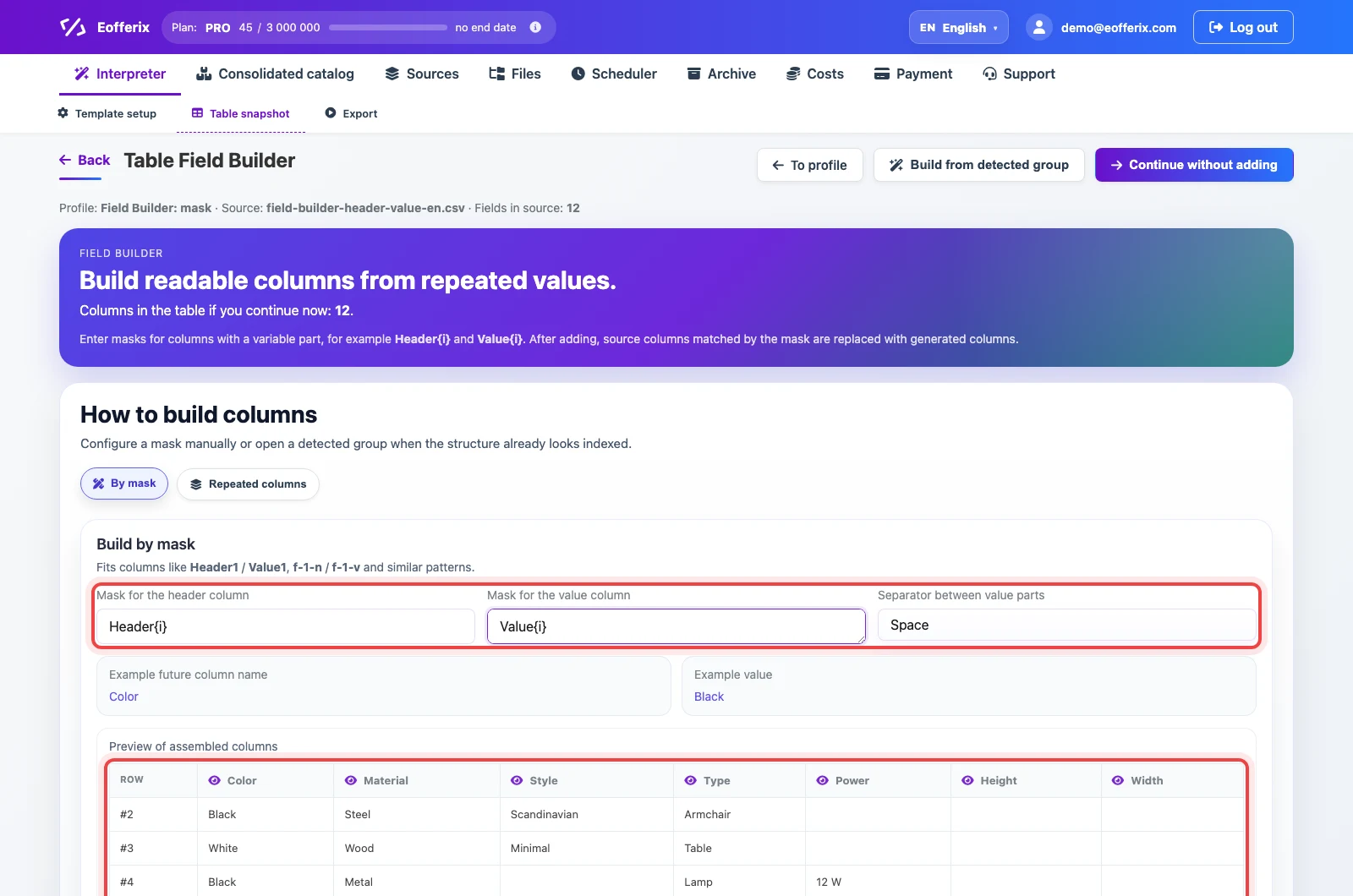
In By mask, describe the static parts of the column name and the part that changes. Use {i} or {index} for the variable part. The mask Header{i} matches Header1, Header2, and HeaderA; f--{i}--n matches f--1--n and f--N--n. Letter case in the mask does not matter. A dot is not a wildcard here: if the column name contains a dot, write it as a normal static character.
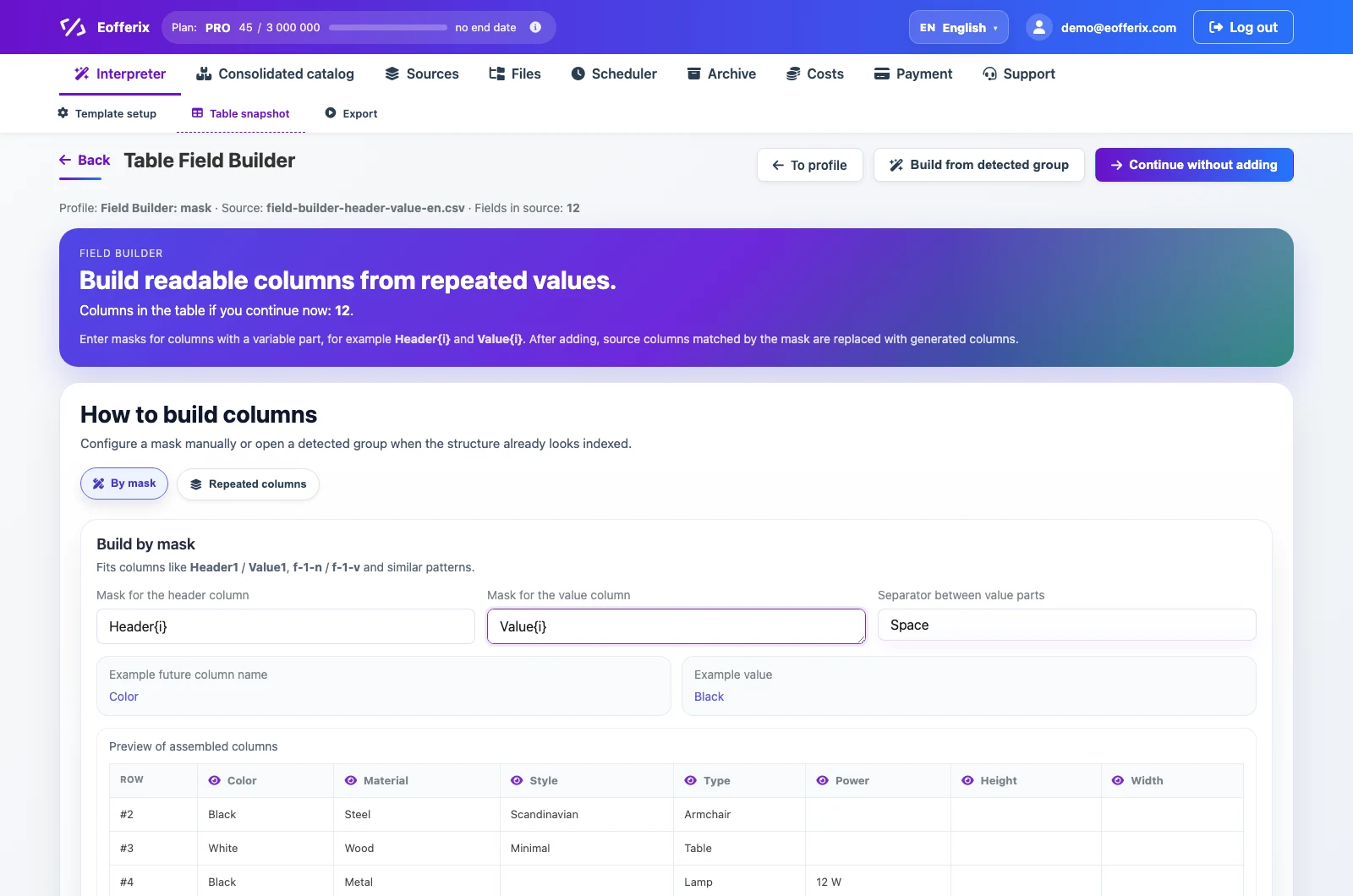
In Mask for the header column, enter the column that stores the future header. In Mask for the value column, enter the value column. If a value must be assembled from several columns, add each mask on a new line. In the preview, you can disable unnecessary future columns with the eye icon: a disabled column is not included in the result file.
Continue without adding opens the table snapshot without generated columns. Add and continue saves the setup, opens the snapshot, and replaces source columns matched by the mask with generated columns.
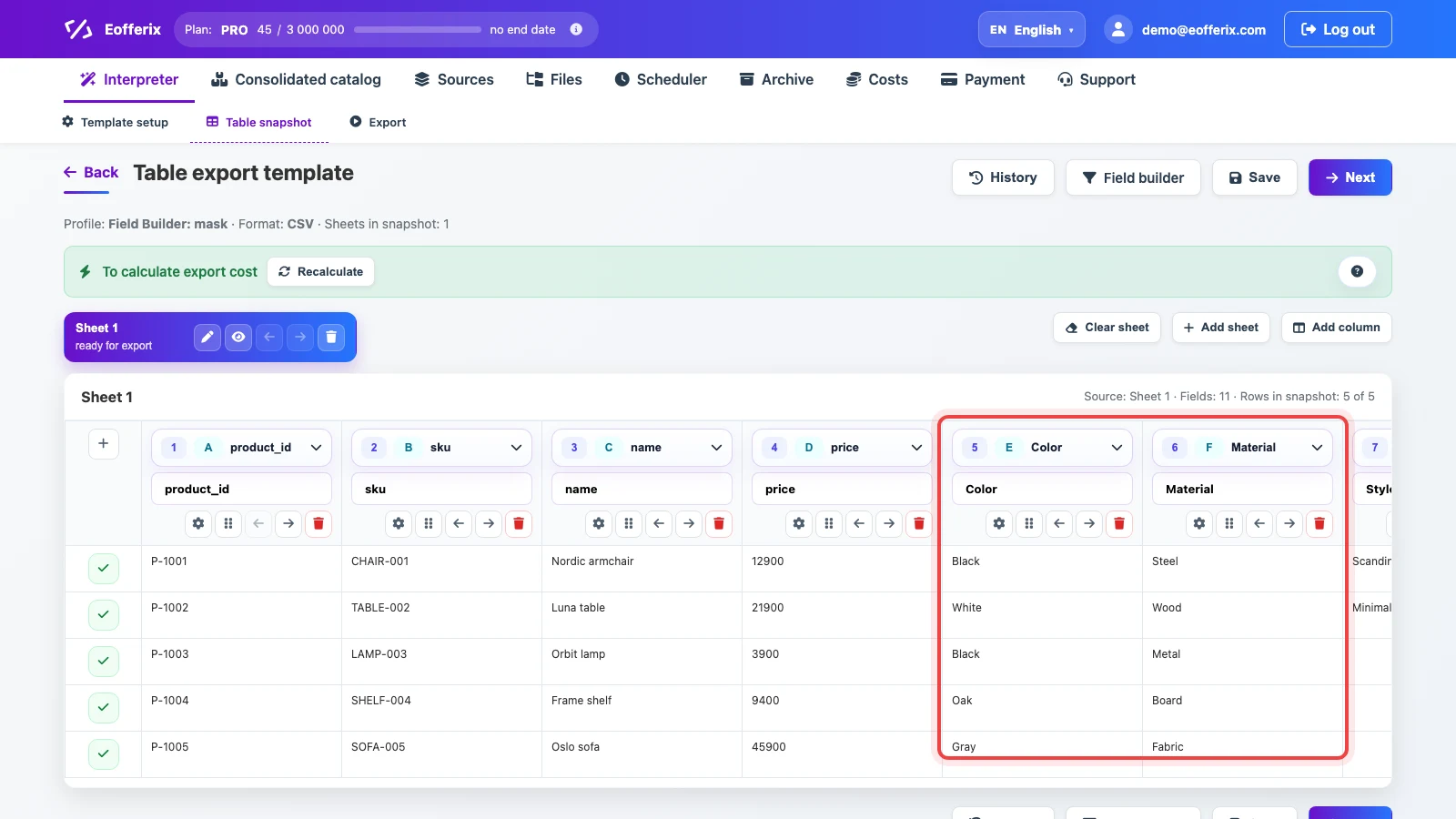
After adding, the table keeps direct product fields and receives generated columns such as Color, Material, Style, and other detected properties. The original pairs Header1/Value1 are not added to the table.
Examples
Properties from JSON, XML, or YML
In the source document, properties repeat inside one product. After building, they become columns.
Before in the snapshot
| sku | features.1.title | features.1.value | features.2.title | features.2.value |
|---|---|---|---|---|
| CHAIR-001 | Color | Black | Material | Steel |
After in the table
| sku | Color | Material |
|---|---|---|
| CHAIR-001 | Black | Steel |
Repeated pairs by mask
In a table source, future column names are stored in Header{i}, and values are stored in Value{i}.
Before in the table
| sku | Header1 | Value1 | Header2 | Value2 |
|---|---|---|---|---|
| CHAIR-001 | Color | Black | Material | Steel |
After in the table
| sku | Color | Material |
|---|---|---|
| CHAIR-001 | Black | Steel |
Several values with the same name
If one property appears more than once in the same row, Eofferix does not create duplicate columns. It joins the values instead.
Before in the table
| sku | Header1 | Value1 | Header2 | Value2 |
|---|---|---|---|---|
| PHONE-001 | Compatibility | iOS | Compatibility | Android |
After in the table
| sku | Compatibility |
|---|---|
| PHONE-001 | iOS | Android |
Value from several columns
The value mask can contain several columns, each on a new line. For example, Value{i} and Unit{i}. The result is assembled from several parts using the selected separator.
Before in the table
| sku | Field1 | Value1 | Unit1 |
|---|---|---|---|
| SHELF-004 | Height | 180 | cm |
After in the table
| sku | Height |
|---|---|
| SHELF-004 | 180 cm |