
In the JSON catalog, price.amount is stored as USD 24.90. The import field should contain only the number, while price.currency keeps the currency code.
For varying currency strings, use the regular expression [0-9]+(?:[,.][0-9]+)? (finds an integer or decimal number: one or more digits plus an optional decimal part after a dot or comma). If the format is always USD 24.90, you can remove the USD substring.
How to do it in Eofferix
Method 1: use a regular expression in Eofferix
In the JSON snapshot, select the
amountvalue insideprice.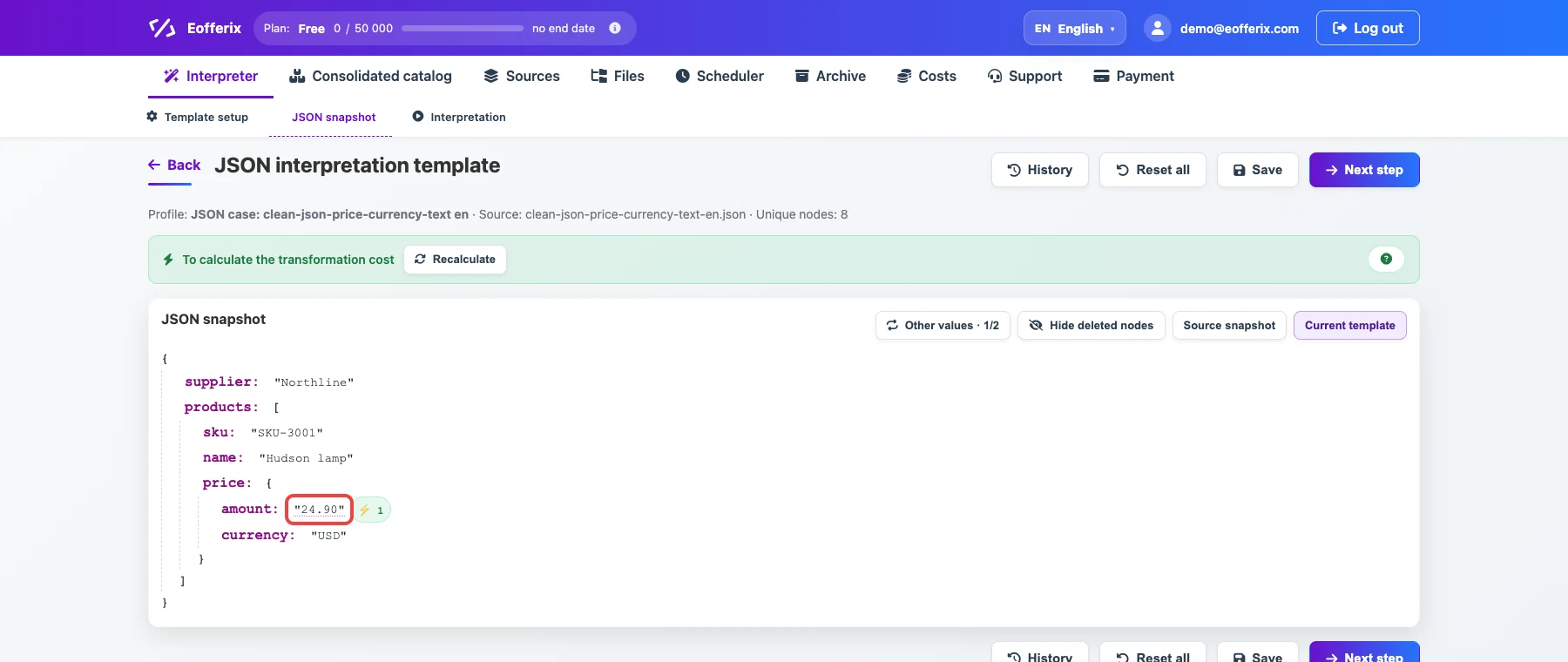
The selected value will be cleaned before export. Open the value settings.

The animation shows opening the JSON value settings. Add a rule: condition
Regular expression, value[0-9]+(?:[,.][0-9]+)?(finds an integer or decimal number: one or more digits plus an optional decimal part after a dot or comma), actionRemove everything except.
The rule keeps only the number from the currency string.
Method 2: use substring search in Eofferix
If the currency is always written the same way, use a substring rule: remove
USDor another stable fragment fromamount.
Before / after
Before
source data{
"supplier": "Northline",
"products": [
{
"sku": "SKU-3001",
"name": "Hudson lamp",
"price": {
"amount": "USD 24.90",
"currency": "USD"
}
},
{
"sku": "SKU-3002",
"name": "Parker chair",
"price": {
"amount": "USD 139.00",
"currency": "USD"
}
}
]
}After
result{
"supplier": "Northline",
"products": [
{
"sku": "SKU-3001",
"name": "Hudson lamp",
"price": {
"amount": "24.90",
"currency": "USD"
}
},
{
"sku": "SKU-3002",
"name": "Parker chair",
"price": {
"amount": "139.00",
"currency": "USD"
}
}
]
}