
The IMAP Mail source connects to a mailbox, finds the required email, and retrieves a file or link from it. It is useful when suppliers regularly send price lists, stock files, or catalogs by email.
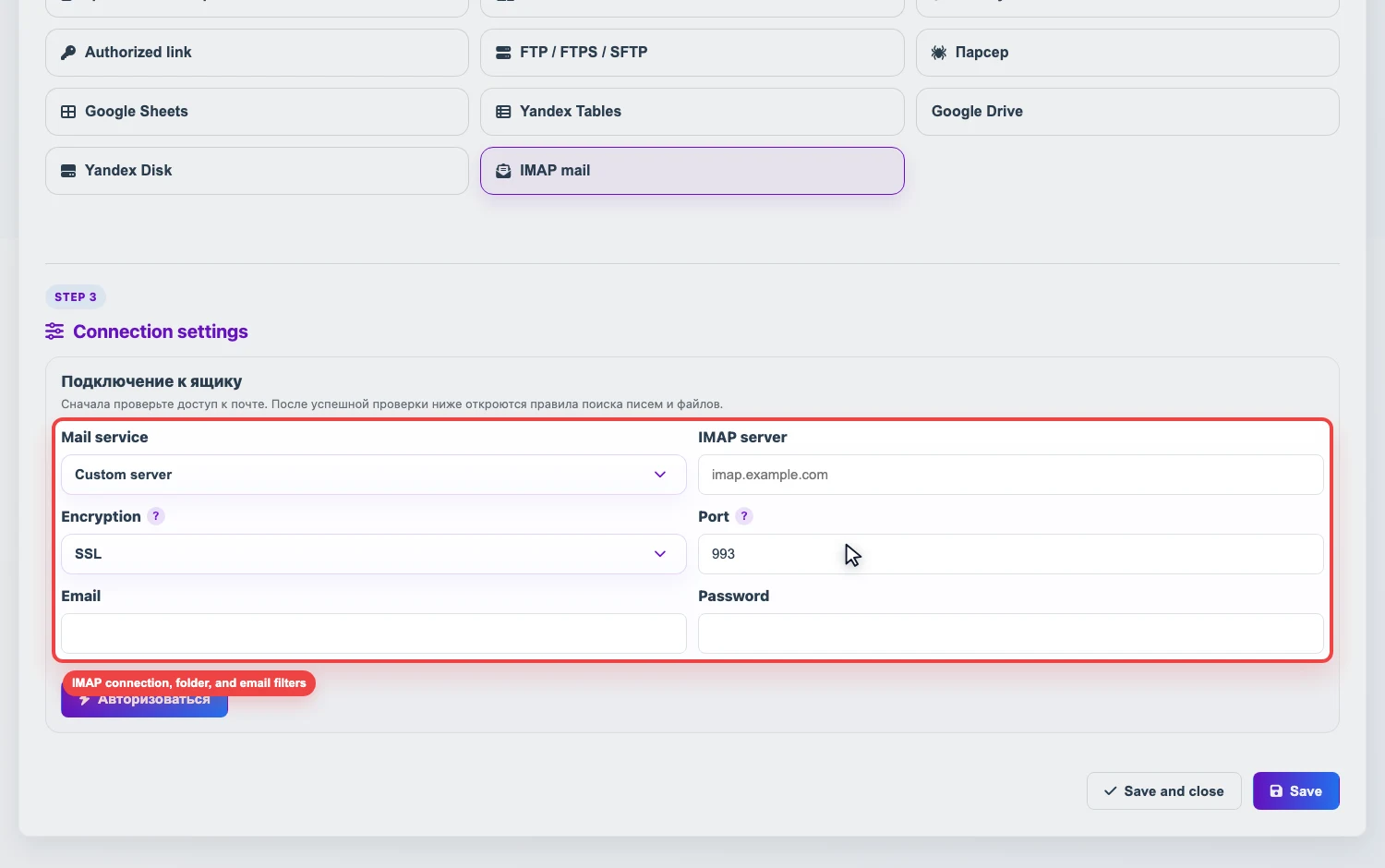
Required data
- Mail provider or custom IMAP server.
- Encryption and port if they differ from the preset.
- Email and password. For Gmail, Outlook, Yahoo, iCloud, and many business mail services, you usually need an app password or a dedicated IMAP password, not the main account password.
- The folder where Eofferix should search for emails.
How to configure the connection
- Create a source and select IMAP Mail.
- Select a mail provider or enter the settings manually.
- Fill in the email, password, and folder. Usually this is
INBOX. - Click Check access. After a successful check, email and file search rules become available.
App password
An app password is a separate password for IMAP access. It is created in mailbox security settings and can be revoked without changing the main account password. If two-factor authentication is enabled, most providers require an app password for IMAP.
If you use Yandex Mail
Before checking access in Eofferix, complete the first two Yandex Mail setup steps:
- In Mail clients, enable access through imap.yandex.ru using IMAP and make sure App passwords and OAuth tokens are enabled.
- In Yandex ID, create a Mail app password and enter it in Eofferix instead of the main account password.
Details: .
How to select the required email
An email matches when all filled conditions match. If a field is empty, it does not restrict the search.
- Which emails to check - unread emails only or all emails in the folder.
- Subject - search by exact match, contains, or mask. In a mask,
*means any sequence of characters and?means one character. Several comma-separated values work as OR:Price*,*stock*. - Sender - helps separate supplier emails from other mail. You can enter an email, sender name, or mask, for example
supplier@example.comor*@supplier.com. - Attachment - file name mask, for example
price*.xlsxor*.csv. - Link in email - used when the supplier sends a file link instead of an attachment. Eofferix checks the full URL; masks such as
https://*/price*.xmlor*.xlsxcan be used.
Typical error causes
- IMAP is disabled in mailbox settings.
- The main account password is used instead of an app password.
- The folder name does not match the server folder name.
- The subject, sender, or attachment filter is too strict, so the required email is not found.
If the connection or filters cannot be configured, Eofferix support can help check IMAP access, the folder, masks, and search rules.