
A table snapshot shows the future table-shaped result. The input can be CSV, XLS, XLSX, XML, JSON or another supported format; this step defines how the data will look in the final table.
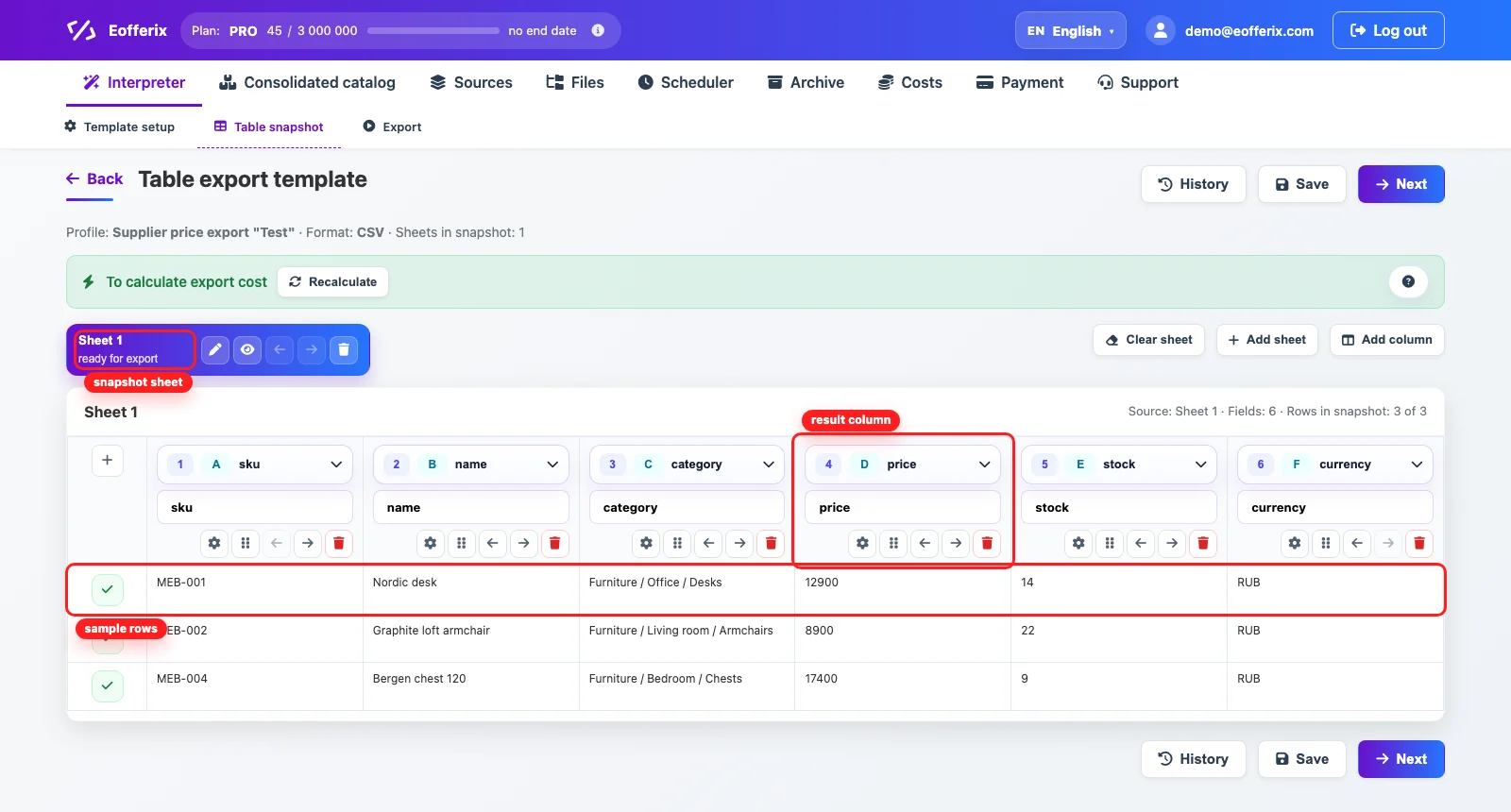
The screen shows a short sample of the table result built from the source. It includes sheets, columns and sample rows that help configure the final export.
What The Snapshot Shows
The top part of the table controls the future export, while the rows below show example values after they are mapped to the template. This makes it easy to understand what the result will look like.
- the top area manages table sheets (supported in XLSX and XLS);
- the column header shows the result field (this exact header will appear in the exported file) and the selected source used to fill the column;
- buttons in the column header let you move or delete the column, and configure value transformations for fields in that column;
- the + icon to the right of the headers lets you add extra rows to the table and edit them manually. Extra rows are used to format the future table: company name, logo, contact details and similar content can be placed there;
- the table body in the snapshot is a short sample of the future file that shows which values will reach the result;
- the checkmark to the left of rows shows that the row is included in the export. Use it when a specific row should be removed from the export;
Column Settings
To change how cells in a column behave, open the settings. Here you can configure transformations, export conditions and cell appearance.

- transformations let you add markup, round values, build text from several cells, remove extra spaces and much more;
- export conditions define when a row or cell should reach the result;
- if a column is unnecessary, remove it from the template;