
Matching is the rule used to find an existing object on the site. Without it, the service cannot know whether to update a product or create a new one.
For 1C exchange, the UMI.CMS external identifier is especially important because orders rely on it to match catalog items.
- repeat import updates products instead of duplicating them;
- trade offers are matched separately from products;
- sections without a selected field use the full transformed name path;
- for 1C, external_id is selected and written.
Where To Find It
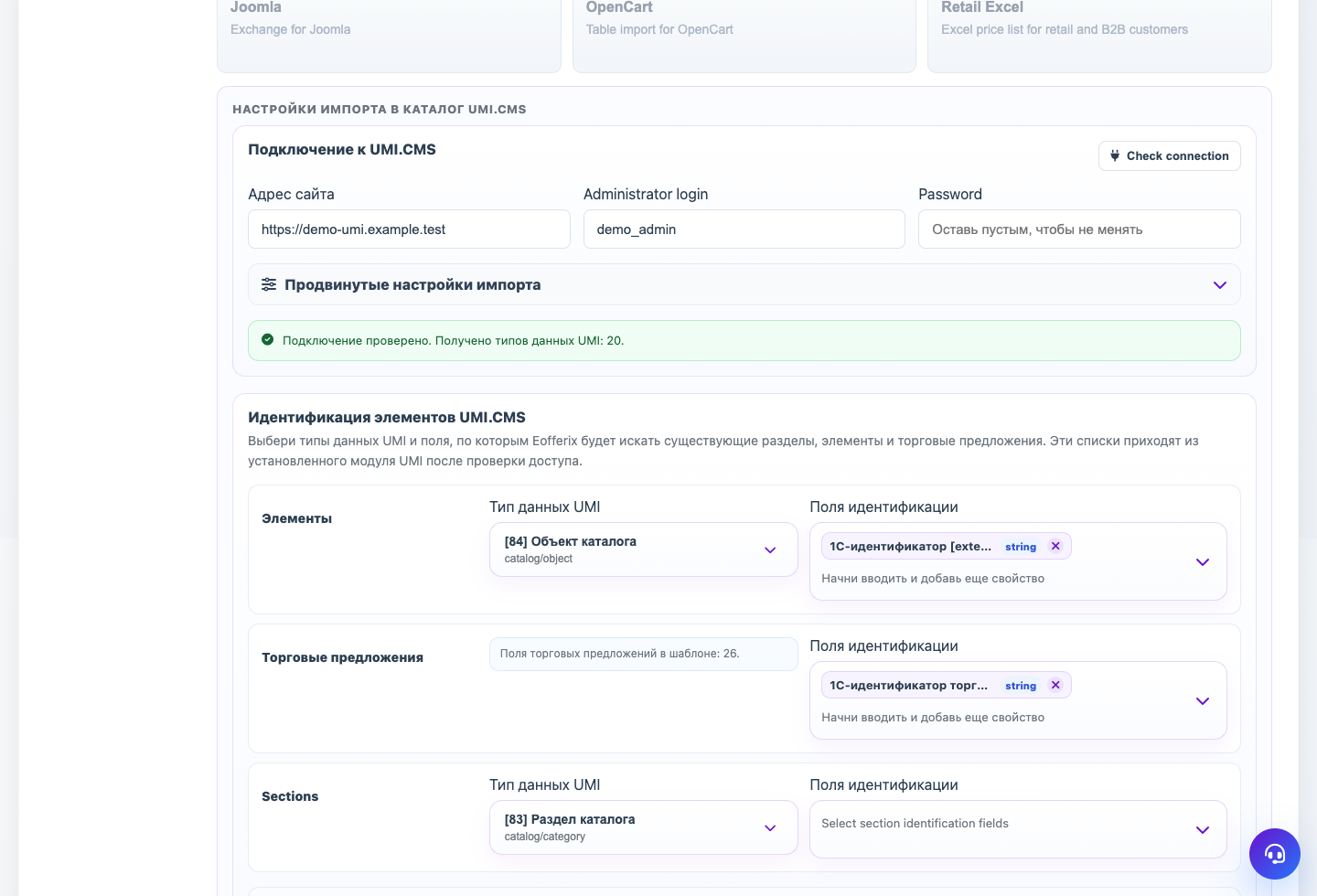
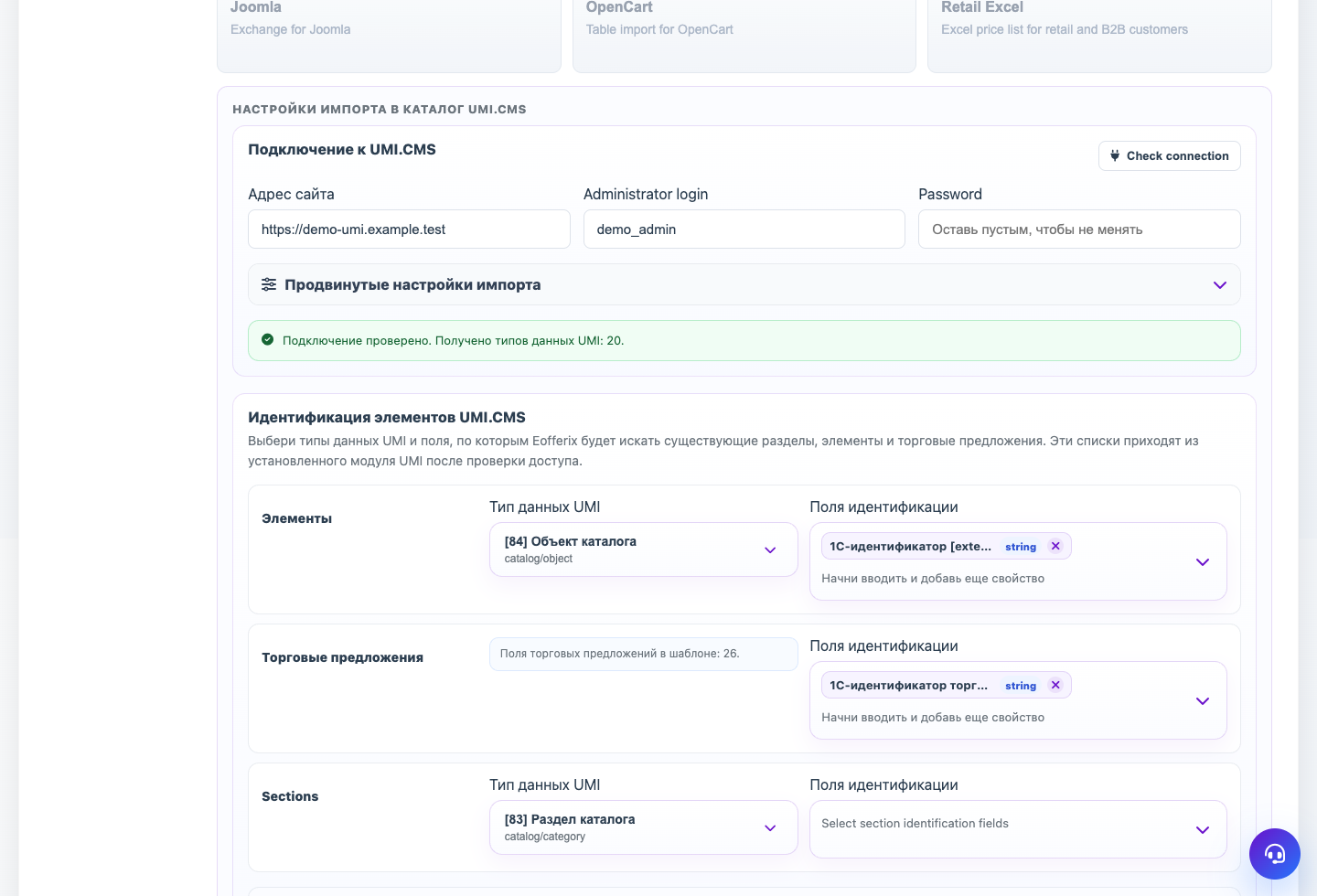
Profile → Template → UMI.CMS element identification. These fields come from the connected site.
Matching fields define how Eofferix knows that a source object already exists on the site. Correct settings prevent duplicate products, offers, and sections.
Products
For 1C exchange, usually choose 1C identifier [external_id]. This is the UMI.CMS exchange identifier used both for import and for sending orders back to 1C correctly.
Trade Offers
Offers have their own matching setting. You can choose the offer external identifier, the system offer article, or any other field that is stable in the source.
Sections
If no section matching field is selected, Eofferix links sections by the full transformed name path. For example, Electronics / Other and Sensors / Other are different sections.
Eofferix Service Key
Eofferix service key [guid] is not a UMI.CMS field. It helps the service match objects inside a run, but 1C exchange usually needs external_id.
Step-by-step Setup
- Choose the UMI.CMS product data type.
- For 1C products, usually choose 1C identifier [external_id].
- For trade offers, choose a stable offer field: offer external identifier, system offer article, or another field that is always present.
- For sections, choose a field only if it is stable. Otherwise Eofferix uses the transformed full name path.
- In the snapshot, make sure the chosen identifiers are written to UMI.CMS, not only used for search.
- Save and run a repeat test import.
How To Check The Result
- The UMI.CMS product has the 1C identifier block filled.
- The trade offer has the selected matching field filled.
- A repeat run does not create a duplicate product or offer.
- Sections with the same last name but different parents remain separate.
Common Mistakes
- Choosing Eofferix service key [guid] instead of UMI.CMS external_id for 1C exchange.
- Matching by external_id but not writing that value from the snapshot.
- Matching offers by article when the source article changes or is empty.
- Matching sections only by the last name instead of the full path.
What To Do Next
After choosing matching fields, mark node roles in the XML snapshot.