
The snapshot explains the input XML structure to Eofferix. Node roles define what is a section, product, trade offer, or helper value.
- sections are created in the selected UMI.CMS root;
- products are created as catalog items;
- trade offers appear inside the product offer tab;
- product, offer, and section properties do not mix.
Where To Find It
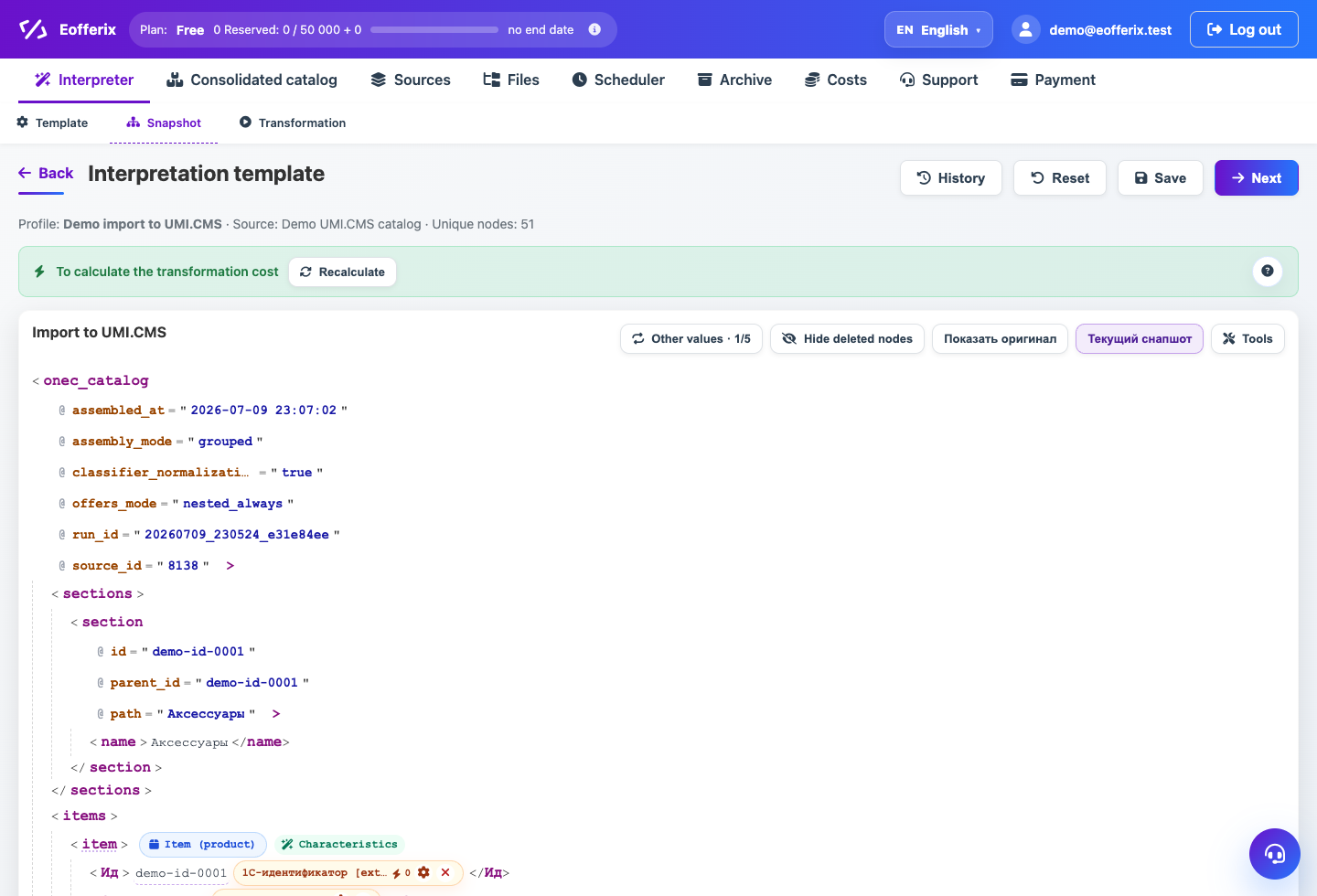
Profile → Snapshot. Open the XML editor, find repeating catalog nodes, and use node or value settings.
The snapshot describes the source file structure. Eofferix does not guess every node role: the user marks products, offers, sections, and fields to export.
Main Roles
- Section creates or updates a catalog category.
- Product creates or updates a product page.
- Trade offer creates or updates a product variant.
- Properties allow the service to create and fill fields.
Where Properties Go
Product properties must be linked to the product. Offer properties must be linked inside the trade offer role. This keeps size, color, and stock away from the parent product.
Virtual Nodes
A virtual node is useful when the final value does not exist in the source XML. You can create a service value, transform it, and use it for matching or grouping.
Field Binding
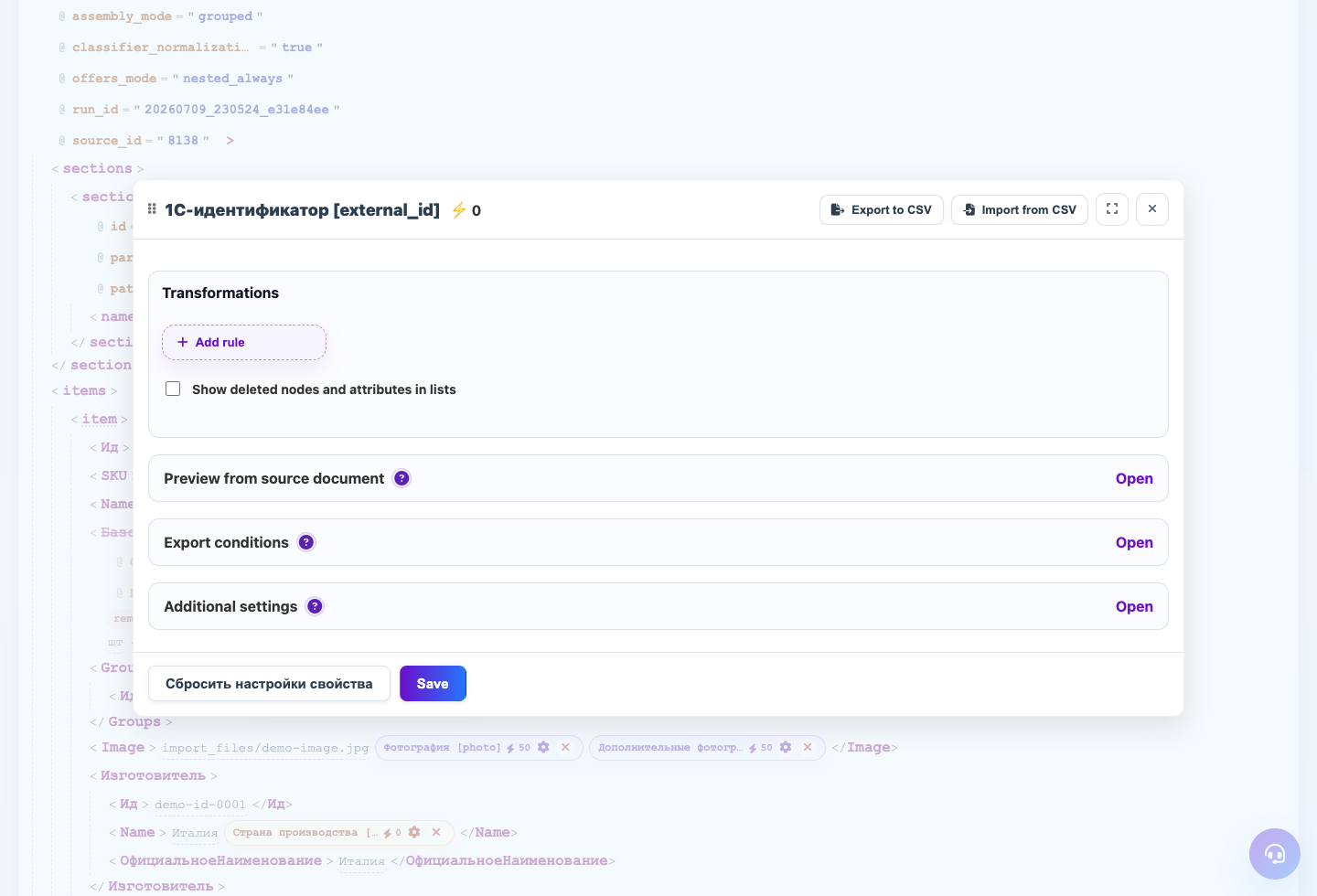
Open value settings and choose the UMI.CMS field. A variable or service value can take part in transformations without being exported to the site.
Step-by-step Setup
- Open the XML snapshot after source preparation.
- Mark the category node as Section when the source has a section tree.
- Mark the product node as Product.
- Mark the variant node as Trade offer, even if offers are stored separately from products.
- If a value must be calculated, create a virtual node or variable and use it in transformations.
- Open each value settings panel and choose where it exports in UMI.CMS.
How To Check The Result
- The XML editor shows role badges for section, product, and trade offer.
- Offer properties are bound to offer fields, not product fields.
- Preview shows the transformed value.
- After a test export, UMI.CMS product and offer properties are in different blocks.
Common Mistakes
- Binding size or color from an offer to a product field.
- Rebuilding a snapshot in a way that loses user roles.
- Making a helper variable exportable as a real field.
- Not configuring the product-offer relation when offers are in a separate file.
What To Do Next
After roles, check trade offers separately because this is the most common UMI.CMS error area.