
A UMI.CMS trade offer is a product variant. Size, color, price, stock, and variant article must update the offer, not the parent product.
- each product has real trade offer rows;
- offers are found by the selected matching field;
- variant properties are written to the offer group;
- site orders contain data that lets 1C match the item.
Where To Find It
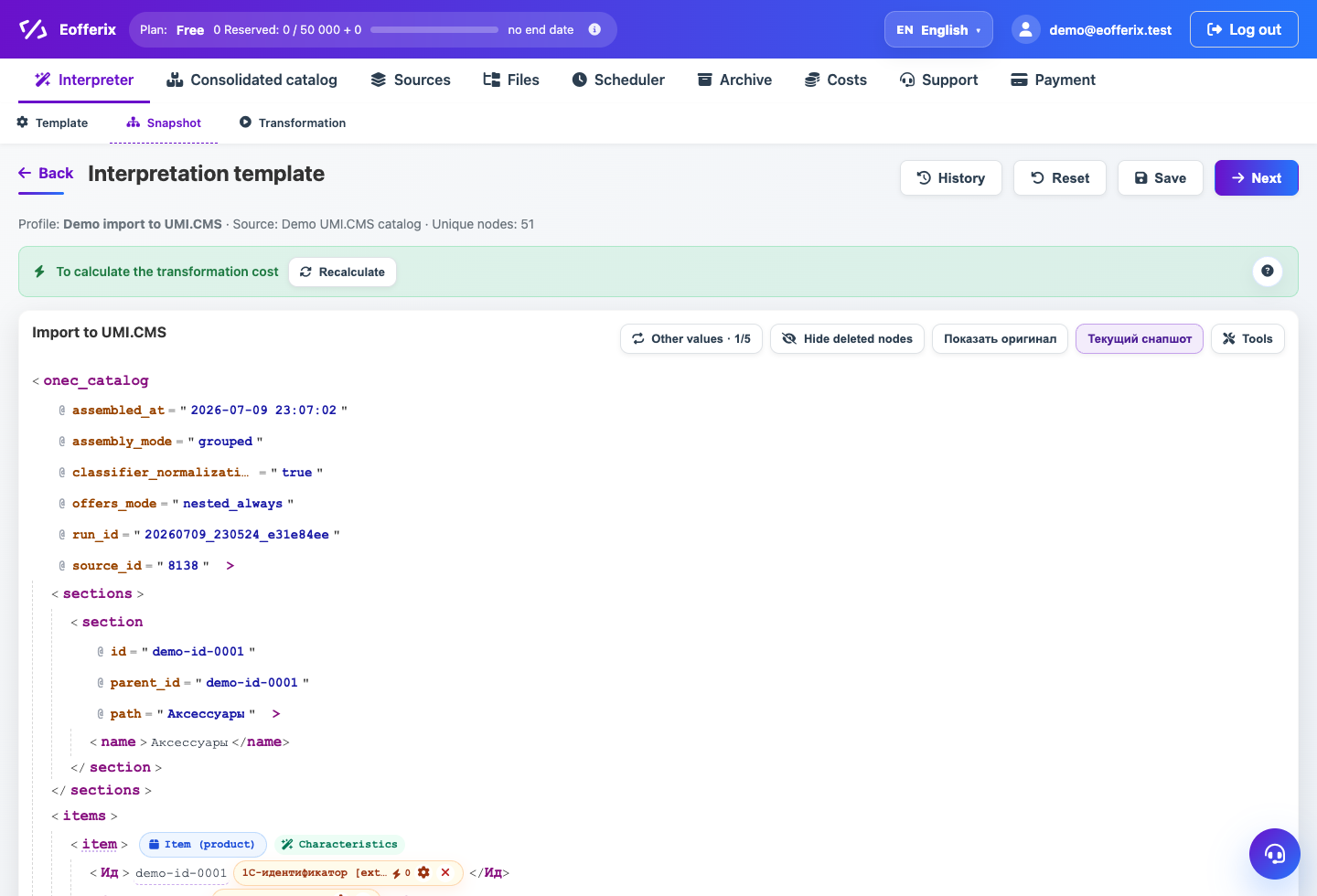
Profile → Snapshot: Trade offer role. Profile → Template: trade offer matching block.
A UMI.CMS trade offer is a product variant: size, color, price, stock, image, and article of a specific variant. It must be updated separately from the parent product.
Trade Offer Role
In the snapshot, mark the offer node with the Trade offer role. Bind all variant properties inside that node.
Offer Properties
For UMI.CMS, the standard offer property group is trade_offers. Size, color, stock, offer image, and extra fields should go there, not into product properties.
Offer Matching
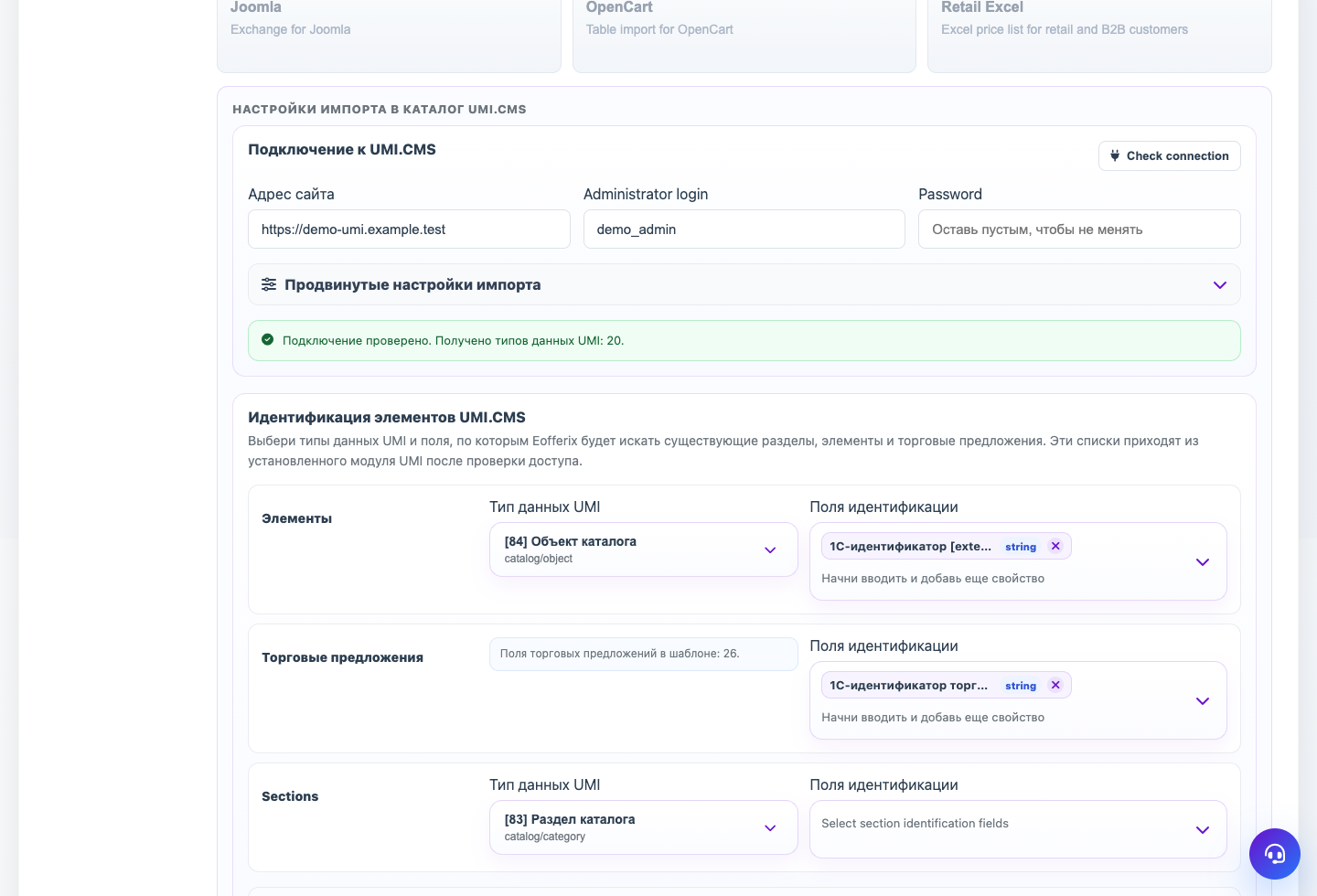
Offer matching is configured separately. For 1C exchange, use offer 1C identifier [external_id] when the source provides it. Other sources can use offer article or another stable field.
Offer Article
In UMI.CMS, the trade offer article can be a system offer field. Eofferix shows it as a system field so it can be used for matching or receiving a value from the snapshot.
Step-by-step Setup
- Mark the repeating variant node as Trade offer.
- Configure the relation between offer and product. If a 1C identifier looks like
product#offer, transform it to get the product key. - Choose the field used to find offers inside the matched product.
- In the snapshot, write the offer external identifier or selected matching field to UMI.CMS.
- Bind price, stock, image, size, color, and system offer article if the site or 1C needs them.
- Run a test import with one product and several offers.
How To Check The Result
- The UMI.CMS product has rows in the Trade offers tab.
- Offers have price, stock, image, and selected matching field filled.
- The product itself does not appear as the first offer.
- Repeat import updates offers instead of creating new ones.
Common Mistakes
- Searching for offers globally by article instead of inside the matched product.
- Writing offer properties into product fields.
- Not writing the offer identifier although it is selected for matching.
- Ignoring the UMI.CMS system offer article field when orders depend on it.
What To Do Next
When offers appear correctly, configure product, offer, and section properties.