
Watermark opacity defines how visible a logo or protection mark will be on top of a product image. In Eofferix, it is configured for a value that is processed as an image.
The goal is to keep the mark readable without hiding the product. Check opacity together with placement, maximum watermark size, and the watermark file itself.
Where to Configure Opacity
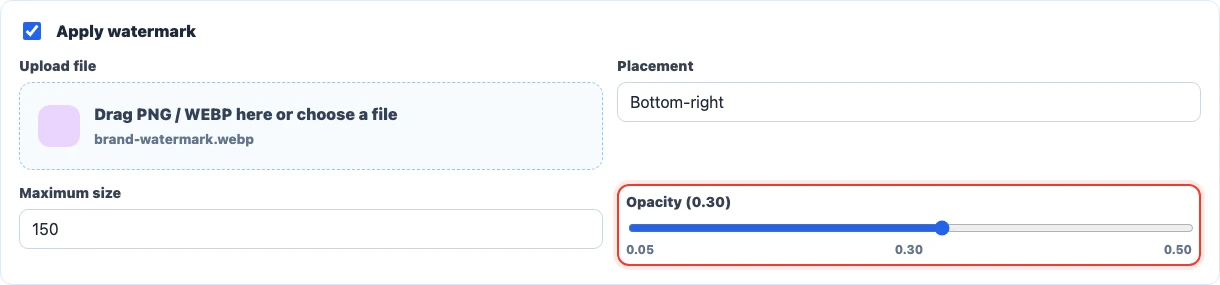
Open the image value in the snapshot or template, enable file processing as an image, upload a PNG or WEBP watermark, and choose its placement. The opacity slider then becomes available.

How to Read Opacity Values
The slider uses a decimal value from 0.05 to 0.50. For example, 0.10 means 10% visibility, 0.30 means 30%, and 0.50 is the maximum available 50%.
If the watermark PNG or WEBP already has transparency, the final visibility will be lower: the file alpha and the Eofferix setting work together. For predictable results, upload an opaque mark and control it with the slider.
How to Choose a Value
Start with a middle value and check several real photos: light backgrounds, dark backgrounds, close-ups, and images with small details. The same mark can look different on different backgrounds.
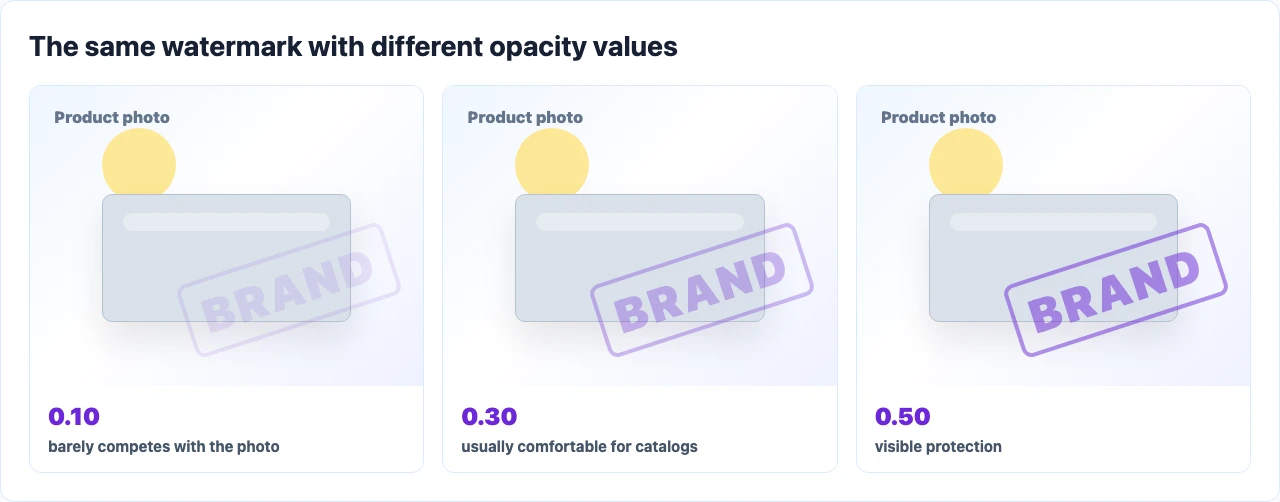
0.05-0.15is a soft mark when it should barely distract from the image.0.20-0.30is usually a comfortable range for catalogs and product cards.0.35-0.50is visible protection; check it carefully on small thumbnails.- A centered watermark usually needs lower opacity. A smaller corner watermark can often use a higher value.
Watermark Size and Placement Settings
Opacity does not work in isolation from size. A large watermark with low opacity can interfere more than a small watermark with a higher value.
- If the mark covers important product details, reduce the maximum size or move it to a corner.
- If the mark is almost invisible on light photos, try a higher-contrast watermark file or raise the value slightly.
- If images are exported to a marketplace or CMS, check that destination’s watermark requirements before bulk processing.