
Task
Each order item is a separate row. The export needs one row per order_id and a list of SKUs joined with a separator.
Short Answer
Create sku_list from sku, enable row merging, and merge rows by order_id.
How to Do It in Eofferix
- Open the
sku_listcolumn settings in the table editor.
The red frame shows where to open the required column settings. - In Additional settings, enable Change row structure and choose Merge similar rows.
- Choose
order_idas the merge key and set separator;.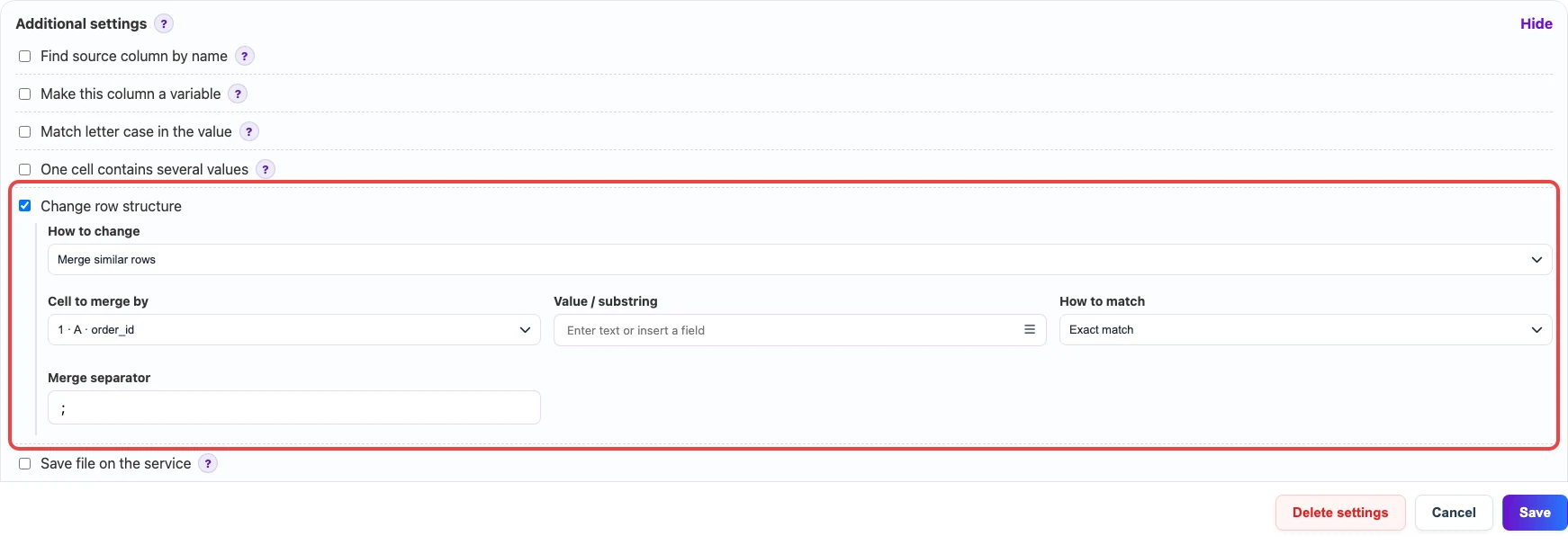
SKUs from the same order are collected into one row. - Save the settings. Equal order IDs must be grouped together.
Before / After
Before
source data| order_id | sku | qty |
|---|---|---|
| ORD-1001 | SKU-10 | 1 |
| ORD-1001 | SKU-11 | 2 |
After
result| order_id | sku_list |
|---|---|
| ORD-1001 | SKU-10; SKU-11 |