
Task
The source CSV has an inventory tracking flag. In Shopify, Inventory tracker should be shopify when inventory is tracked and empty otherwise.
Short answer
Create Inventory tracker, leave it empty first, then set shopify when track_inventory is yes, 1, or tracked.
How to Do It in Eofferix
Method 1: How to Do It in Eofferix with Regular Expressions
- Open the settings of the output
Inventory trackercolumn.
The click is on the settings icon of the output Inventory trackercolumn. - In
Transformations, the first rule clears the value; the second uses^(yes|1|tracked)$to setshopify.
The Transformationsblock shows the full rule chain for this case. - Save the column settings and go to the
Exportstep.
Method 2: How to Do It in Eofferix with Substring Search
- Open the settings of the output
Inventory trackercolumn. - In
Transformations, replace the regular expression with separate rules for each text marker.If the source column contains longer phrases, get the same result without a regular expression: add several rules with
Contains substring, one rule for each marker. For the numeric1flag, keep anEqualscondition so other numbers are not matched.Order What to check Condition Action 1 Current value Any Replace with empty value 2 track_inventory Contains substring yes Replace with shopify 3 track_inventory Contains substring tracked Replace with shopify 4 track_inventory Equals 1 Replace with shopify 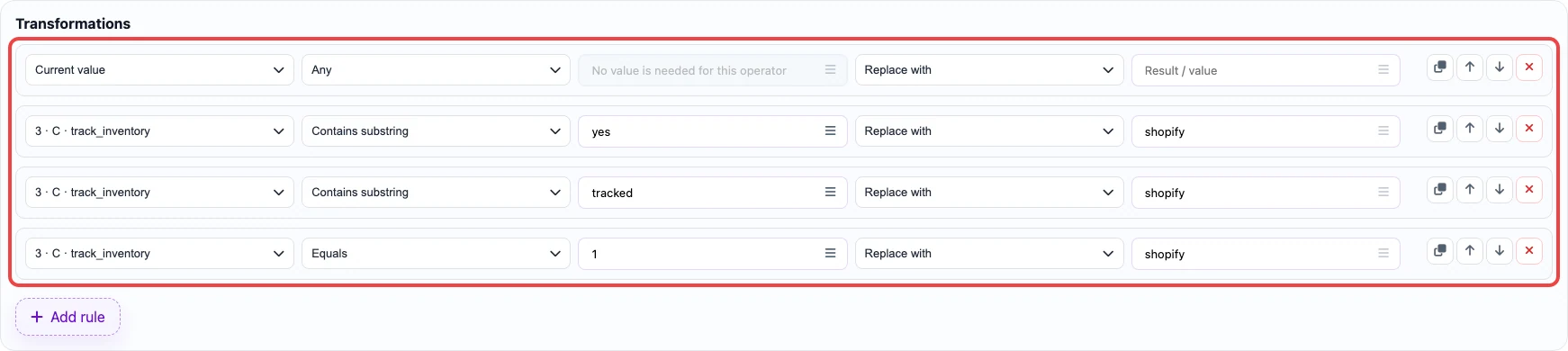
In the second method, each text marker uses Contains substring; the numeric1marker uses an exact comparison. - Save the column settings and go to the
Exportstep.
Before / After
Before
source data| Handle | Title | track_inventory |
|---|---|---|
| desk-lamp | Desk lamp | yes |
| ebook-guide | PDF guide | no |
After
result| Handle | Inventory tracker |
|---|---|
| desk-lamp | shopify |
| ebook-guide |