
Costs show completed operations where credits were actually spent. This is a spending log, not a price list: current plan terms, credit packages, and limits are shown in Payment.
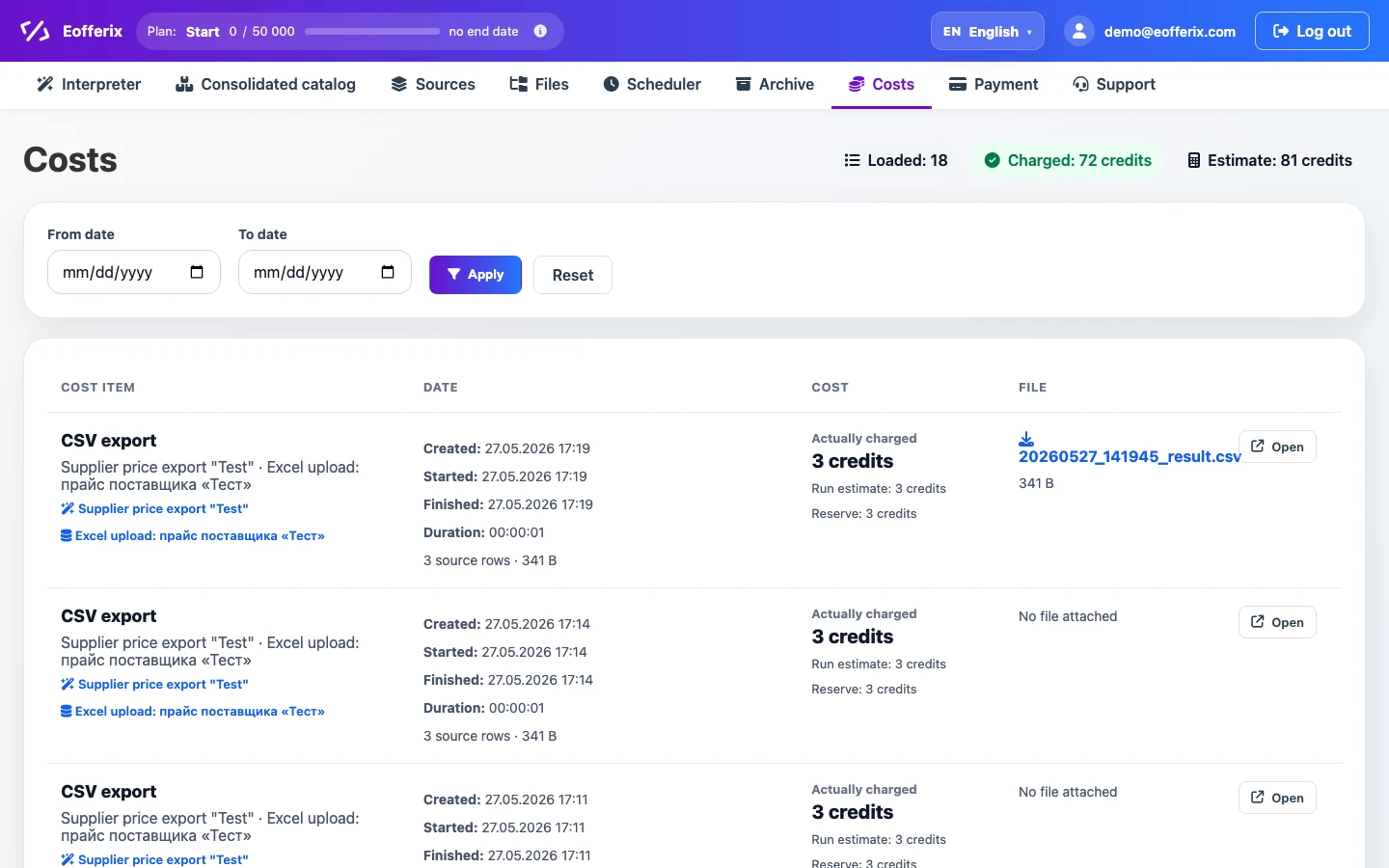
What the list shows
| Field | How to read it |
|---|---|
| Cost | Operation type: for example, XML interpretation, JSON interpretation, or a table export. The related profile and source are shown below when available. |
| Date | Creation, start, finish, and duration of the run. Dates are displayed in the user timezone. |
| Cost | Actually debited is the final spend after the completed operation. Details may include Run estimate, Reserve, the difference between estimate and actual, and file or image spend. |
| File | The result file, if it was saved and linked to the run. Use the link to download the result or open run details. |
Date filter
From date and To date narrow the cost list. Click Apply to keep operations within the selected period, or Reset to return to recent costs without the filter.
Date boundaries are calculated from the user timezone set in the account page. After changing the timezone, the same UTC run may fall into a different local day.
Estimate, reserve, and actual debit
| Value | Meaning |
|---|---|
| Preliminary estimate | A forecast before the run. It helps check whether the current balance is enough for the template, but it is not the final debit yet. |
| Reserve | Credits that the service may temporarily hold for a run. If the actual processing is lower than the forecast, the unused part is returned. |
| Actual debit | The final value after the operation finishes. Use this value when checking real spend. |
Why the amount can change
- media or images may be unavailable during the run; such files are skipped and do not increase the actual debit;
- some files may already be cached or may not require repeated processing;
- conditions, filters, and template rules may exclude some products, offers, rows, or nodes;
- the source may change between preview and the actual run;
- if the run stops because credits run out, continuation accounts for the already debited part so it is not counted again.
For example, if image processing is enabled in the template, the preliminary estimate may include all detected links, while the actual debit includes only files that were really downloaded and processed. Current rates are not fixed in this article; they come from the active plan settings and Payment.