
External delivery sends the completed profile result after successful processing. If external delivery is not needed, leave Do not send: the result remains in Eofferix and is available in run history until storage settings delete it.
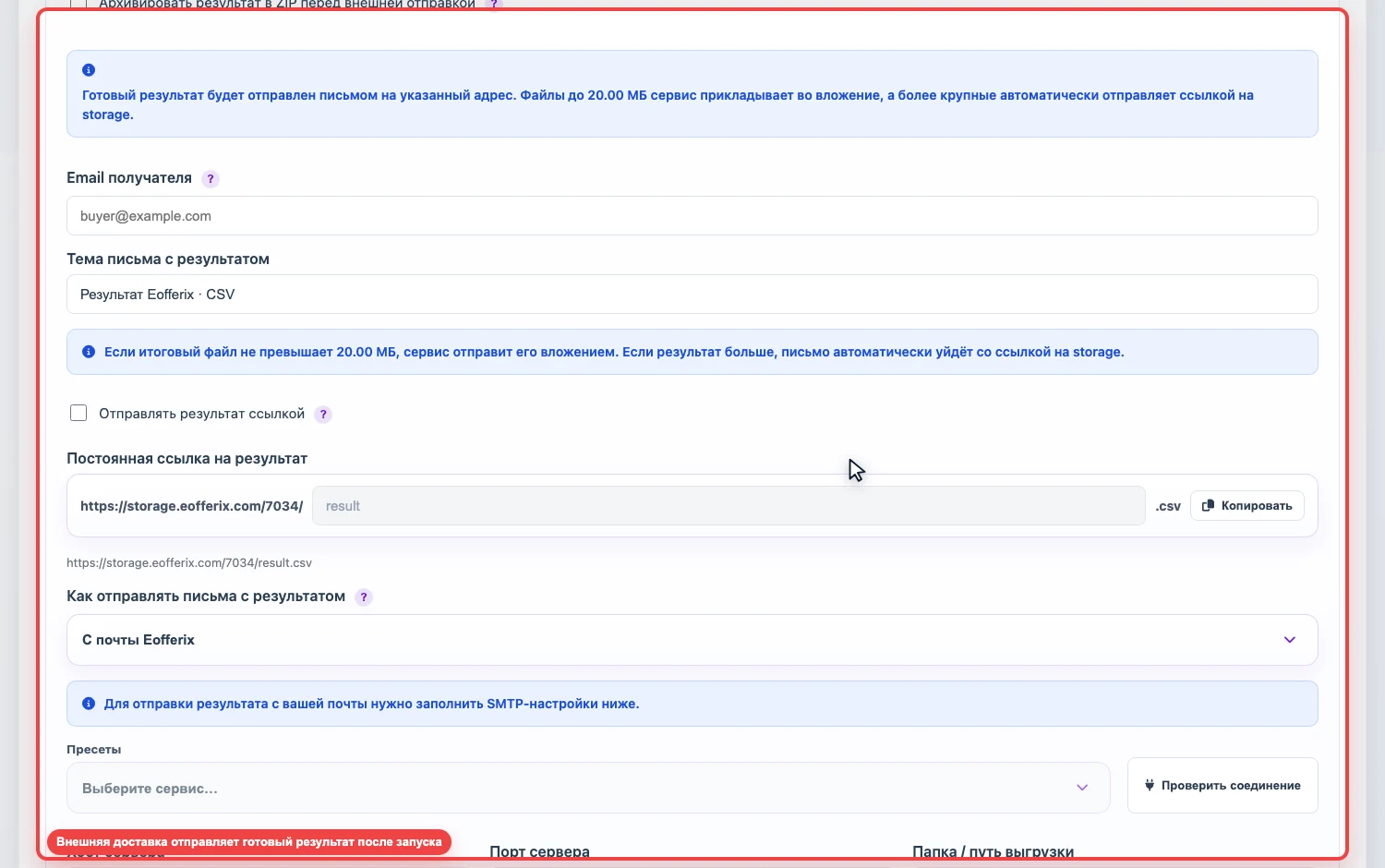
Where results can be sent
For regular file profiles, two working delivery options are currently used.
- Email - an email with an attachment or a link to the result.
- Persistent link - the result is published by the service at a fixed URL.
Email and SMTP
- Select Send by email.
- Enter the recipient email and message subject.
- If the result should always arrive as a link, enable Send result as link.
- Choose where to send from: Eofferix mail or your own mailbox through SMTP.
SMTP is not a separate delivery channel. It is a way to send email from your mailbox or domain. In From my mailbox mode, Eofferix connects to your SMTP server and sends the email from the specified sender address. Fill in SMTP host, port, encryption, login, and password; many mail providers require an app password.
If the result file is within the attachment limit, the service attaches it to the email. If the file is larger or link delivery is enabled, the email is sent with a result link.
Public link
Select Publish by link and set the result name. Eofferix shows the final URL. On each following successful run, the profile updates the file at the same persistent link.