
Automation in Eofferix is configured in two places: on the profile and on the source. A profile runs interpretation or export; a source receives a new file or checks external data.
A profile has two modes: cron schedule and event-based start. A source has its own cron schedule if Eofferix can check that source type directly.
Profile cron schedule
In profile settings, open Load frequency and select By schedule. Cron fields define minutes, hours, days of month, months, and weekdays.
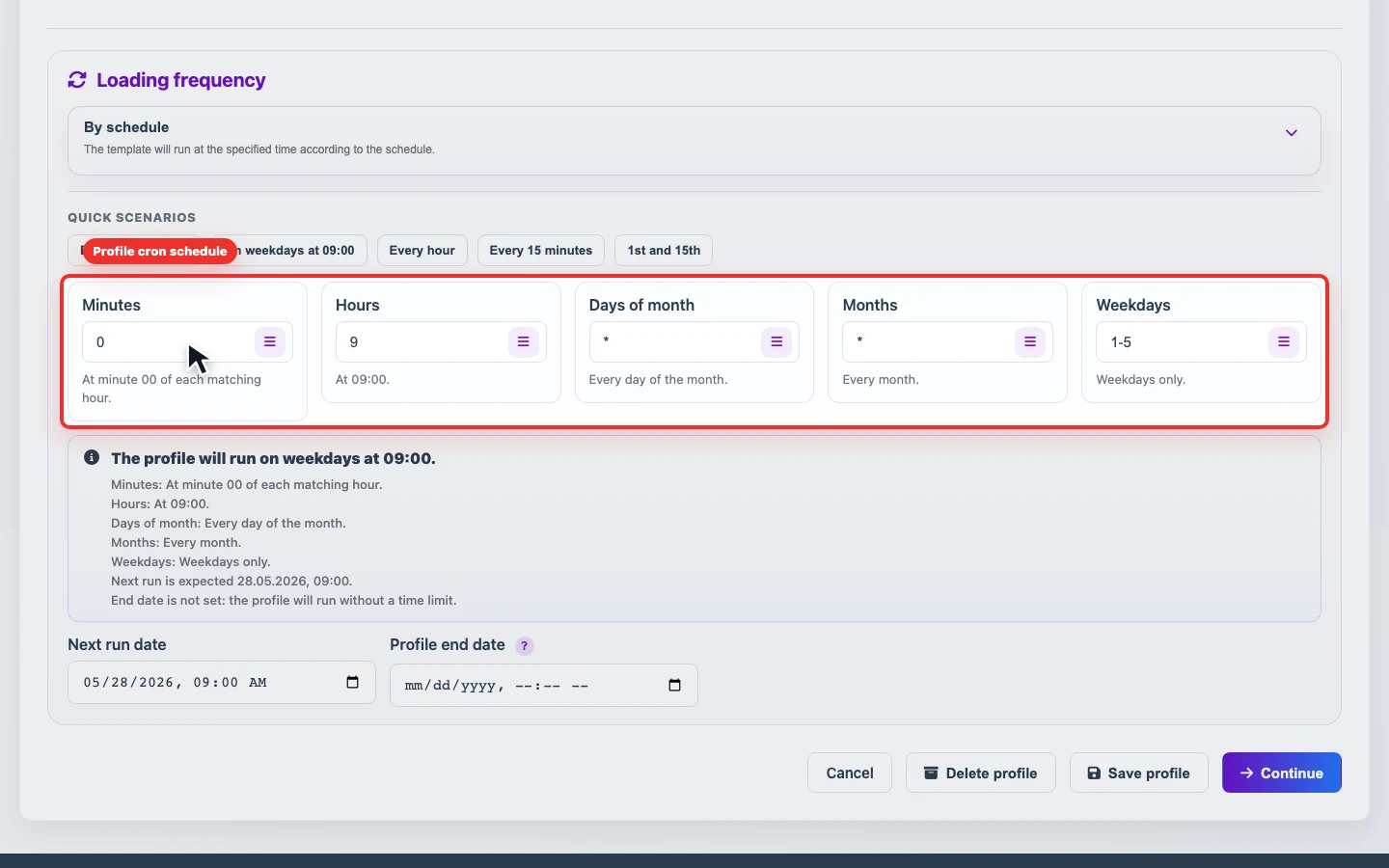
| Field | Example | Meaning |
|---|---|---|
| Minutes | 0 | Run at minute zero. |
| Hours | 9 | Run at 09:00. |
| Days of month | * | Any day of the month. |
| Months | * | Any month. |
| Weekdays | 1-5 | Monday through Friday. |
You can use quick presets or enter cron manually. * means any value, 1-5 is a range, and 1,15 is a list of specific values.
Sequential run after an event
By events is used when a profile should run after another operation succeeds, not at a fixed time. For example, a source first receives a file by FTP, then a profile immediately interprets the new snapshot or starts export.

- Choose an event that should really be the first step in the chain.
- If the source did not change and processing was skipped, the dependent scenario may not produce a new result.
- For long chains, check the run history of each profile, not only the last result of the final export.
Source scheduler
A source schedule is configured in the source card. It only controls receiving or checking source data. After a successful update, the source can become an event that starts a profile.
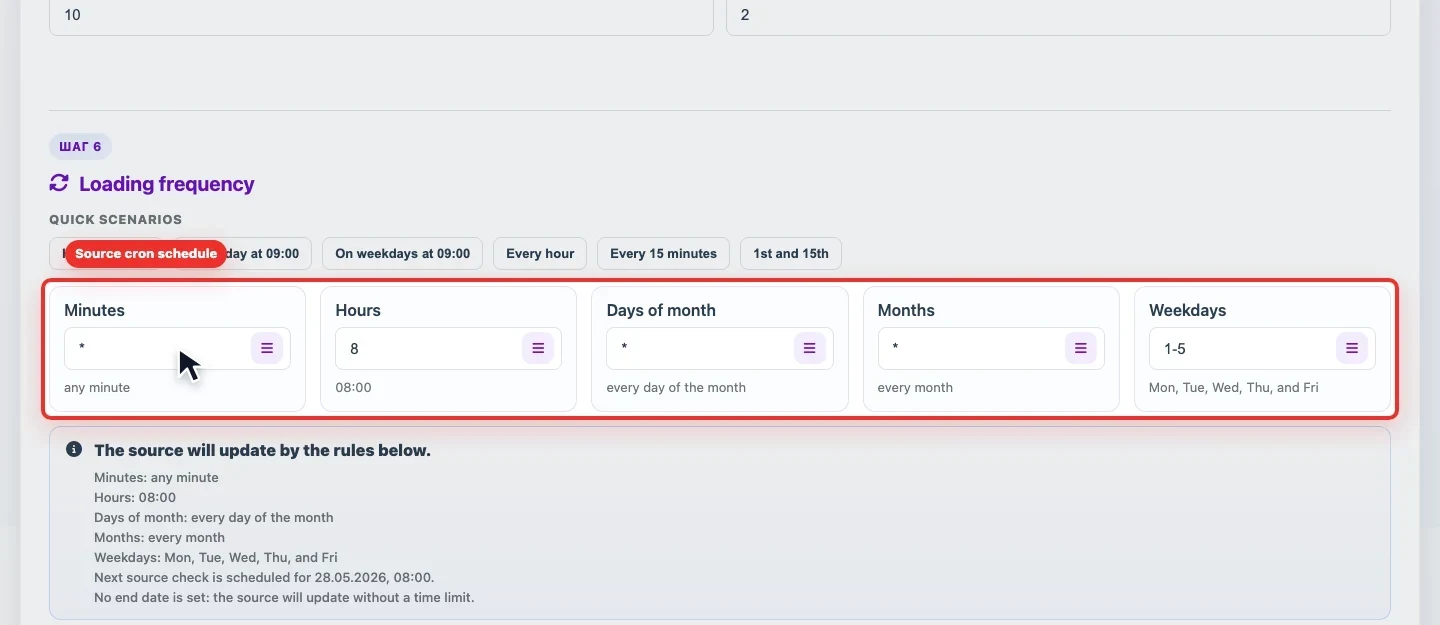
Important for 1C: a 1C source does not have an Eofferix scheduler. 1C sends data according to its own 1C schedule, and Eofferix receives the exchange through the URL shown in the source card.
How to choose the mode
| Scenario | What to configure |
|---|---|
| Export result every day at the same time | Profile cron schedule. |
| Receive a file first, then immediately run a profile | Source cron schedule plus profile start By events. |
| The source is updated by an external system such as 1C | Schedule on the external system side. In Eofferix, check the exchange URL and incoming data history. |
| Temporarily stop autorun but keep settings | Pause the task and check it in the unified scheduler. |