An FTP/FTPS source downloads one working file from a supplier server and stores it as an Eofferix source. Use it when a supplier regularly publishes a catalog, price list, or stock file at the same path.
The path can point not only to an exact file name, but also to a file name mask. The mask uses file-style wildcards: * means any sequence of characters and ? means exactly one character. For example, /export/file-?.xml matches file-1.xml and file-a.xml, but not file-12.xml. The mask /export/file-???.xml matches file-001.xml or file-abc.xml. If several files match, Eofferix selects the file with the newest modification time on the FTP/FTPS server.
The source accepts the FTP or FTPS protocol, host, port, file path, and optional login and password. The file can contain XML/YML, JSON, CSV, XLS, XLSX, XLSM, or another supported input format for import profiles.
Where To Select FTP/FTPS
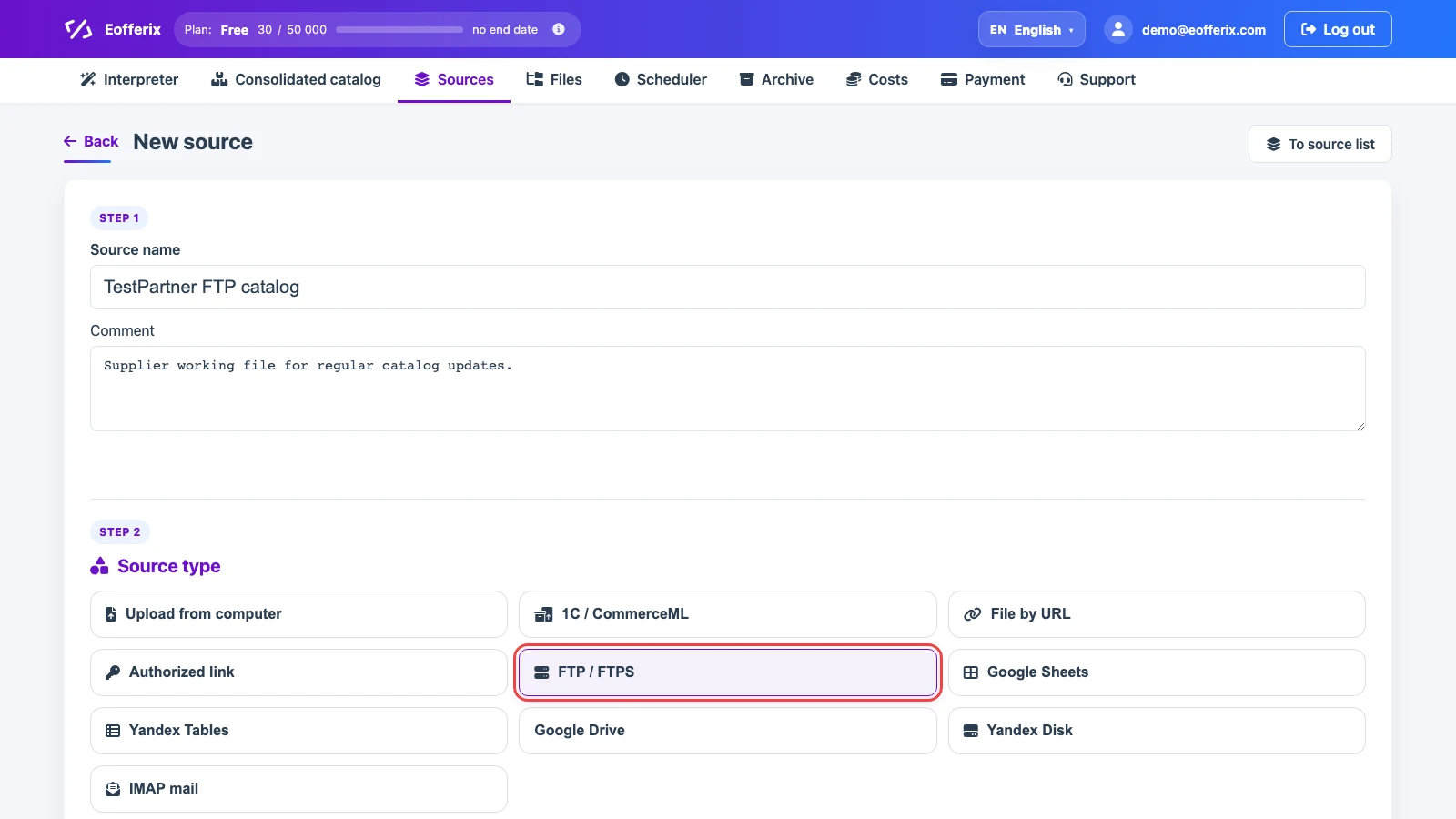
Open Sources, click New source, and choose FTP / FTPS. Use a clear source name, such as the supplier and the purpose of the file.
Connection Settings
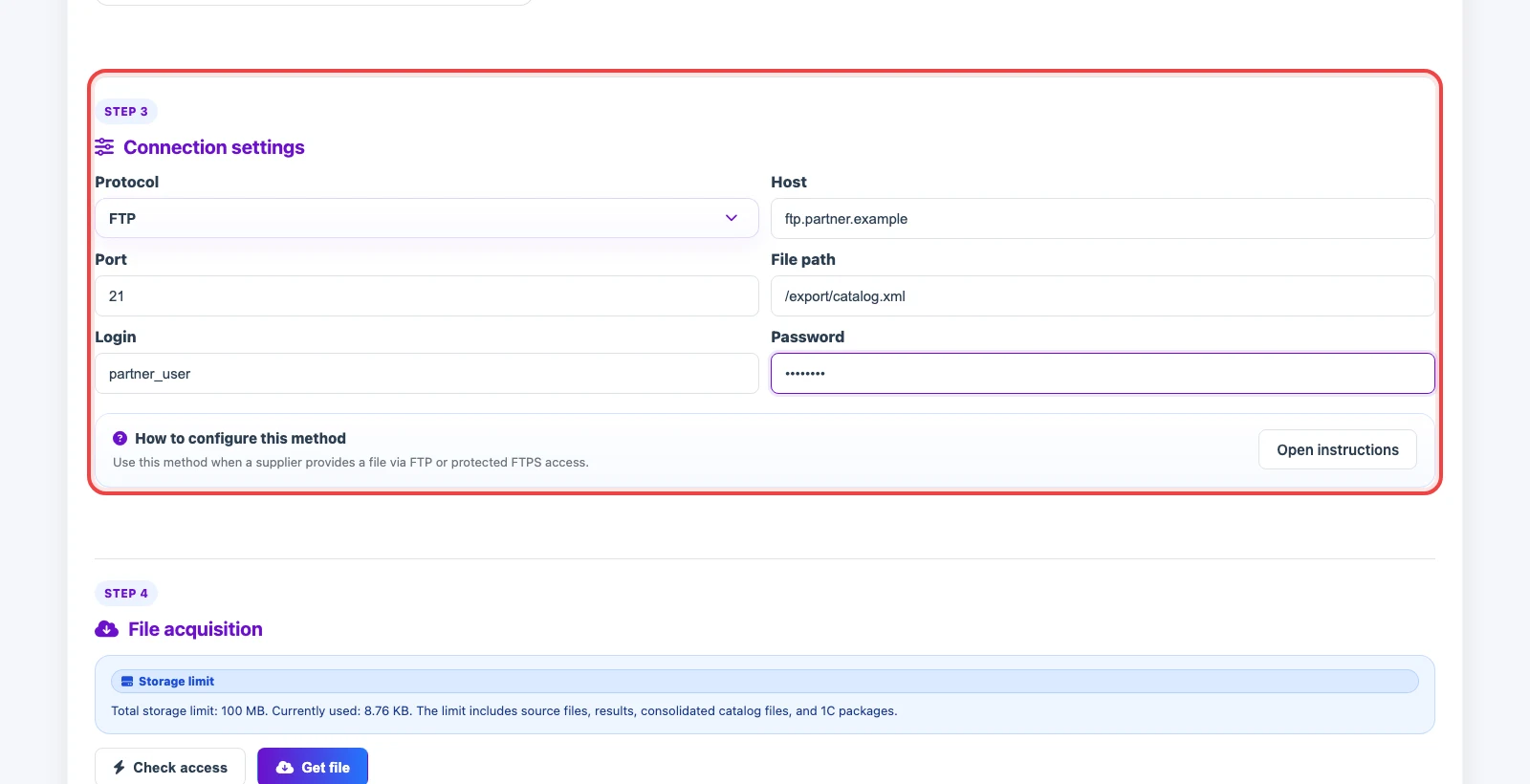
In Connection settings, enter the access details. Protocol selects FTP or protected FTPS. Host is entered without the ftp:// prefix. Port can stay empty if the supplier uses the default port. File path must point to a specific file or its mask, not just a folder.
Fill Login and Password when the server does not allow anonymous access. If the file path is entered without a leading slash, Eofferix normalizes it before connecting.
Checking Access And Getting The File
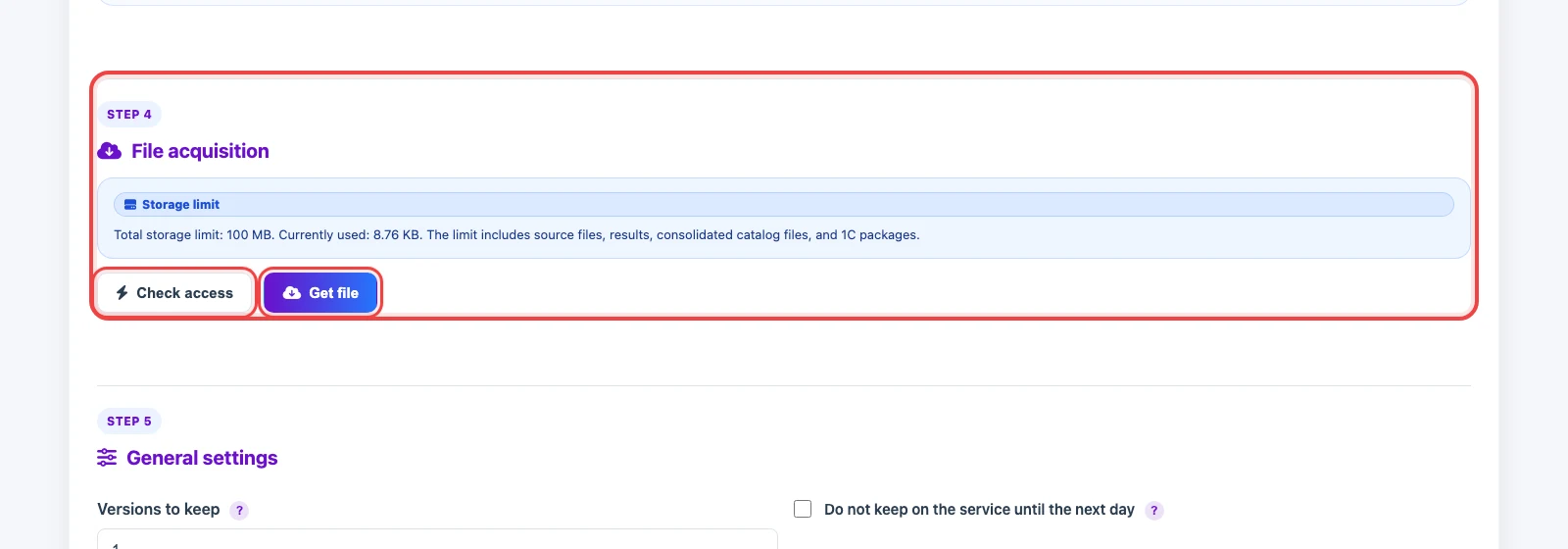
Click Check access to verify that the server responds, the file exists, and the credentials work. This check does not configure the import; it only confirms that Eofferix can reach the file.
Click Get file to download the current file version and save it as the source working file. After that, the source can be selected in an import profile and Eofferix can build a snapshot for structure mapping and transformations.
Update Schedule
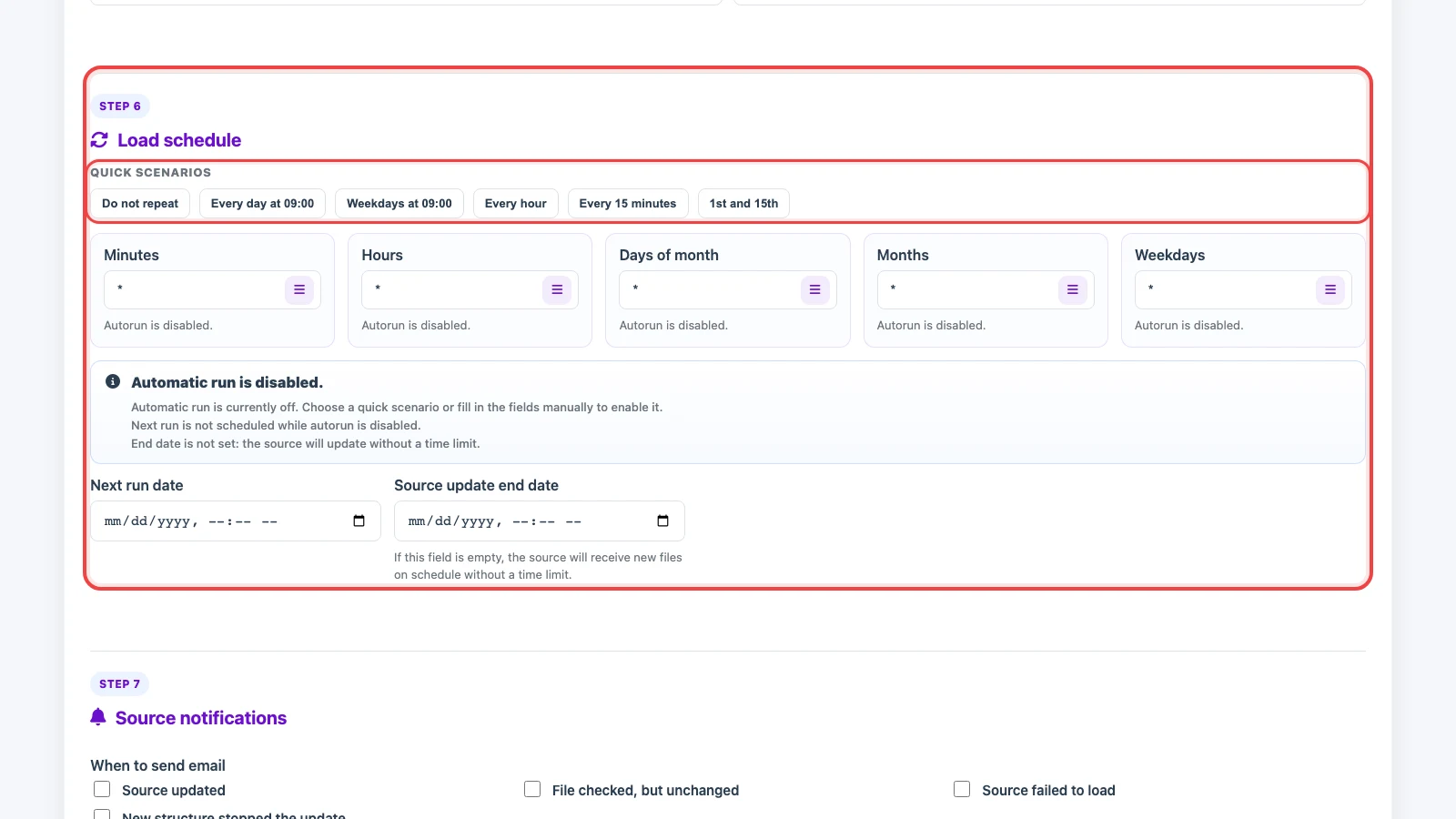
If the file changes regularly, configure a schedule. Quick presets include daily, weekdays, every hour, every 15 minutes, or the 1st and 15th day of the month. You can also fill minutes, hours, days, months, and weekdays manually.
If a scheduled check finds that the file is identical to the current working version, Eofferix does not save it as a new working file: it does not create a new source file and does not replace the source. The check is recorded, and the current working file stays unchanged.
The next run date sets the nearest check. The end date is useful when the source should update only until a specific day. If the end date is empty, the source keeps downloading the file by schedule.