
Google Drive is used when the input export is stored in Drive as a file or inside a Drive folder: XML, CSV, JSON, XLS, XLSX, ZIP, or another supported format.
If the data is maintained directly in Google Sheets, use the separate Google Sheets source. Google Drive is for files in Drive; for a folder, Eofferix selects the matching file by name mask.
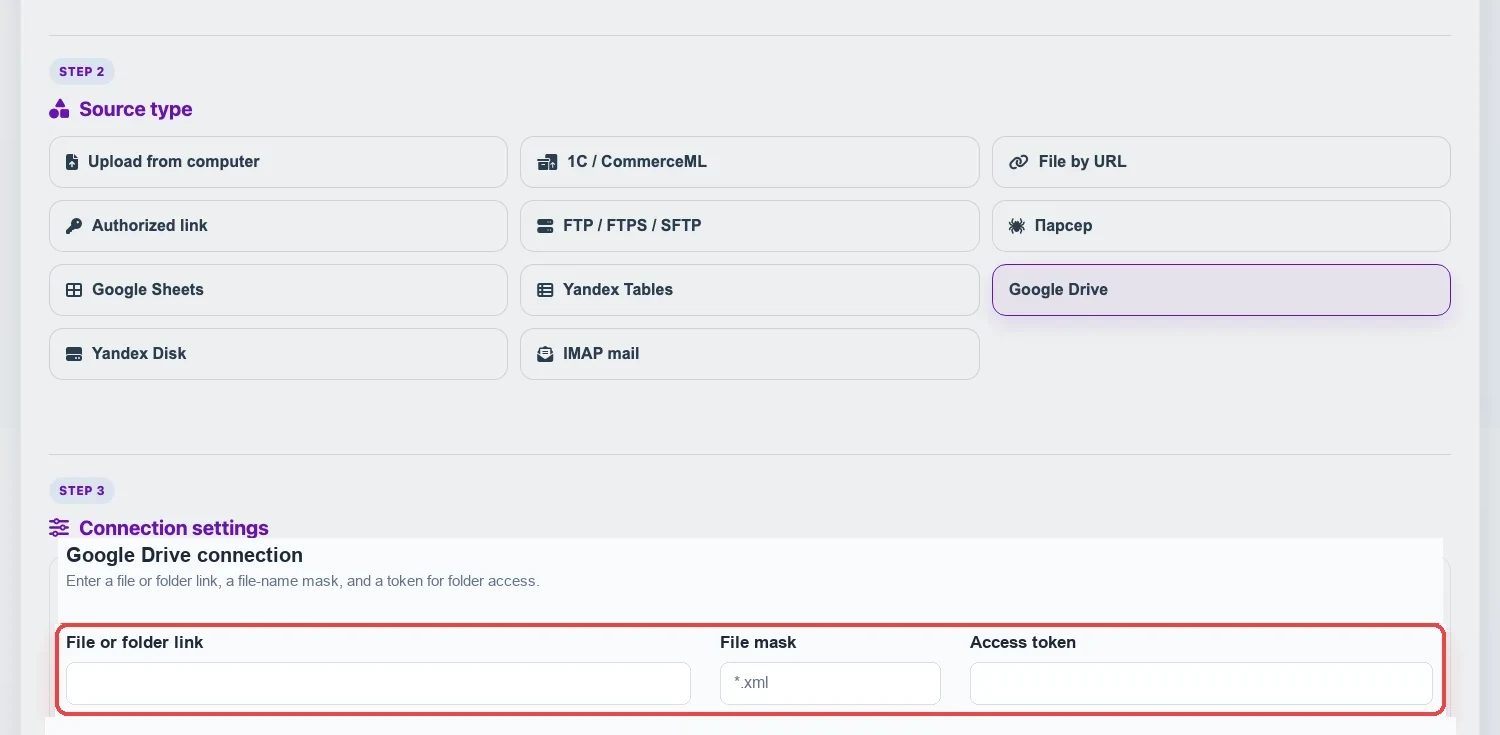
Fields
- File or folder link is the view/download link to a specific file or a Google Drive folder link.
- File-name mask is used for a folder.
*means any sequence of characters,?means one character. Multiple masks can be separated with commas, for example*.xml, price_*.xlsx. If the field is empty, Eofferix takes the newest suitable file. - Access token is needed for a private file and required for a folder: without a token, Google Drive does not provide the folder file list to the service.
- For a public file, enable “anyone with the link” with viewer permission in Google Drive.
Mask Examples
| Mask | Matches | Does Not Match |
|---|---|---|
*.xml | price.xml, catalog-2026.xml | price.xlsx |
price_*.xlsx | price_june.xlsx, price_2026_06.xlsx | stock_2026.xlsx |
file-?.csv | file-1.csv, file-a.csv | file-12.csv |
stock_??.json | stock_ru.json, stock_01.json | stock_rus.json |
Check And Get The File
Click Check access to verify that the file is reachable. For a folder, the check first selects a file by the mask. Then click Get file: Eofferix downloads the current version and saves it as the source working file. After that, select this source in an interpreter profile or a consolidated catalog import scenario.