
Task
The JSON contains records with an active flag. Only active records should be exported to CSV; disabled records should stay out of the result.
Short answer
On the result setup screen, open value or record settings and add an export condition: active equals true. To remove the entire row, use a condition for the whole element.
What matters for the result
- Place the condition on the record or row level when the whole record must be removed.
activemay arrive astrue,1oryes; check the real source format before configuring the condition.- Do not add unrelated price or stock conditions when the task is only to keep active records.
Before / after
Before
JSON[
{
"sku": "SKU-1",
"active": true,
"price": 1200
},
{
"sku": "SKU-2",
"active": false,
"price": 900
},
{
"sku": "SKU-3",
"active": true,
"price": 1500
}
]After
CSV| sku | price |
|---|---|
| SKU-1 | 1200 |
| SKU-3 | 1500 |
How to do it in Eofferix
- Create an interpreter profile, upload the JSON, and choose CSV as the final format.
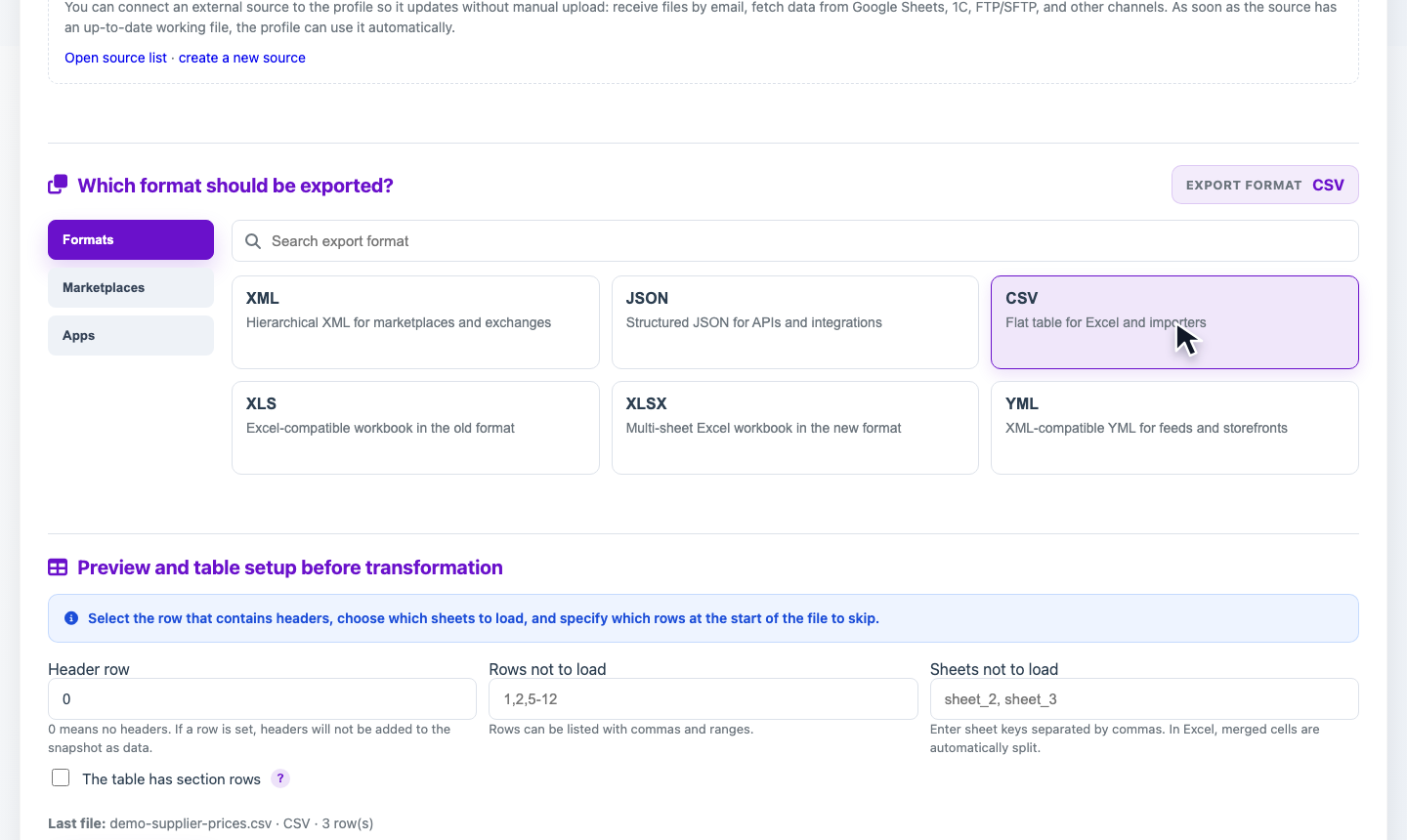
Select CSV in the format block. After the profile is saved, Eofferix opens the future table setup screen. - Find the
activevalue on the result setup screen, or the field whose settings should control record export. - Open Export conditions and choose Condition for the whole element if the full record must be skipped.
- Add a rule: source
active, operator equals, valuetrue.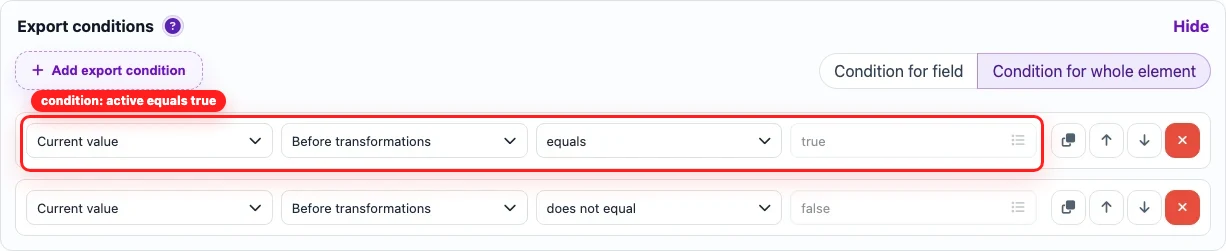
The red frame marks the export condition. To exclude the whole record, apply it to the whole element. - Save the settings and run the transformation. The CSV keeps only rows where
activeis true.