
Task
The supplier JSON API returns availability with the value available. Your catalog schema needs in_stock.
Short answer
Open the availability value settings and add one replacement rule: available -> in_stock.
How to do it in Eofferix
Open the JSON editor and find the
availabilityvalue in the product object.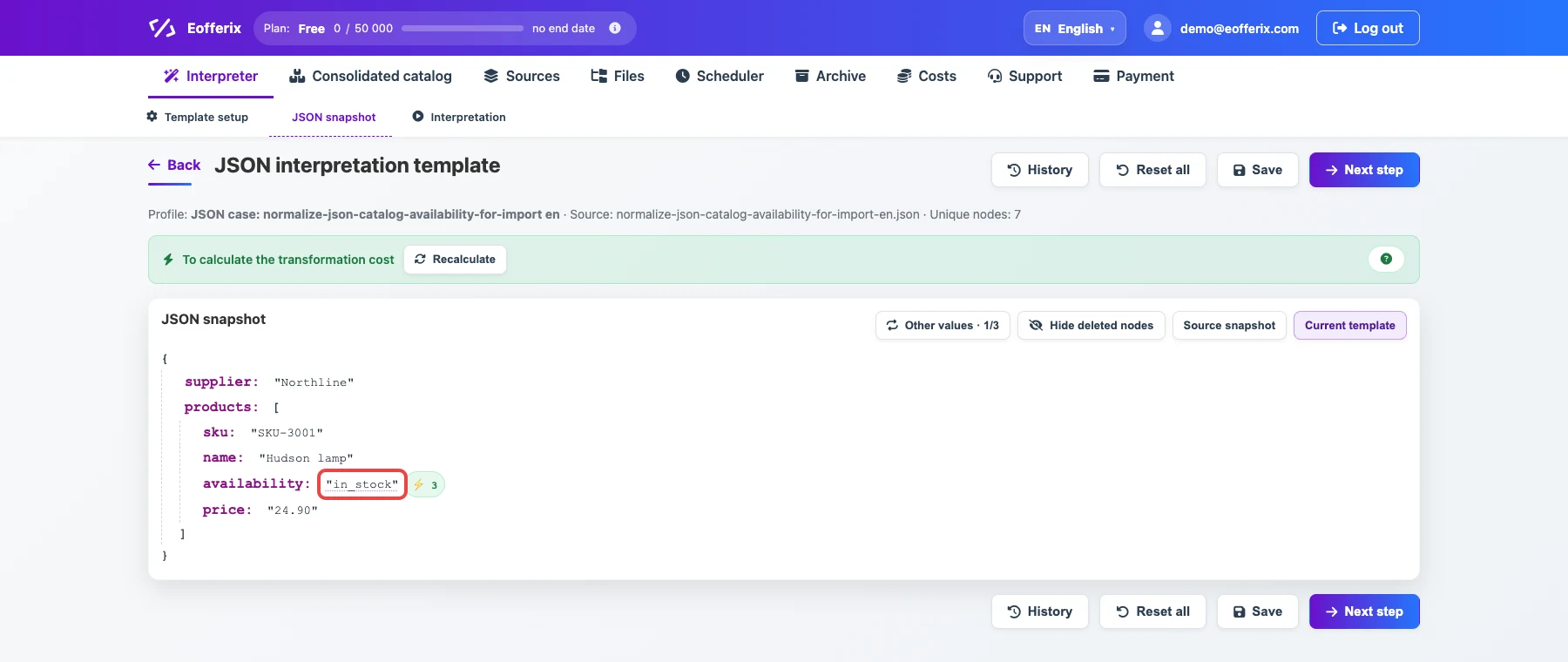
The highlighted value is the field that will be normalized before export. Open the value settings.

The animation shows opening settings for the repeated JSON field. Add one replacement rule: if the current value equals
available, replace it within_stock.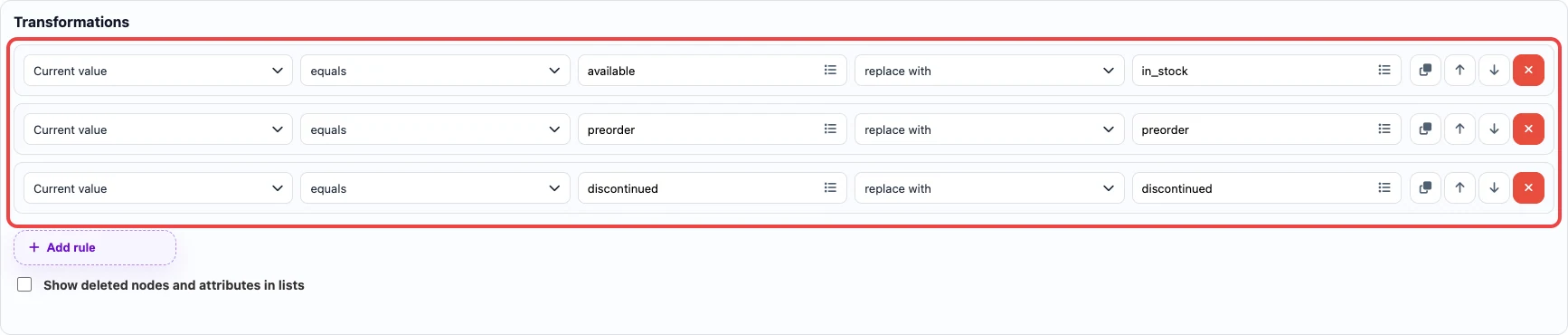
The rules map supplier values to the catalog vocabulary before export.
Before / after
Before
source data{
"supplier": "Northline",
"products": [
{
"sku": "SKU-3001",
"name": "Hudson lamp",
"availability": "available"
}
]
}After
result{
"supplier": "Northline",
"products": [
{
"sku": "SKU-3001",
"name": "Hudson lamp",
"availability": "in_stock"
}
]
}