
Task
Some products in the JSON catalog have an empty image_url. These items should not be sent forward because the product record is not ready for import without a main image.
Short answer
Open the image_url settings, add a not empty export condition, and apply it to the current product element. The whole product object without an image will be skipped.
How to do it in Eofferix
In the JSON snapshot, select the
image_urlvalue inside the repeated product.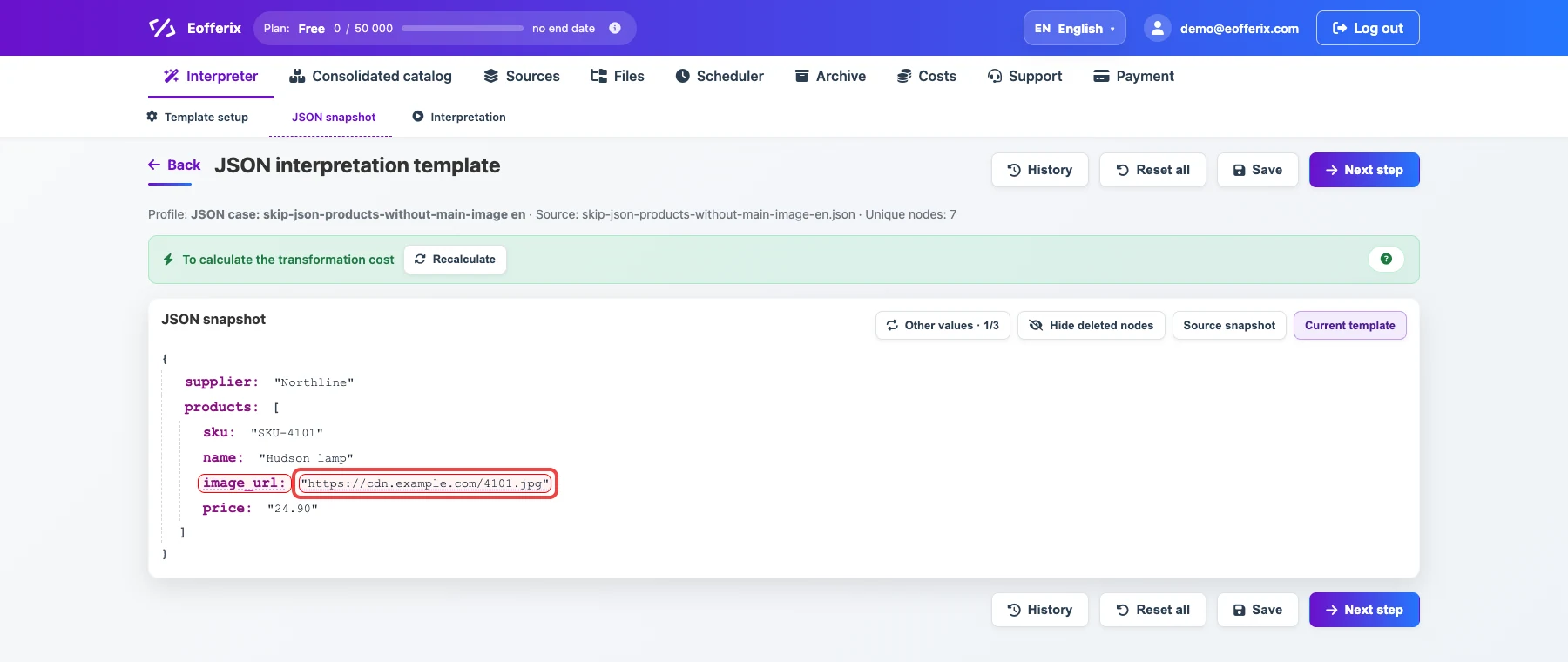
The selected field will be checked before the product is exported. Open the value settings.

The animation shows opening the image field settings. Add a
not emptyexport condition for{/products/image_url}and set the scope to the current product element.
This filter excludes a product without a main image.
Before / after
Before
source data{
"supplier": "Northline",
"products": [
{
"sku": "SKU-4101",
"name": "Hudson lamp",
"image_url": "https://cdn.example.com/4101.jpg",
"price": "24.90"
},
{
"sku": "SKU-4102",
"name": "Parker chair",
"image_url": "",
"price": "139.00"
},
{
"sku": "SKU-4103",
"name": "Harbor shelf",
"image_url": "https://cdn.example.com/4103.jpg",
"price": "16.40"
}
]
}After
result{
"supplier": "Northline",
"products": [
{
"sku": "SKU-4101",
"name": "Hudson lamp",
"image_url": "https://cdn.example.com/4101.jpg",
"price": "24.90"
},
{
"sku": "SKU-4103",
"name": "Harbor shelf",
"image_url": "https://cdn.example.com/4103.jpg",
"price": "16.40"
}
]
}