
Preview and table setup before transformation appears after a CSV, XLS, XLSX, or XLSM file is received. At this step, Eofferix understands which rows are headers, which rows should not be loaded, and which sheets participate in the next snapshot.
In the current interface, table setup opens inside the profile at the source selection step, when the profile already sees the table file. If one source is used in several profiles, check the layout in each profile where headers, skipped rows, and sheets matter.
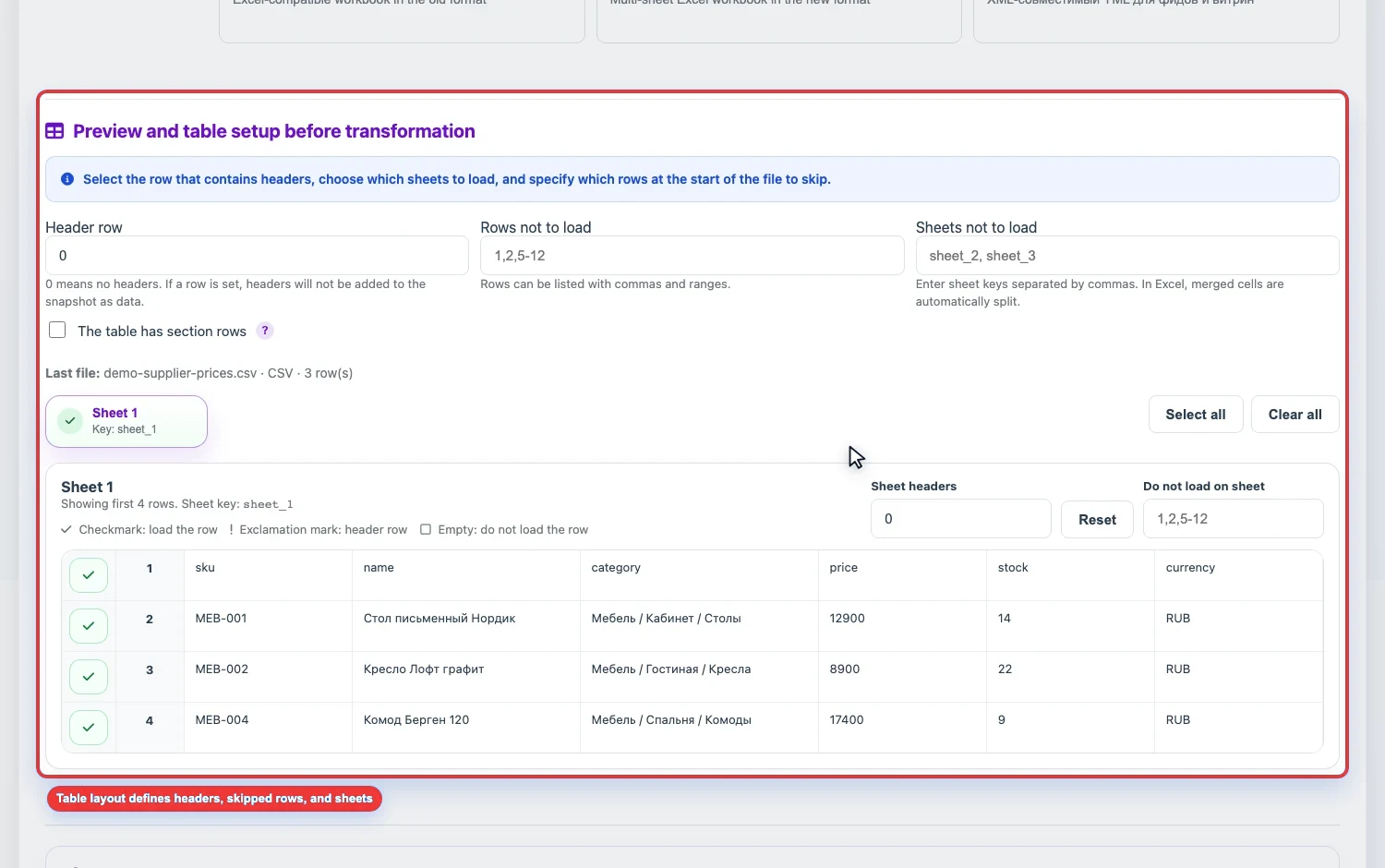
Header row
- Common header row sets one row number for all sheets.
0means that no global row number is set.- A separate sheet can have its own header row number. It has priority over the common value.
- If the number is not set, the service can detect the header row automatically.
Rows not to load
Skipped rows can be entered as numbers separated by commas and ranges: 1,2,5-12. You can also clear the active checkboxes for specific rows in the table below.
Sheets not to load
In XLS/XLSX files, extra sheets can be excluded: supplier instructions, reference sheets, archived tabs, or technical sheets. You can manage sheets by clicking the tabs in preview or by entering keys manually.
Merge sheets by headers
If several sheets should be collected into one table, enable Merge sheets by headers. Matching headers go into the same columns, and headers missing from other sheets create new separate columns in the combined table.
Section rows
If the price list is structured so that a row with a section name appears before a group of products, enable The table has section rows. Such rows will not become products; products below them receive the section path until the next section row.
This scenario is described in more detail in Section rows in tables.