
Some price lists group products with header rows inside the table instead of a separate "Section" column. For example, a row says "Accessories", the next row says "Keychains", and product rows follow below. Eofferix handles this with the "The table has section rows" mode.
How to enable section recognition
Section recognition in rows works when a section row differs from a product row because only one column with the section name is filled and all other columns are empty. These rows will not be imported as products.
It is enabled in the interpreter profile settings in the "Preview and table setup before transformation" block (available in the profile after a table is uploaded to the service).
After saving the profile and moving to snapshot editing, Eofferix adds the system field section_path, where the assembled section path is shown. It works in XML, JSON, table exports, and app imports.
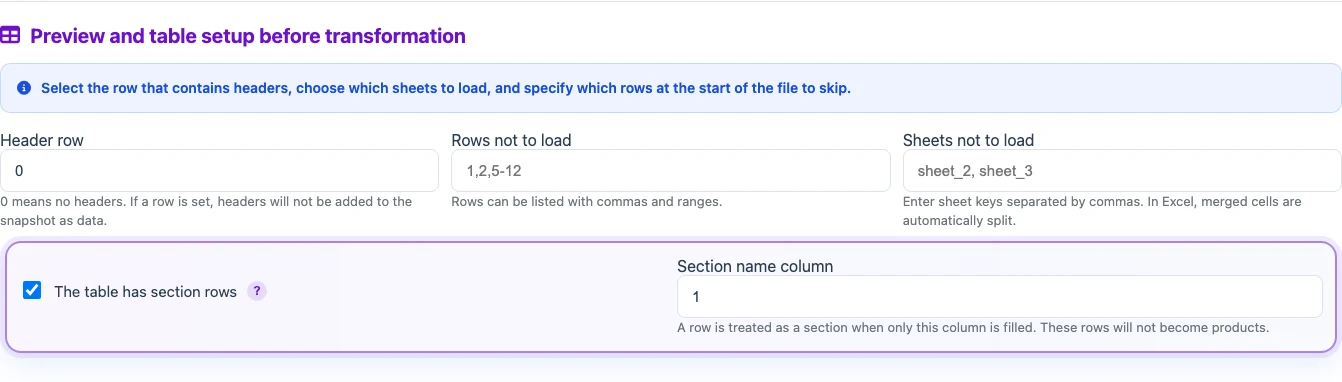
Choose the column that contains the section name in section rows.
How it works
- Open a profile whose input is a table file.
- In the table settings block, enable "The table has section rows".
- Enter the section name column number. Usually this is column 1.
- Save the settings and continue to the next step. There you will see a node with the built section path for each item.
If several section rows go one after another, Eofferix builds a section path in that order. For example, "Accessories" and "Keychains" give the products below the path "Accessories / Keychains". When the next section row appears, the path for following products changes.
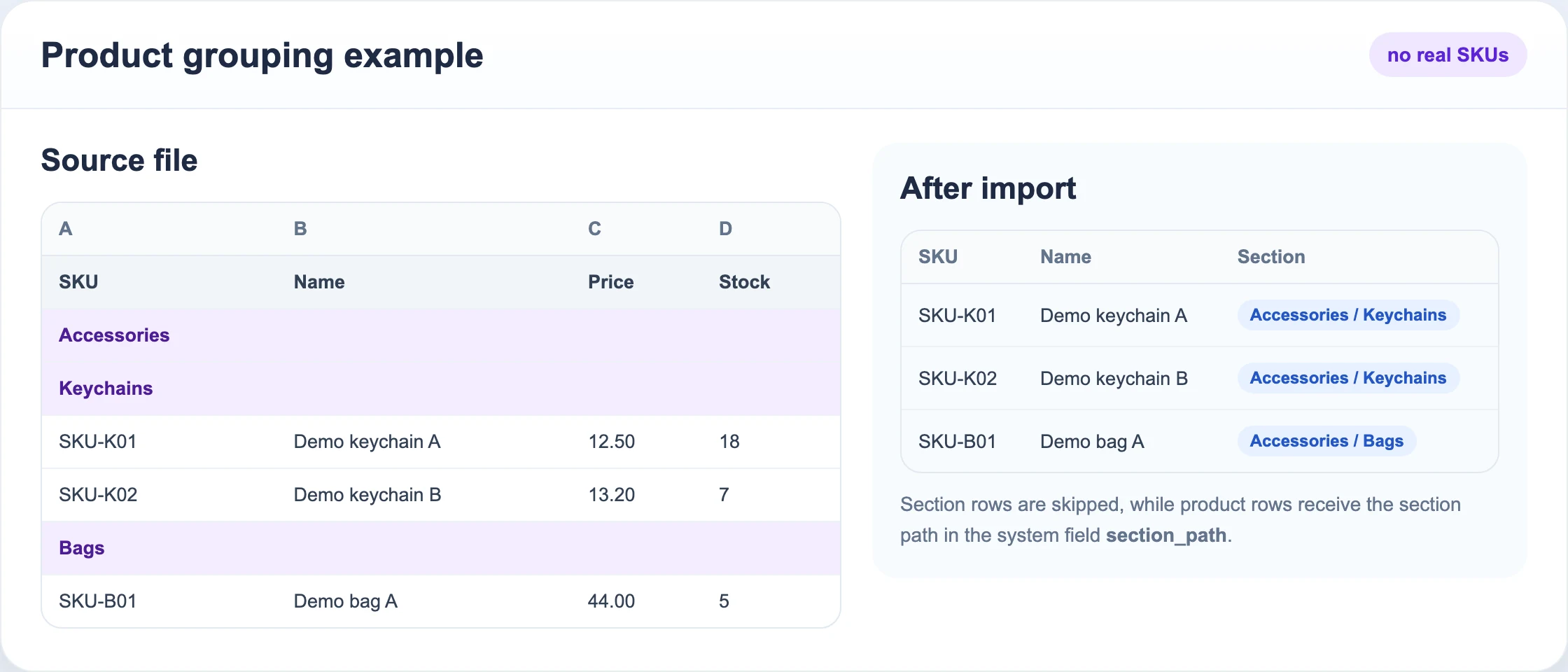
Section rows are skipped, while product rows receive the section path.
Important rules
- A row is treated as a section only when the selected column is filled and all other columns are empty.
- If the row contains SKU, price, barcode, or any other text in another column, Eofferix treats it as a product row.
- The "section rows" transformation is applied after the other table settings (merging table sheets, selecting the header row, skipping rows, etc.).
- The section path is stored as the system field
section_path.