
Task
A supplier file adds a three-letter warehouse suffix to each SKU: 00123CAL, 00456NYC, 07890TEX. The import needs the clean SKU without the last 3 characters: 00123, 00456, 07890.
Short answer
Create sku_clean from sku_raw and add one rule: condition Regular expression with .{3}$, action Remove substring.
How to do it in Eofferix
Upload the CSV or XLSX file with the
sku_rawcolumn where the last 3 characters are always a service code.Create the result column
sku_cleanfrom the source columnsku_raw.Open the settings for
sku_cleanwith the gear icon in its header.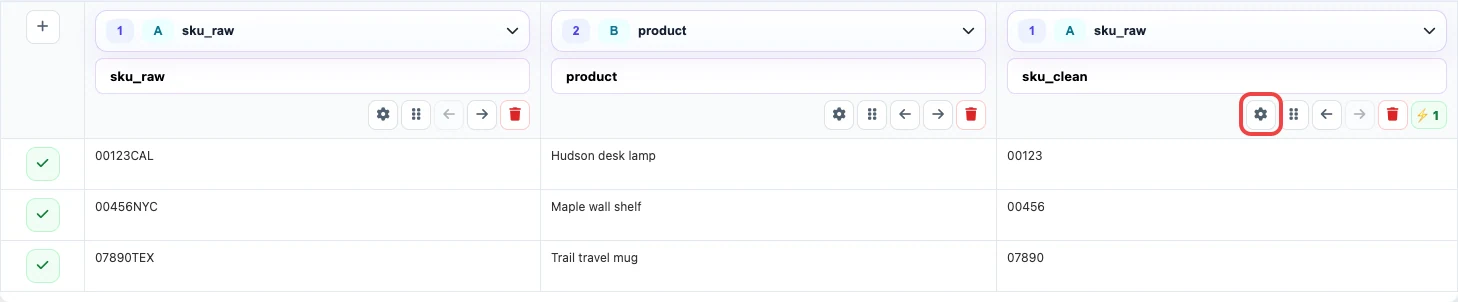
The preview shows 00123CALbecoming00123.In
Transformations, chooseRegular expression, enter.{3}$, and set the action toRemove substring.
The pattern .{3}$finds the last 3 characters at the end of the string, and the action removes that match.Save the settings and check several rows:
00456NYCshould become00456, and07890TEXshould become07890.
Before / after
Before
source data| sku_raw | product |
|---|---|
| 00123CAL | Hudson desk lamp |
| 00456NYC | Maple wall shelf |
| 07890TEX | Trail travel mug |
After
result| sku_clean | product |
|---|---|
| 00123 | Hudson desk lamp |
| 00456 | Maple wall shelf |
| 07890 | Trail travel mug |
What to keep in mind
- Use this method when the extra suffix has the same length in every row.
- If the suffix is separated by a character, such as
00123-CAL, use the remove-text-after-character case instead. - Change the number for another length:
.{2}$removes the last 2 characters, and.{4}$removes the last 4.