
When the same product comes from several suppliers, do not overwrite all prices into one field. Store supplier prices separately and calculate the final price with a rule. This keeps source prices visible, lets you change the strategy, and prepares different exports without losing data.
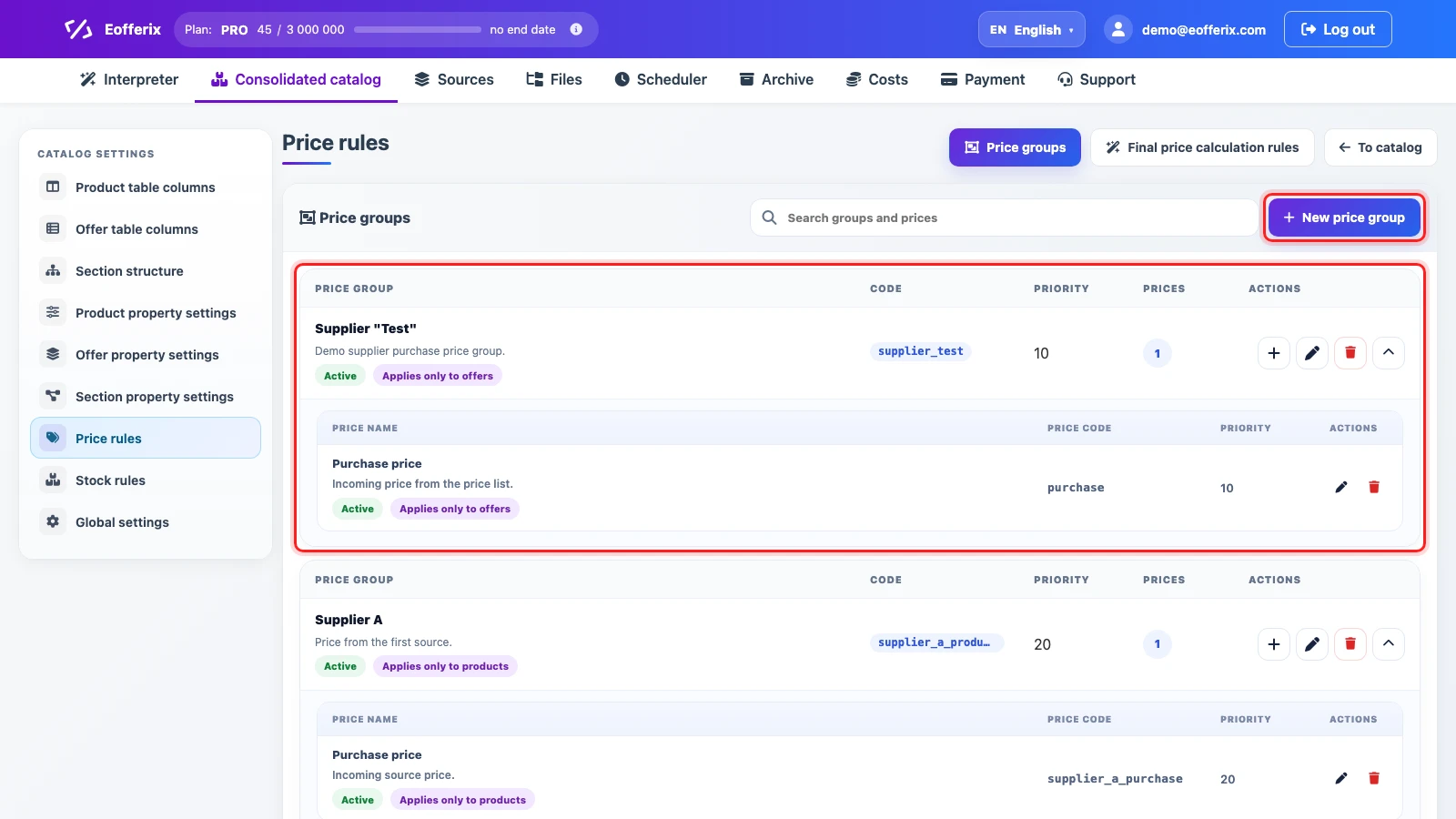
Price Groups
Prefer creating a separate price group for each supplier. A group can contain several values: purchase price, recommended price, promotional price, or another price type sent by that supplier.
- Price group describes the source or owner of the price: supplier, branch, price list, sales channel.
- Price inside the group describes the value type: purchase, retail, promo, incoming price.
- Priority helps select a price when the rule uses group or price-type order.
Final Price Rules
A final price rule decides which price will be used next: in the product card, export, partner file, or marketplace template. Rules can be configured separately for products and offers.
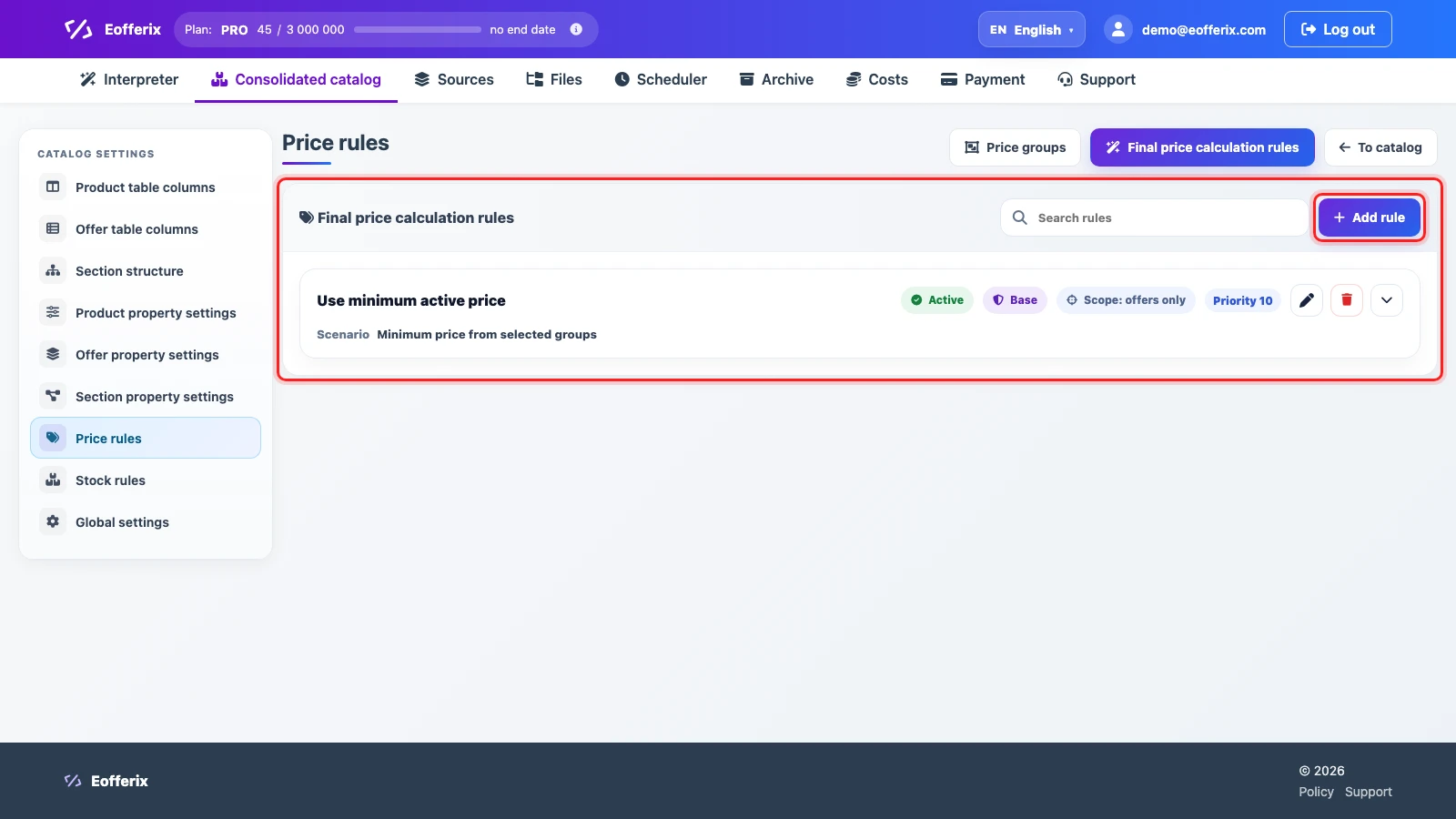
What the Rule Defines
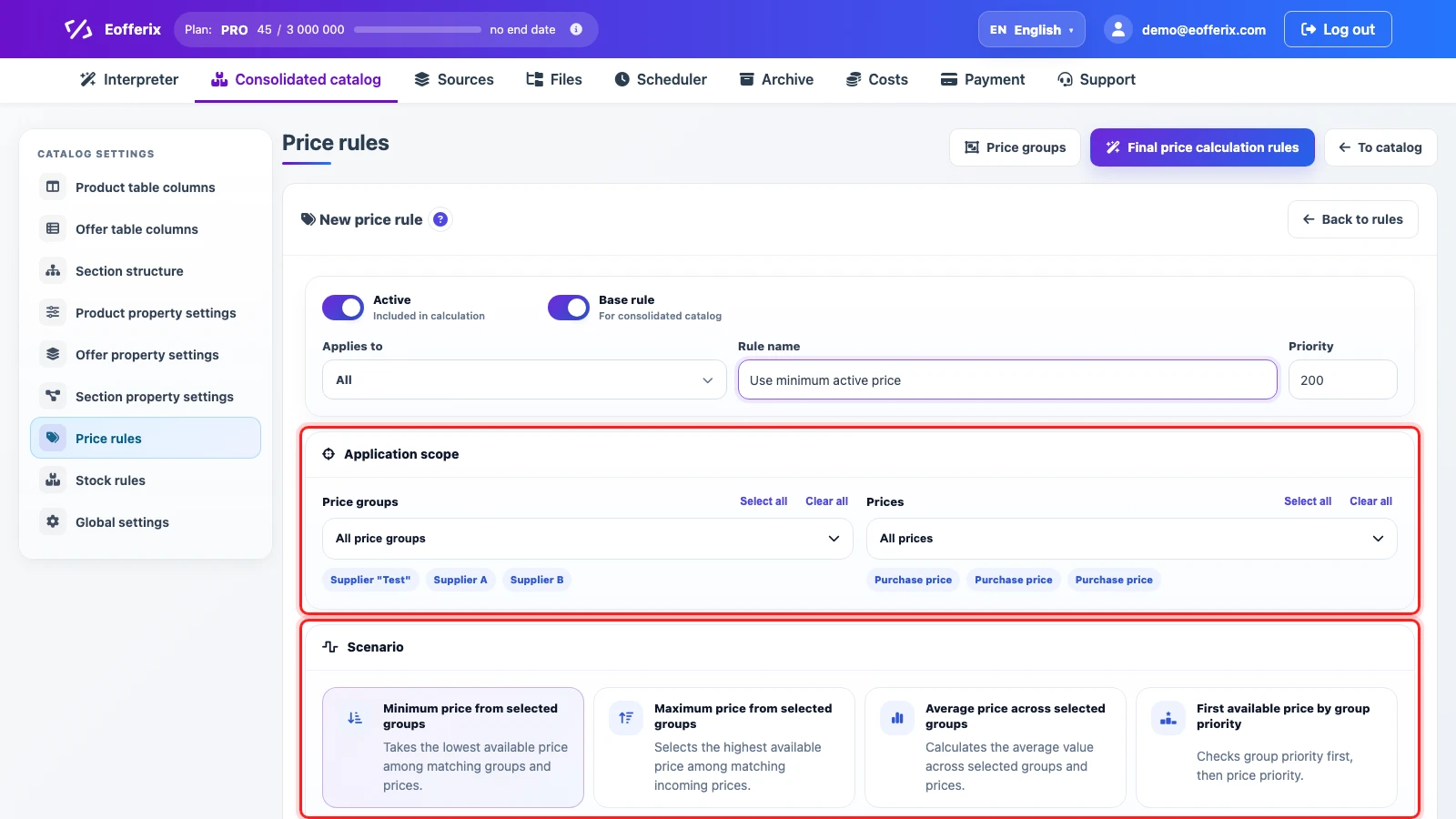
- Application scope. Choose what the rule applies to and which price groups participate in calculation.
- Scenario. Choose minimum, maximum, average, first available by priority, or a custom calculation.
- Adjustments. Add markup, discount, rounding, or protection against incorrect values when needed.
- Rule priority. If there are several rules, priority defines their order.
Calculation Example
| Supplier | Incoming price | What the rule does |
|---|---|---|
| Supplier A | 10.00 | participates in the calculation as a price from its group |
| Supplier B | 9.40 | can become the final price with the minimum-price scenario |
| Supplier C | 10.50 | remains available for other rules or analysis |
If you choose the minimum-price scenario, the final value is the lowest matching price from selected groups. If a stable supplier matters more, use the first available price by group priority.