
Import rollback returns the current source contribution in the consolidated catalog to a selected rollback point. A point is created before an import; the service keeps up to five latest points for this source.
Rollback applies only to the current profile source. It is not a full supplier deletion: the profile, import settings, and files saved in storage remain.
Where to find it: open the Interpreter profile that imports data into the consolidated catalog and go to the Interpretation step. The Rollback consolidated catalog import block is at the bottom of the page.
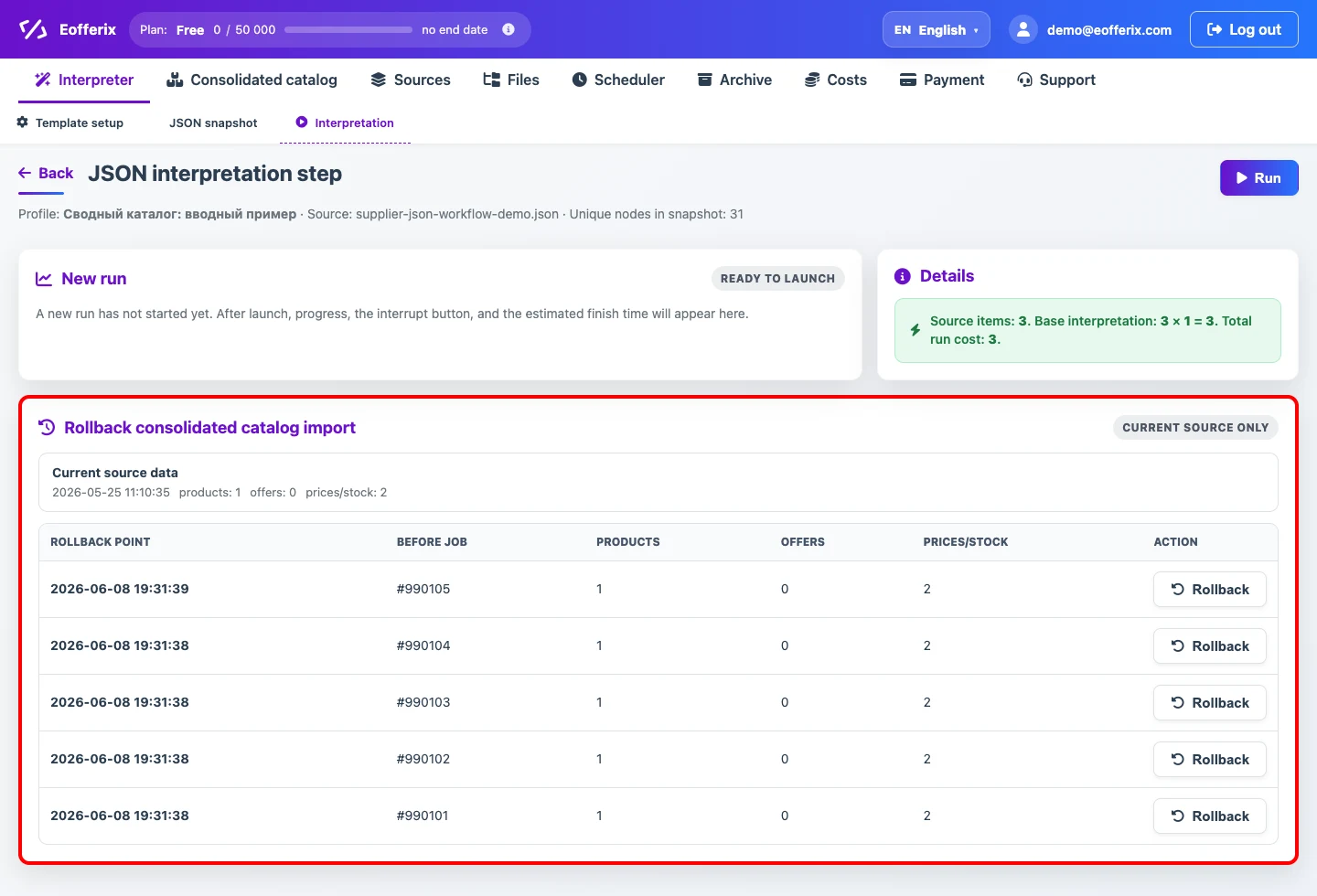
What Changes
- Current-source data created after the selected point is deleted or unlinked.
- Products and offers that have no source links left after rollback are deleted from the catalog.
- Prices and stock values from the current source return to the selected point state.
- Custom property values return to the selected point. Properties created after that point and no longer used anywhere are deleted.
- Indexes, offer counts, and product links are recalculated.
This is an explicit rollback of the selected consolidated-catalog run, not automatic cleanup triggered by absence from a later source. During a regular import, properties and dictionary values are retained.
What Is Only Unlinked
If a product or offer is also linked to other sources, it remains in the catalog. Eofferix changes only the current source contribution and recalculates which source is now current for the object.
What Remains
- Data from other sources linked to the same products or offers.
- Catalog settings not related to deleted empty custom properties: property groups, price and stock rules, dictionaries.
- Source files and run results in Files. Use the Files section actions to clean storage.
When To Use It
Use rollback when the latest import of the current source has already damaged catalog data and you need to return to the state before it. If you only need to replace data with a corrected version, it is usually enough to fix the source and run the import again.